
Travelers today expect the convenience of connecting their own devices to hotel TVs. Whether it is streaming a favorite show or sharing a presentation, guests want a smooth and secure way to cast their phone, tablet, or laptop to in-room televisions. Hotel cast solutions provide the technology to make this possible. They allow guests to enjoy a personalized viewing experience while giving hotels the tools to manage access, security, and compatibility.
What Are Hotel Casting Solutions
Hotel cast solutions are specialized systems designed to allow screen mirroring or casting in hotel rooms. Unlike standard casting solutions used in homes and offices, these solutions are tailored for hotel environments. They support common protocols such as AirPlay, Google Cast, and Miracast. Some hotel systems also use proprietary protocols to ensure compatibility across different brands of televisions.
Casting solutions for hotels are used in two main ways. First, they allow guests to easily cast their devices to in-room TVs. Second, they provide hotels with management features that include access control, usage monitoring, and content restrictions. In-room cast solutions and hotel casting systems ensure that multiple guests can use the service without interfering with one another or compromising network security.
What Are the Challenges in Hotel Casting
Casting in a hotel environment can be more complicated than at home. One challenge is network isolation. Hotel Wi-Fi often separates devices to protect privacy and security, which can make connecting a phone to the TV more difficult. Compatibility is another issue. Hotel TVs can come from various brands and may not support every casting protocol.
Security and privacy are also important concerns. Without proper management, guests can accidentally access another room's device or content. Guest casting solutions need to address these issues to provide a safe and reliable experience. Screen casting for hotels requires thoughtful planning to ensure the system is user-friendly while protecting hotel networks.
What Are Best Hotel Casting Solutions
The most effective hotel casting solutions combine ease of use with robust security and management features. They allow guests to connect quickly, often by scanning a QR code or entering a room number. Hotels can manage the system from a centralized platform, controlling which devices are allowed and restricting content if necessary.
Other important features include support for multiple devices, compatibility with a wide range of TVs, and reliable performance. The best solutions also offer guest-friendly interfaces that make casting intuitive. When selecting a casting solution for hotels, it is important to consider both the guest experience and the management tools available to staff.
What is the best solution for hotels? Several options have proven reliable and widely used across the hospitality industry. They combine ease of use with strong management tools for hotels. Some popular systems include:
These solutions all share common benefits. They allow guests to cast content from their phones, tablets, or laptops without a complicated setup. They also provide hotels with tools to manage multiple devices, maintain network security, and monitor usage. Selecting the best solution for hotels depends on factors such as TV compatibility, desired protocols, security features, and ease of use for guests.
How to Use Hotel Casting Solutions
Although each hotel may use a slightly different system, most casting solutions follow a similar process. Guests can usually cast to the hotel TV in just a few steps:
Step 1. Turn on the TV in your hotel room and make sure it is set to the correct input.
Step 2. Look for on-screen instructions, such as a QR code, a room-specific code, or a pairing option.
Step 3. Open the casting feature on your phone, tablet, or laptop. This may be AirPlay on iOS, Chromecast on Android, or screen mirroring options on Windows and macOS.
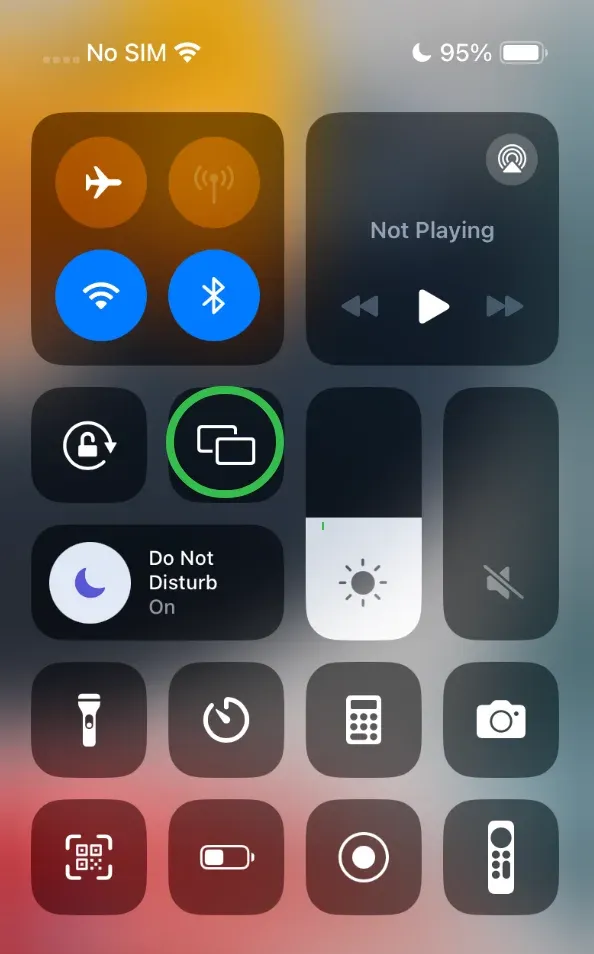
Step 4. Choose the Hotel TV from the available devices.
Step 5. Confirm the connection if a code appears on the screen.
Step 6. Begin casting your preferred content, such as movies, presentations, or live streams.
Hotels often simplify the process by showing clear directions on the TV welcome screen. While it may take a moment to connect, modern guest casting solutions are designed to be quick, secure, and reliable.
How Universal Screen Mirroring Apps Can Help
A universal TV casting app can simplify the process for both guests and hotels. Such apps are designed to work with virtually smart TV or streaming player, whether it supports AirPlay, Chromecast, or Miracast. They provide secure connections and safeguard your privacy.
How to use the app:
Step 1. Set up the app on your mobile device and give it permissions.
Step 2. Ensure that your phone and the target device are on the same Wi-Fi network.
Step 3. Launch the app and connect it to the target device.
Step 4. Once connected, choose the content you want to cast, whether it is a video, presentation, or screen mirror.
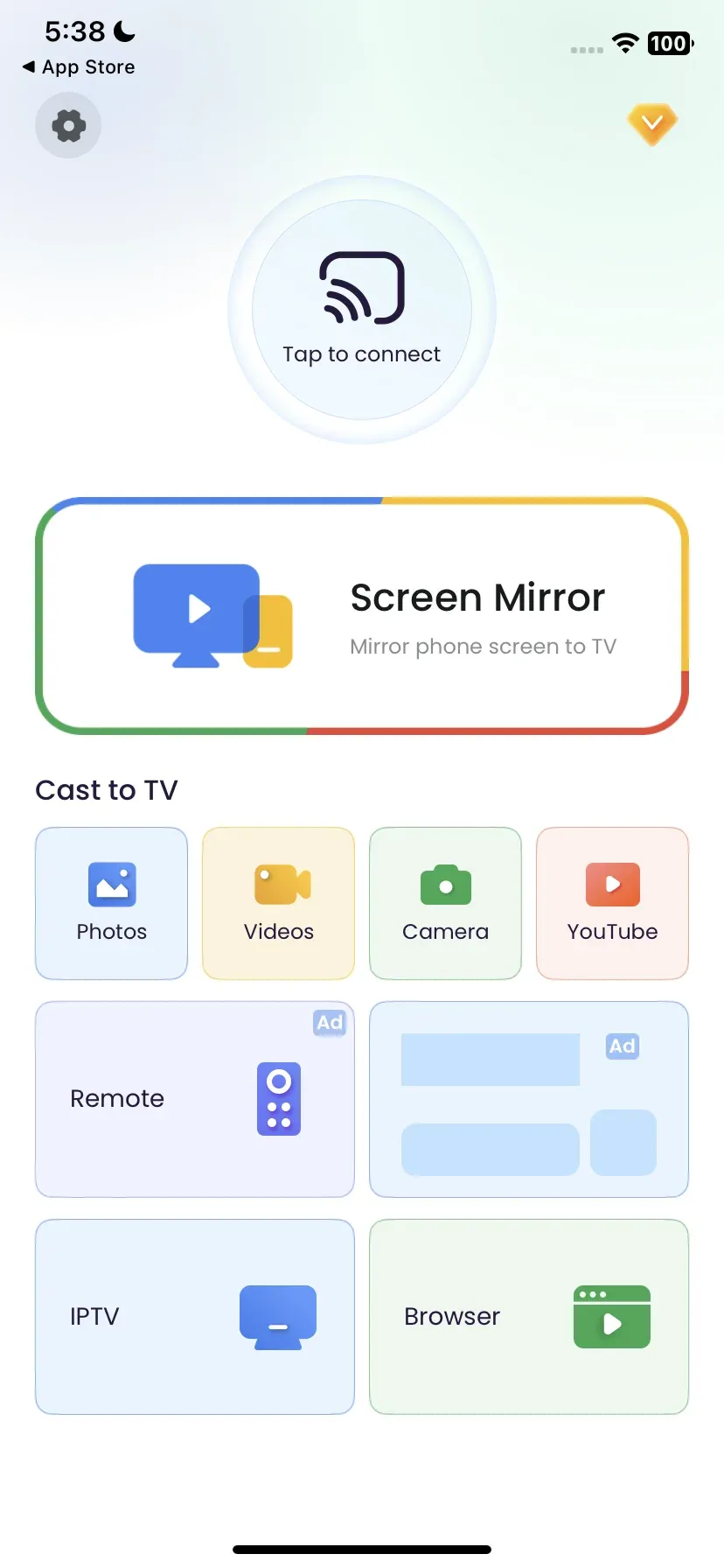
Step 5. Enjoy your content on the big screen.
This simple process reduces frustration and makes casting as easy as it would be at home.
Conclusion
Hotel cast solutions are essential for providing a modern and convenient guest experience. They offer secure, easy-to-use screen mirroring for in-room TVs while giving hotels management control and compatibility across devices. Using a universal screen mirroring app makes the casting process even simpler, allowing guests to cast their phones or tablets safely and reliably. Enhance your hotel experience today by using the best hotel casting solution available.
Hotel Cast Solutions FAQs
Q: What is the best casting device for hotels?
Many hotels use solutions like GuestCast, Enseo, or EasyCast because they are secure, easy for guests to use, and can be managed centrally by hotel staff. For personal use, devices like Chromecast or Apple TV are also common, but they may require extra setup in hotels with restricted networks.
Q: What apps can I use to cast to hotel TV?
Popular apps include Netflix, YouTube, Disney+, Hulu, and Spotify. Most hotel casting systems support AirPlay, Google Cast, or Miracast, so you can stream content from your phone or laptop as long as the hotel TV allows it.
Q: Can I plug a Chromecast into a hotel TV?
Yes, in many cases, you can plug a Chromecast into the HDMI port of a hotel TV. However, the main challenge is connecting the Chromecast to the hotel WiFi, since many networks require a login through a browser. Some travelers use a travel router or their phone’s hotspot to bypass this issue.
Q: Can I mirror my phone to hotel TV?
Yes, if the hotel TV or casting solution supports it. iPhones can use AirPlay, while Android devices often support Google Cast or Miracast. If the TV does not allow direct casting, universal screen mirroring apps can sometimes provide a workaround.
Q: Can you cast to an LG hotel TV?
Yes, if the LG TV is equipped with casting support or connected to a hotel casting solution. LG hotel TVs often work well with AirPlay and Google Cast, making it possible to mirror or stream content from your phone.

 Mar 23, 2026