
When something goes wrong on an LG TV, performing a TV factory reset could be greatly helpful and it is easy to factory reset an LG TV with a remote. But what to do if the LG TV remote is missing or not working? Luckily, the tutorial on how to factory reset LG TV without remote is detailed here. Scroll down to check the details.
Read this before resetting the LG TV
A factory reset is not the same as unplugging and restarting the TV. LG states that initialization removes installed apps, account settings, passwords, personal settings, and saved data. Use it only after a normal restart and problem-specific checks fail.
The button on many LG TVs can power the set on or open a limited control menu, but button functions vary by model. It may not provide enough navigation to reach Reset to Initial Settings. The most reliable no-original-remote options are a compatible replacement remote, an already connected LG ThinQ setup, or another control device that can navigate the full Settings menu.
| webOS generation | LG's current reset path |
|---|---|
| webOS 6.0 and newer | Settings > All Settings > General > System > Reset to Initial Settings |
| webOS 5.0 (2020) | Settings > All Settings > Support > Reset to Initial Settings |
| webOS 4.5 and older | Settings > All Settings > General > Reset to Initial Settings |
Menu names can differ by region and model. Confirm the exact path in the TV manual before approving the reset prompt.
Official reference: LG factory reset instructions.
When an LG TV factory reset is appropriate
Before selling your LG TV to others, it is recommended that you perform an LG TV factory reset because a factory reset can remove all data including network setting information, login information, and installed apps. In other words, a factory reset can avoid personal information leakage.
Besides, factory resetting an LG TV is a common and helpful solution to LG TV issues including Wi-Fi disconnection, app not working, performance issues, conflicts with the TV's settings, and so forth. However, before trying to fix these issues through a factory reset, you'd better always start with a soft reset.
Different from a factory reset, a soft reset, also known as a power cycle, is to restart the TV and during the restarting process, bugs that cause TV issues might be eliminated.
All in all, performing an LG TV factory reset is to clear your data on the TV and solve different issues on the TV.
How to regain control and reset an LG TV
It is easy to factory reset an LG TV with a remote, and it is also not hard to factory reset an LG TV without a remote. Well, how to factory reset LG TV without remote? Several ways are displayed below.
Option 1. Check what the TV's physical controller can do
LG TVs do not have a reset button, but you can perform a factory reset to your LG TV through its power button. Generally, the power button is located on the back panel of the TV, the side panel, or the front. So, look through your LG TV to locate the power button and then carry out the following steps.
Step 1. Press the power button on your LG TV to power off the TV.
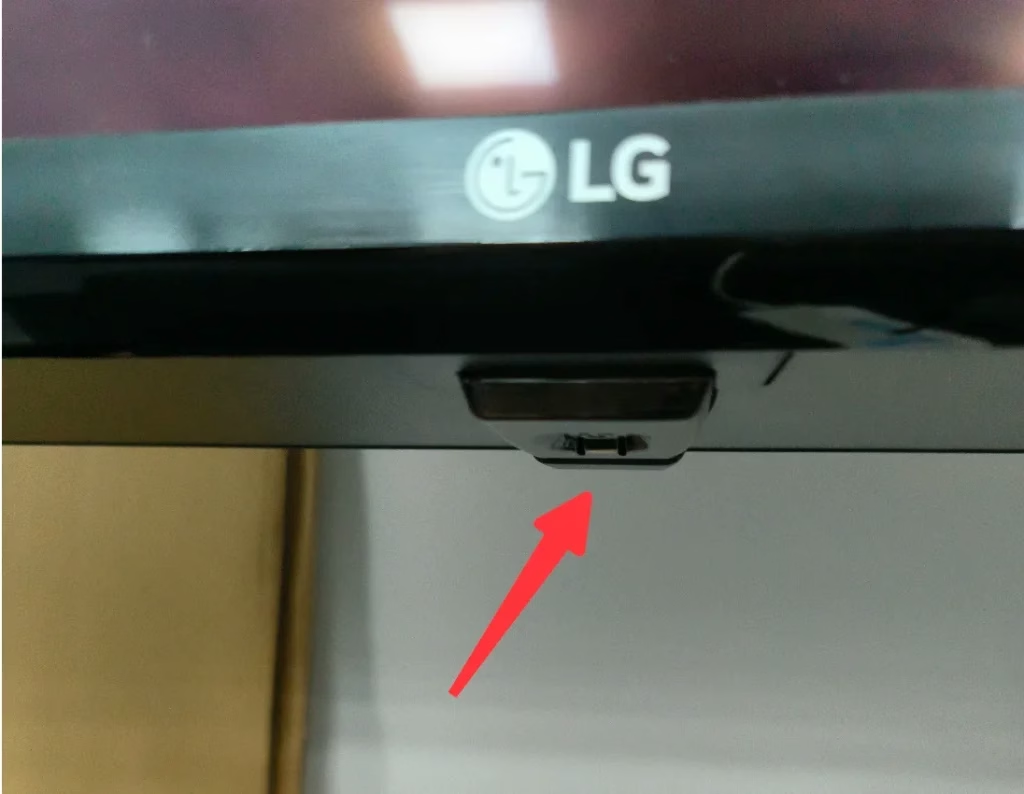
Step 2. Unplug the TV from the power source and press and hold the power button for 10 seconds.
Step 3. Keep holding the power button and plug the TV back in.
Step 4. Wait for the TV to reboot. Once you see a different start-up screen with an LG logo on your TV screen, the factory reset has been finished.
Option 2. Use an already connected remote app or compatible remote
Pressing the power button is one of the quick ways to factory reset LG TV without remote, and the other quick way is to take advantage of an LG TV remote app to activate the Reset to Initial Settings option.
What's the LG TV remote app recommended here? Give the LG TV Remote app by BoostVision a try. The remote app is a universal remote for LG WebOS TV, which means that it is compatible with all models of LG TVs, and therefore incompatibility issue does not happen to the app and your LG TV.
Aside from the high compatibility, the remote app is an excellent LG TV remote replacement for its many powerful functions. As the following screenshot displays, the remote app is shipped with many useful basic features, including the power button to turn on or off the TV, a quick access to launch all channels, and so on. Advanced features can also be found: the keyboard button to input text easily, the touchpad to navigate anywhere easily, and so on.
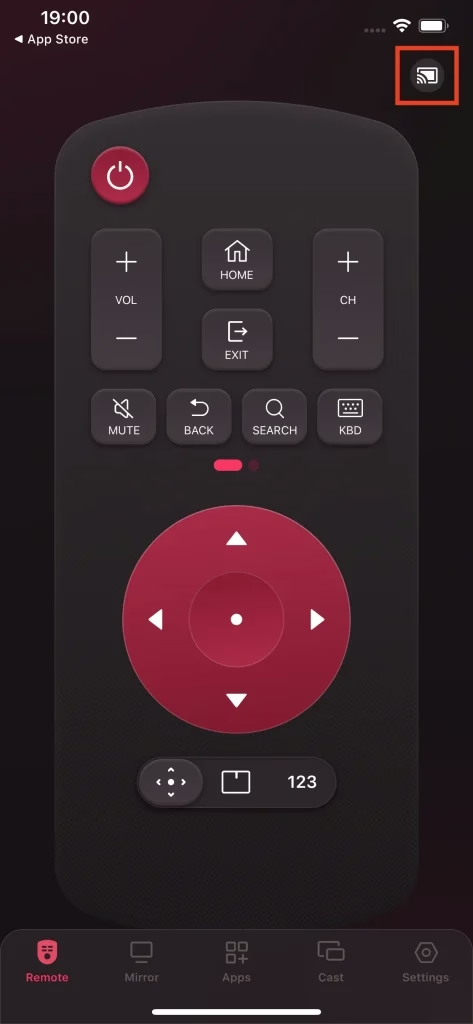
With the remote app, you can control your LG TV easily using your phone when your remote controller goes lost or refuses to work, including bringing the TV into the factory state.
Step 1. Download the app and follow the User Manual of Remote for LG TV to turn your phone into a remote controller for your LG TV.


Step 2. Press the Settings button on the remote app and navigate to the Reset to Initial Settings option.
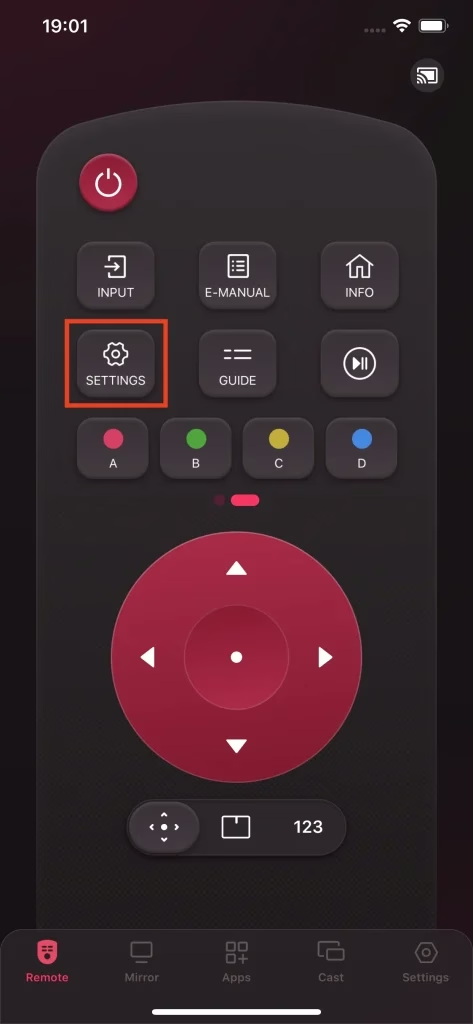
Tip: if the Reset to Initial Settings option is greyed out, please contact LG Support for assistance.
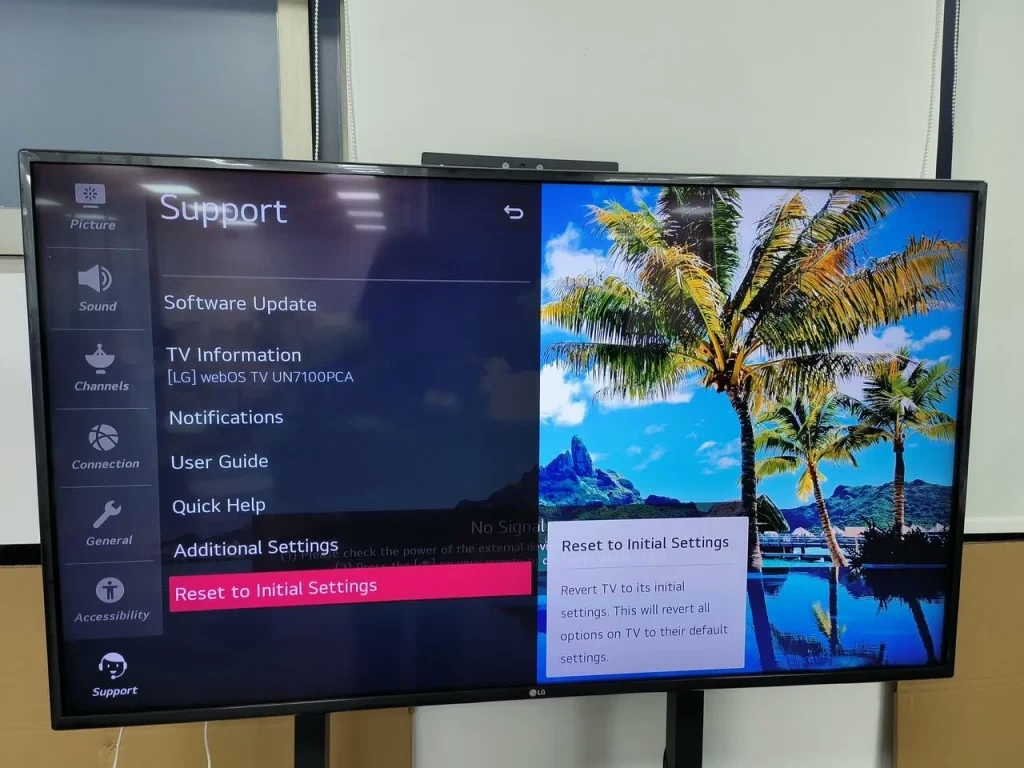
Step 3. Enter your password (the default one is 0000).
Step 4. Choose Reset All or Reset All except network settings depending on your demands.
Step 5. Your TV will restart and reset itself. Follow the onscreen instructions and complete the initial setup.
Complete setup after the reset
A factory reset can erase all data on the TV and hence, it is highly recommended that you write down your account information before factory resetting your LG TV through the power button or using the LG TV Remote app.
LG TV Factory Reset Without Remote FAQ
Q: Can you factory reset a TV without a remote?
Yes, but it depends on the TV model. For LG TVs, you usually need access to the Settings menu to perform a factory reset, which requires a remote or a remote app. Without either, you can only perform a soft reset by unplugging the TV.
Q: How to restart LG TV without remote?
You can restart your LG TV by unplugging it from the power outlet, waiting about 30 to 60 seconds, and plugging it back in. If your TV has a physical button, you can also press and hold it to power cycle the device.
Q: How to factory reset when it is locked?
If your LG TV is locked and you cannot access settings, you can try:
If none of these work, a service reset may be required.
Q: Will a factory reset delete everything?
Yes, a factory reset will erase all data on your LG TV, including apps, account logins, Wi-Fi settings, and personalized preferences. The TV will return to its original factory state.
Q: What is the password after factory reset?
After a factory reset, the LG TV PIN is usually set back to the default, which is 0000. If that does not work, try 1234 or check your model’s manual.
 May 12, 2026