

Universal remote codes allow you to connect a universal remote control to your TV, streaming device, DVD player, or soundbar. Enter the correct code, and the remote begins speaking the same signal language as your device. Power, volume, input switching, all of it becomes available again.
This guide brings together universal remote codes for major TV brands, including Samsung, LG, Sony, TCL, Vizio, Roku, Philips, and more. You will also find clear instructions to program a remote, practical troubleshooting advice, and a few alternative ways to control your TV if codes refuse to cooperate.
The goal here is simple. Help you get a remote working again without wasting an afternoon trying random numbers.
What Are Universal Remote Codes
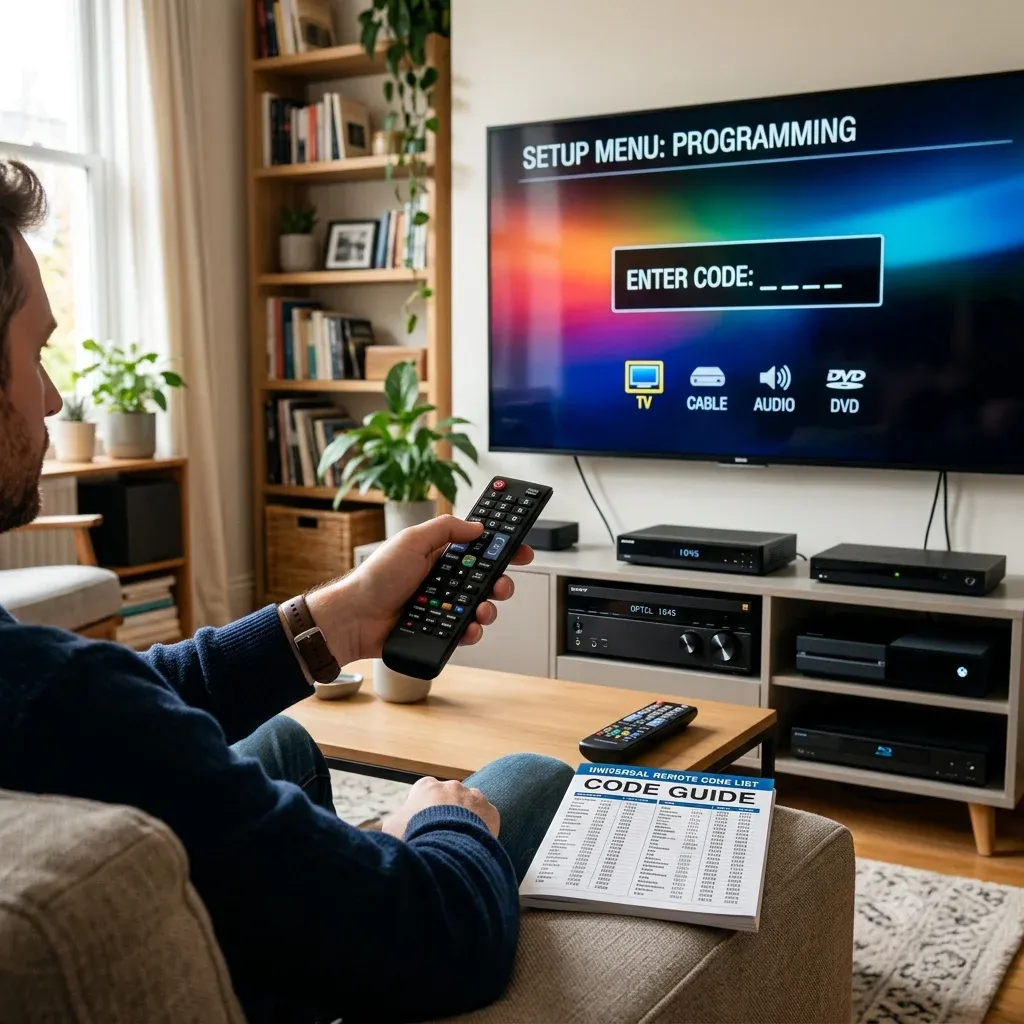
A universal remote code is a short numeric sequence that allows a remote control to pair with a device. Think of it as a translator between the remote and the TV.
Different manufacturers use different signal patterns. The code tells the remote which signal pattern to send. You will usually see three formats:
| Code Type | Example | Where It Appears |
|---|---|---|
| 3-digit codes | 081 | Older remotes |
| 4-digit codes | 0178 | Most common |
| 5-digit codes | 11756 | Newer universal remotes |
Some TVs respond to several codes. If the first one fails, do not assume the remote is incompatible. Try the next code on the list.
A surprising number of pairing problems come from people giving up after the first attempt.
Before you scroll into the code blocks, do one quick check. Look at the remote you are holding and count how many digits it asks for when entering a code. Some remotes only accept 4 digits. Others want 5. If you enter the right code but the wrong length, it still fails, and it feels like the TV is ignoring you. It is not. You are just speaking the wrong format.
Also, aim for the basics first. Test Power, Volume, and Input. If those work, you can stop hunting. Channel keys and menu keys can be hit or miss across models, and you do not need perfection to get your TV usable again.
Universal Remote Codes List by TV Brand
Below, codes are grouped by TV brand first, because that is the fastest path when you are sitting in front of the screen thinking, "What brand is this TV again?" Pick your TV brand, then match the digit length your remote asks for.
Here is the workflow I recommend:
1. Start with the shortest list that fits your remote. If your remote accepts 4 digits, try the 4-digit codes before jumping to 5-digit codes.
2. Test three buttons only: Power, Volume, Input. If those work, you are done. Do not waste time chasing perfect menu behavior unless you truly need it.
3. If Power works but Input fails, do one more round. Many TVs accept a "basic" code that only handles power. The next code often unlocks input switching and full control.
Quick sanity check: if none of the codes respond, you might be in the wrong device mode. Make sure the remote is set to TV, not DVD, AUX, or Cable.
Hisense TV Universal Remote Codes
Hisense TVs are usually easy to pair, but they can be picky about code length. If your remote supports both 4 and 5 digits, start with the 4-digit list first. It is faster to test, and most universal remotes expect it. Once you find a code that turns the TV off, check volume and input switching. If input does not respond, keep the working code in mind and try one more. Hisense often has more than one “almost right” option.
Add a quick win tip: if your Hisense remote stopped working after a battery change, re-seat the batteries and hold Power for 5 seconds. It sounds silly, but it clears a surprising number of half-paired states.
3-Digit Universal Remote Codes:
| Code | Code | Code | Code | Code |
|---|---|---|---|---|
| 000 | 004 | 005 | 009 | 012 |
| 015 | 017 | 019 | 022 | 027 |
| 040 | 046 | 048 | 050 | 051 |
| 056 | 057 | 080 | 103 | 113 |
| 137 | 150 | 151 | 156 | 204 |
| 227 | 338 | 627 | 678 |
4-Digit Universal Remote Codes:
| Code | Code | Code | Code | Code |
|---|---|---|---|---|
| 0001 | 0004 | 0016 | 0069 | 0073 |
| 0077 | 0097 | 0133 | 0178 | 0182 |
| 0216 | 0748 | 1004 | 1016 | 1017 |
| 1078 | 1173 | 1176 | 1237 | 1314 |
| 1660 | 2060 | 2098 | 2183 | 2355 |
| 2463 | 2464 | 2503 | 3382 | 3519 |
| 3537 | 4029 | 4051 | 4127 | 4145 |
| 4398 |
5-Digit Universal Remote Codes:
| Code | Code | Code | Code | Code |
|---|---|---|---|---|
| 02081 | 05331 | 02211 | 04671 | 00671 |
| 03671 | 04381 | 04391 | 06161 | 01651 |
| 06171 | 02141 | 05341 | 00001 | 10159 |
| 10748 | 11254 | 11314 | 11403 | 11423 |
| 11463 | 11519 | 11520 | 11585 | 11641 |
| 11660 | 11756 | 11780 | 11895 | 11926 |
| 11963 | 12045 | 12098 | 12183 | 12355 |
| 12419 | 13382 | 13519 | 14398 | 14487 |
| 14618 | 14656 | 14740 | 15156 | 15176 |
| 15185 | 21262 | 24344 | 24525 | 25612 |
| 26146 | 31612 | 34243 | 35254 | 35611 |
| 39011 | 39812 | 42113 | 42224 | 43155 |
| 44211 | 44631 | 59413 | 61514 | 67614 |
| 78115 |
Insignia TV Universal Remote Codes
Insignia TVs tend to accept several codes, especially when the panel is made by a major OEM. That is why you may see a long list. Do not treat it as random trial. Treat it as a shortlist.
Start with the most common universal code families first. For many remotes, 0178 is a frequent match. If the TV turns off but volume does nothing, that is still progress. Switch to the next code nearby, and you often get full control.
3-Digit Universal Remote Codes:
| Code | Code | Code | Code | Code |
|---|---|---|---|---|
| 000 | 004 | 005 | 009 | 012 |
| 015 | 017 | 019 | 022 | 040 |
| 046 | 048 | 050 | 051 | 056 |
| 057 | 080 | 103 | 137 | 150 |
| 151 | 156 | 204 | 227 | 338 |
| 627 | 678 |
4-Digit Universal Remote Codes:
| Code | Code | Code | Code | Code |
|---|---|---|---|---|
| 0103 | 0115 | 0116 | 0117 | 0133 |
| 0135 | 0141 | 0167 | 0171 | 0178 |
| 0180 | 0189 | 0198 | 0202 | 0213 |
| 0217 | 0247 | 0323 | 0371 | 0463 |
| 0504 | 0520 | 0581 | 0871 | 0911 |
| 0914 | 0921 | 1000 | 1004 | 1017 |
| 1078 | 1126 | 1147 | 1180 | 1181 |
| 1326 | 1378 | 1407 | 1423 | 1463 |
| 1517 | 1564 | 1641 | 1660 | 1780 |
| 1892 | 1963 | 2002 | 2049 | 2184 |
| 2271 | 2334 | 2416 | 2422 | 2426 |
| 2444 | 2445 | 2463 | 2464 | 2751 |
| 2891 | 3002 | 3227 | 3531 | 3761 |
| 4000 | 4029 | 4131 | 4371 | 4487 |
| 4721 | 4761 | 5051 | 5061 | 5181 |
| 6091 | 6171 | 6181 | 6381 |
5-Digit Universal Remote Codes:
| Code | Code | Code | Code | Code |
|---|---|---|---|---|
| 06919 | 07216 | 10171 | 10463 | 11204 |
| 11326 | 11385 | 11423 | 11517 | 11564 |
| 11660 | 11756 | 11780 | 11810 | 11892 |
| 11963 | 12002 | 12049 | 12184 | 12219 |
| 12417 | 12751 | 13227 | 15213 | 28511 |
| 28911 | 31517 | 39512 | 45013 | 49412 |
| 69212 | 69613 | 70017 | 82615 | 89713 |
LG TV Universal Remote Codes
LG is consistent with remote signaling, which makes pairing less painful than most people expect. If your universal remote supports 4 digits, begin there. When you land on a working code, test Input immediately. LG TVs are notorious for accepting a code that powers the TV but refuses to switch HDMI.
One more thing I strongly recommend: if you use an LG soundbar, pair the TV first, then program the remote for the soundbar as a second device. Trying to do both at once is where setups get messy.
3-Digit Universal Remote Codes:
| Code | Code | Code | Code | Code |
|---|---|---|---|---|
| 004 | 005 | 009 | 012 | 050 |
| 057 | 080 | 151 | 156 | 227 |
| 338 | 678 |
4-Digit Universal Remote Codes:
| Code | Code | Code | Code | Code |
|---|---|---|---|---|
| 0000 | 0001 | 0002 | 0003 | 0004 |
| 0009 | 0012 | 0015 | 0017 | 0020 |
| 0030 | 0032 | 0048 | 0056 | 0060 |
| 0067 | 0091 | 0100 | 0101 | 0102 |
| 0104 | 0110 | 0111 | 0117 | 0121 |
| 0131 | 0134 | 0150 | 0151 | 0155 |
| 0156 | 0171 | 0178 | 0184 | 0202 |
| 0217 | 0247 | 0251 | 0307 | 0324 |
| 0338 | 0400 | 0435 | 0463 | 0480 |
| 0502 | 0523 | 0606 | 0609 | 0611 |
| 0761 | 0814 | 0931 | 1004 | 1017 |
| 1018 | 1020 | 1026 | 1037 | 1047 |
| 1082 | 1086 | 1120 | 1126 | 1131 |
| 1181 | 1200 | 1221 | 1224 | 1378 |
| 1393 | 1423 | 1447 | 1471 | 1501 |
| 1911 | 1957 | 2098 | 2254 | 2358 |
| 2424 | 2492 | 2731 | 3001 | 3021 |
| 3091 | 3221 | 3281 | 3311 | 3397 |
| 3398 | 3401 | 3534 | 3571 | 3811 |
| 4079 | 4080 | 4127 | 4213 | 4397 |
| 4398 | 4731 | 5271 | 5501 | 5511 |
5-Digit Universal Remote Codes:
| Code | Code | Code | Code | Code |
|---|---|---|---|---|
| 10017 | 10178 | 10856 | 11136 | 11178 |
| 11265 | 11423 | 11447 | 11565 | 12358 |
| 12424 | 12731 | 14261 | 21442 | 23415 |
| 23451 | 24236 | 25145 | 25641 | 31462 |
| 41236 | 42134 | 22436 |
Samsung TV Universal Remote Codes
Samsung codes can be "right" yet still feel wrong, because Samsung models vary a lot across years. Here is the best approach: use one code list at a time, and do a fast three-button test after each attempt.
1. Power on and off
2. Volume up and down
3. Input or Source switch
If power works but input does not, do not settle. Samsung has plenty of near matches. Keep going until input responds, or you will regret it the first time you need to switch HDMI.
4-Digit Universal Remote Codes:
| Code | Code | Code | Code | Code |
|---|---|---|---|---|
| 0000 | 0001 | 0003 | 0007 | 0009 |
| 0012 | 0015 | 0020 | 0030 | 0031 |
| 0032 | 0033 | 0034 | 0038 | 0047 |
| 0048 | 0056 | 0060 | 0067 | 0091 |
| 0095 | 0100 | 0101 | 0102 | 0104 |
| 0106 | 0110 | 0111 | 0121 | 0132 |
| 0150 | 0151 | 0172 | 0178 | 0202 |
| 0247 | 0251 | 0261 | 0331 | 0351 |
| 0463 | 0531 | 0571 | 0650 | 0702 |
| 0711 | 0766 | 0781 | 0812 | 0814 |
| 1026 | 1047 | 1082 | 1120 | 1131 |
| 1191 | 1200 | 1221 | 1311 | 1393 |
| 1501 | 1632 | 1773 | 1911 | 1957 |
| 2051 | 2071 | 2141 | 2355 | 2481 |
| 2482 | 2721 | 2741 | 2961 | 3301 |
| 3321 | 3471 | 3528 | 3561 | 3970 |
| 3993 | 4011 | 4108 | 4111 | 4941 |
| 4961 | 5471 | 5521 | 5791 | 5801 |
5-Digit Universal Remote Codes:
| Code | Code | Code | Code | Code |
|---|---|---|---|---|
| 10178 | 10702 | 11060 | 11251 | 11565 |
| 11632 | 12051 | 14241 | 14425 | 14545 |
| 15371 | 15386 | 16616 | 21818 | 24366 |
| 36218 | 38811 | 41655 | 43311 | 66611 |
| 77114 | 79113 | 94818 | 97817 |
Sceptre TV Universal Remote Codes
Sceptre TVs are straightforward, but the brand uses different internal platforms. You will often find that one code controls only a few keys. That does not mean your remote is incompatible. It means you have not hit the best match yet.
If your remote supports a code search feature, I would actually try the manual codes first. It is faster with Sceptre because the correct code usually shows up early in the list.
3-Digit Universal Remote Codes:
| Code | Code | Code | Code | Code |
|---|---|---|---|---|
| 000 | 004 | 005 | 009 | 012 |
| 015 | 017 | 019 | 022 | 027 |
| 040 | 046 | 048 | 050 | 051 |
| 056 | 057 | 080 | 103 | 113 |
| 137 | 150 | 151 | 156 | 204 |
| 227 | 338 | 627 | 678 |
4-Digit Universal Remote Codes:
| Code | Code | Code | Code | Code |
|---|---|---|---|---|
| 149 | 171 | 178 | 400 | 480 |
| 516 | 523 | 800 | 1000 | 1004 |
| 1017 | 1018 | 1020 | 1037 | 1071 |
| 1078 | 1086 | 1126 | 1132 | 1147 |
| 1167 | 1224 | 1378 | 1814 | 2337 |
| 2528 | 3521 | 3899 | 4010 | 4022 |
| 4071 | 4075 | 4101 | 4139 | 4886 |
| 5321 |
5-Digit Universal Remote Codes:
| Code | Code | Code | Code | Code |
|---|---|---|---|---|
| 11360 | 11599 | 12337 | 12506 | 25564 |
| 26523 | 41126 |
Sanyo TV Universal Remote Codes
Sanyo is one of those brands where the badge on the front does not always tell you who built the TV inside. That is why these lists can look longer than expected.
Go in with a plan. Start with 4-digit codes if your remote accepts them. Once you get power control, try volume and input. If input fails, try the next code. Sanyo setups often land on a “power-only” code first, then a better full-function code second.
3-Digit Universal Remote Codes:
| Code | Code | Code | Code | Code |
|---|---|---|---|---|
| 000 | 004 | 005 | 009 | 012 |
| 015 | 017 | 019 | 022 | 027 |
| 040 | 046 | 048 | 050 | 051 |
| 056 | 057 | 080 | 103 | 113 |
| 137 | 150 | 151 | 156 | 204 |
| 227 | 338 | 627 | 678 |
4-Digit Universal Remote Codes:
| Code | Code | Code | Code | Code |
|---|---|---|---|---|
| 0012 | 0048 | 0108 | 0110 | 1142 |
| 0123 | 0171 | 0180 | 3818 | 0400 |
| 0480 | 0523 | 1017 | 1018 | 1020 |
| 1037 | 1086 | 1126 | 1142 | 1147 |
| 1161 | 1181 | 1224 | 1362 | 1378 |
| 1480 | 1647 | 1649 | 1833 | 1834 |
| 1957 | 2000 | 2049 | 2457 | 2458 |
| 2891 | 3488 | 3697 | 3861 | 4033 |
| 4034 | 4145 | 4168 | 4667 | 4740 |
| 5251 | 5261 |
5-Digit Universal Remote Codes:
| Code | Code | Code | Code | Code |
|---|---|---|---|---|
| 10054 | 10811 | 11142 | 11480 | 11564 |
| 11655 | 11756 | 12049 | 13488 | 14168 |
| 14740 | 15556 | 16253 | 16443 | 21615 |
| 22312 | 26332 | 31331 | 33311 | 33711 |
| 77715 | 88513 | 98718 | 99014 |
Sharp TV Universal Remote Codes
Sharp TVs can pair well, but only if you pick a code that matches the TV's platform generation. Some codes will make the TV respond with a delay. That is usually the wrong one.
When testing Sharp codes, wait one second after pressing Power. If the TV reacts slowly or inconsistently, move on. A good code feels immediate, not mushy.
3-Digit Universal Remote Codes:
| Code | Code | Code | Code | Code |
|---|---|---|---|---|
| 000 | 004 | 005 | 009 | 012 |
| 015 | 017 | 019 | 022 | 027 |
| 040 | 046 | 048 | 050 | 051 |
| 056 | 057 | 080 | 103 | 113 |
| 137 | 150 | 151 | 156 | 204 |
| 227 | 338 | 627 | 678 |
4-Digit Universal Remote Codes:
| Code | Code | Code | Code | Code |
|---|---|---|---|---|
| 0012 | 0023 | 0053 | 0060 | 0070 |
| 0090 | 0092 | 0095 | 0108 | 0109 |
| 0117 | 0120 | 0125 | 0132 | 0141 |
| 0151 | 0156 | 0159 | 0171 | 0178 |
| 0181 | 0198 | 0211 | 0237 | 0341 |
| 0400 | 0480 | 0523 | 0736 | 0821 |
| 1000 | 1017 | 1018 | 1020 | 1037 |
| 1043 | 1086 | 1121 | 1126 | 1147 |
| 1265 | 1311 | 1369 | 1524 | 1571 |
| 1656 | 1743 | 1801 | 1819 | 1841 |
| 1848 | 1911 | 1957 | 2006 | 2103 |
| 2254 | 2432 | 2435 | 2447 | 2470 |
| 2691 | 2724 | 3024 | 3134 | 3945 |
| 4003 | 4024 | 4146 | 4891 | 4941 |
| 5081 | 5531 |
5-Digit Universal Remote Codes:
| Code | Code | Code | Code | Code |
|---|---|---|---|---|
| 08318 | 10156 | 10845 | 11156 | 11256 |
| 11265 | 11356 | 11524 | 11634 | 11656 |
| 11704 | 11945 | 12006 | 12724 | 14885 |
| 15213 | 15556 | 21663 | 22131 | 24543 |
| 31121 | 31331 | 31463 | 33413 | 36411 |
| 36911 | 48512 | 4885 | 57812 | 65014 |
| 67611 | 70017 | 70416 | 72014 | 78614 |
| 90616 | 24919 |
Sony TV Universal Remote Codes
Sony TVs usually behave nicely once you hit the correct code. The trap is that Sony is also used as a code family for other devices, so you might get partial control quickly and think you are done.
My preference: do not stop at "Power works". Test Input and Menu. Sony sets often need one extra attempt to find a code that handles navigation properly.
3-Digit Universal Remote Codes:
| Code | Code | Code | Code | Code |
|---|---|---|---|---|
| 004 | 012 | 015 | 019 | 027 |
| 050 | 080 | 113 | 150 | 151 |
| 156 | 204 | 227 | 338 | 627 |
| 678 |
4-Digit Universal Remote Codes:
| Code | Code | Code | Code | Code |
|---|---|---|---|---|
| 0000 | 0002 | 0009 | 0030 | 0032 |
| 0033 | 0056 | 0060 | 0071 | 0100 |
| 0101 | 0111 | 0150 | 0151 | 0152 |
| 0171 | 0178 | 0198 | 0237 | 0247 |
| 0400 | 0414 | 0463 | 0480 | 0523 |
| 0639 | 0708 | 0810 | 0816 | 0834 |
| 0902 | 1000 | 1004 | 1010 | 1017 |
| 1018 | 1020 | 1026 | 1030 | 1037 |
| 1043 | 1047 | 1071 | 1082 | 1086 |
| 1120 | 1126 | 1131 | 1147 | 1200 |
| 1224 | 1300 | 1317 | 1393 | 1685 |
| 1901 | 2045 | 2050 | 2056 | 2323 |
| 2438 | 2462 | 2483 | 2741 | 3536 |
| 4007 | 4019 | 4036 | 4151 | 4189 |
| 4448 | 4981 | 5321 | 5811 |
5-Digit Universal Remote Codes:
| Code | Code | Code | Code | Code |
|---|---|---|---|---|
| 10000 | 10003 | 10009 | 10015 | 10020 |
| 10030 | 10032 | 10048 | 10056 | 10060 |
| 10067 | 10091 | 10100 | 10101 | 10104 |
| 10110 | 10111 | 10121 | 10150 | 10151 |
| 10178 | 10202 | 10247 | 10463 | 10810 |
| 11004 | 11026 | 11047 | 11082 | 11120 |
| 11131 | 11200 | 11300 | 11393 | 12778 |
| 14189 | 14448 | 14541 | 21115 | 21656 |
| 22556 | 23352 | 26411 | 31912 | 33211 |
| 41112 | 42226 | 44211 | 44411 | 44613 |
| 89616 |
Vizio TV Universal Remote Codes
Vizio is famous for having multiple workable codes. Some control basic TV functions. Others also control smart TV navigation. You want the second type.
Here is the shortcut: after each code entry, press Input twice. If the input menu opens and you can move left or right, you have a good match. If the TV turns off but input does nothing, keep going. Do not settle for a half-win unless you have to.
3-Digit Universal Remote Codes:
| Code | Code | Code | Code | Code |
|---|---|---|---|---|
| 10000 | 10003 | 10009 | 10015 | 10020 |
| 10030 | 10032 | 10048 | 10056 | 10060 |
| 10067 | 10091 | 10100 | 10101 | 10104 |
| 10110 | 10111 | 10121 | 10150 | 10151 |
| 10178 | 10202 | 10247 | 10463 | 10810 |
| 11004 | 11026 | 11047 | 11082 | 11120 |
| 11131 | 11200 | 11300 | 11393 | 12778 |
| 14189 | 14448 | 14541 | 21115 | 21656 |
| 22556 | 23352 | 26411 | 31912 | 33211 |
| 41112 | 42226 | 44211 | 44411 | 44613 |
| 89616 |
4-Digit Universal Remote Codes:
| Code | Code | Code | Code | Code |
|---|---|---|---|---|
| 0033 | 0046 | 0081 | 0104 | 0143 |
| 0178 | 0864 | 0885 | 1004 | 1017 |
| 1078 | 1168 | 1169 | 1471 | 1517 |
| 1741 | 1756 | 1758 | 2021 | 2045 |
| 2472 | 2473 | 2474 | 2475 | 2476 |
| 2501 | 2707 | 2757 | 2901 | 3358 |
| 3415 | 3533 | 3651 | 3741 | 3758 |
| 3851 | 4039 | 4071 | 4081 | 4144 |
| 4723 | 4905 | 5561 | 5571 | 5581 |
| 5591 | 5601 | 5611 | 5621 | 5631 |
| 5641 | 5651 | 5661 | 5671 | 5681 |
| 5691 | 5701 | 5711 | 6111 | 6121 |
| 6131 | 6471 | 6511 |
5-Digit Universal Remote Codes:
| Code | Code | Code | Code | Code |
|---|---|---|---|---|
| 11758 | 12757 | 13758 | 22563 | 23161 |
| 2512 | 31517 | 31544 |
TCL TV Universal Remote Codes
TCL TVs are everywhere now, and the pairing experience depends heavily on whether the TV runs Roku TV, Google TV, or another system. Universal remotes can still work, but you may need to try more than one code.
Start with the 4-digit section if your remote supports it. When you find a code that powers the TV, test input switching and volume. If the TV is a Roku TV model, you might also consider using the Roku app or TV Remote App for Roku as a backup control method, especially if the remote keeps rejecting codes.
3-Digit Universal Remote Codes:
| Code | Code | Code | Code | Code |
|---|---|---|---|---|
| 535 | 645 |
4-Digit Universal Remote Codes:
| Code | Code | Code | Code | Code |
|---|---|---|---|---|
| 0091 | 0178 | 0514 | 0898 | 1004 |
| 1017 | 1078 | 1421 | 1517 | 1691 |
| 1756 | 1851 | 2011 | 2057 | 2061 |
| 2111 | 2301 | 2414 | 2429 | 2434 |
| 2479 | 2490 | 2493 | 2851 | 3004 |
| 3183 | 3421 | 3426 | 3431 | 3532 |
| 3571 | 3847 | 3879 | 4178 | 4398 |
| 4921 | 5771 | 5961 | 6031 | 6171 |
| 6201 | 6651 | 6918 |
5-Digit Universal Remote Codes:
| Code | Code | Code | Code | Code |
|---|---|---|---|---|
| 11756 | 12290 | 12292 | 12434 | 13183 |
| 15165 | 15919 | 22563 | 26245 | 31326 |
| 31434 | 31517 | 33012 | 33146 | 33534 |
| 34621 | 36711 | 37511 | 44211 | 44411 |
| 57011 | 57513 | 61513 | 61514 | 68014 |
| 78913 | 80312 | 80313 | 84416 | 95017 |
Toshiba TV Universal Remote Codes
Toshiba TVs often accept many codes, but not all codes cover the same functions. Some will handle power and volume but fail on input switching. That is the one thing you should not ignore.
Do this in order:
1. Find a code that powers the TV off
2. Confirm volume control
3. Confirm input switching
If input fails, try the next code. Toshiba usually has a better option nearby.
3-Digit Universal Remote Codes:
| Code | Code | Code | Code | Code |
|---|---|---|---|---|
| 000 | 004 | 005 | 009 | 012 |
| 015 | 017 | 019 | 022 | 027 |
| 040 | 046 | 048 | 050 | 051 |
| 056 | 057 | 080 | 103 | 113 |
| 137 | 150 | 151 | 156 | 204 |
| 227 | 338 | 627 | 678 |
4-Digit Universal Remote Codes:
| Code | Code | Code | Code | Code |
|---|---|---|---|---|
| 0012 | 0023 | 0053 | 0060 | 0070 |
| 0090 | 0092 | 0095 | 0108 | 0109 |
| 0117 | 0120 | 0125 | 0132 | 0141 |
| 0151 | 0156 | 0159 | 0171 | 0178 |
| 0181 | 0198 | 0211 | 0237 | 0341 |
| 0400 | 0480 | 0523 | 0736 | 0821 |
| 1000 | 1017 | 1018 | 1020 | 1037 |
| 1043 | 1086 | 1121 | 1126 | 1147 |
| 1265 | 1311 | 1369 | 1524 | 1571 |
| 1656 | 1743 | 1801 | 1819 | 1841 |
| 1848 | 1911 | 1957 | 2006 | 2103 |
| 2254 | 2432 | 2435 | 2447 | 2470 |
| 2691 | 2724 | 3024 | 3134 | 3945 |
| 4003 | 4024 | 4146 | 4891 | 4941 |
| 5081 | 5531 |
5-Digit Universal Remote Codes:
| Code | Code | Code | Code | Code |
|---|---|---|---|---|
| 08318 | 10156 | 10845 | 11156 | 11256 |
| 11265 | 11356 | 11524 | 11634 | 11656 |
| 11704 | 11945 | 12006 | 12724 | 14885 |
| 15213 | 15556 | 21663 | 22131 | 24543 |
| 31121 | 31331 | 31463 | 33413 | 36411 |
| 36911 | 48512 | 4885 | 57812 | 65014 |
| 67611 | 70017 | 70416 | 72014 | 78614 |
| 90616 | 24919 |
If your TV brand is not listed above, do not panic. The easiest workaround is to look up codes by remote brand and use the closest matching TV platform family. Smaller TV brands often reuse the same IR profiles as bigger manufacturers, so a "different" brand can still share working codes.
Universal Remote Codes by Remote Brand
If you do not know your TV brand, or you are programming a remote that only provides codes by its own brand, use this section instead. Codes here are organized by remote brand, which is often printed right on the remote casing.
Use this section when:
Best practice before you start:
If you still get nothing after several attempts, skip the code lists and jump to the code-free programming methods below. At that point, auto search is usually faster than guessing.
DISH Universal Remote Codes
DISH remotes are popular because they are easy to program, but they can be strict about format. Most DISH models use 3-digit or 4-digit entry. If your TV responds to power but not volume, try one more code before moving on. DISH codes often have two close candidates per brand.
3-Digit Universal Remote Codes:
| Code | Code | Code | Code | Code |
|---|---|---|---|---|
| 535 | 645 |
4-Digit Universal Remote Codes:
| Code | Code | Code | Code | Code |
|---|---|---|---|---|
| 1756 |
GE Universal Remote Codes
GE remotes are my "default pick' for simple setups, because they support a wide range of TV codes and most models also include code search. Still, manual entry is usually faster if you have a list.
Use the 4-digit list first to program your GE remote. After you enter a code, press Power once, then try volume. If power works but volume does not, do not waste time. Move to the next code. GE remotes tend to have clean yes or no behavior when the match is correct.
3-Digit Universal Remote Codes:
| Code | Code | Code | Code | Code |
|---|---|---|---|---|
| 535 | 645 | 091 |
4-Digit Universal Remote Codes:
| Code | Code | Code | Code | Code |
|---|---|---|---|---|
| 0001 | 0091 | 0101 | 0131 | 0141 |
| 0211 | 0251 | 0261 | 0331 | 0341 |
| 0351 | 0371 | 0531 | 0571 | 0581 |
| 0611 | 0671 | 0711 | 0761 | 0781 |
| 0821 | 0871 | 0921 | 1071 | 1121 |
| 1161 | 1181 | 1191 | 1221 | 1311 |
| 1421 | 1471 | 1501 | 1571 | 1651 |
| 1691 | 1741 | 1801 | 1841 | 1851 |
| 1901 | 1911 | 2011 | 2021 | 2061 |
| 2071 | 2081 | 2111 | 2141 | 2211 |
| 2241 | 2271 | 2301 | 2691 | 2721 |
| 2741 | 2851 | 2891 | 2901 | 2921 |
| 3001 | 3021 | 3091 | 3191 | 3221 |
| 3281 | 3301 | 3311 | 3321 | 3421 |
| 3431 | 3471 | 3521 | 3561 | 3571 |
| 3651 | 3671 | 3741 | 3761 | 3811 |
| 3851 | 4011 | 4071 | 4081 | 4101 |
| 4371 | 4381 | 4391 | 4671 | 4721 |
| 4731 | 4761 | 4891 | 4921 | 4941 |
| 4961 | 4981 | 5051 | 5061 | 5181 |
| 5251 | 5261 | 5271 | 5321 | 5331 |
| 5341 | 5471 | 5501 | 5511 | 5521 |
| 5531 | 5561 | 5571 | 5581 | 5591 |
| 5601 | 5611 | 5621 | 5631 | 5641 |
| 5651 | 5661 | 5671 | 5681 | 5691 |
| 5701 | 5711 | 5771 | 5791 | 5801 |
| 5811 | 5941 | 5961 | 6001 | 6011 |
| 6031 | 6091 | 6111 | 6121 | 6131 |
| 6161 | 6171 | 6181 | 6201 | 6251 |
| 6381 | 6471 | 6511 | 6651 |
LG Universal Remote Codes
If you are using an LG-branded universal remote or a remote that lists LG as a preset family, these codes are your best starting point. LG codes are relatively consistent, so you should find a working match quickly.
Once paired, test HDMI switching. That is where weaker matches show up.
3-Digit Universal Remote Codes:
| Code | Code | Code | Code | Code |
|---|---|---|---|---|
| 050 | 151 | 338 | 502 | 627 |
| 678 |
4-Digit Universal Remote Codes:
| Code | Code | Code | Code | Code |
|---|---|---|---|---|
| 0000 | 0005 | 0009 | 0023 | 0030 |
| 0032 | 0056 | 0060 | 0070 | 0100 |
| 0101 | 0111 | 0150 | 0151 | 0171 |
| 0198 | 0237 | 0247 | 0400 | 0463 |
| 0480 | 0523 | 1000 | 1004 | 1017 |
| 1018 | 1020 | 1026 | 1037 | 1043 |
| 1047 | 1078 | 1082 | 1086 | 1120 |
| 1126 | 1131 | 1147 | 1200 | 1224 |
| 1378 | 1393 | 2045 | 2050 | 2056 |
Magnavox Universal Remote Codes
Magnavox remotes often use 4-digit codes, and they work well when the correct match is found. The problem is that people enter one code, power works, then they stop. With Magnavox, you can usually get a better full-function code by trying two or three options.
If you see a 5-digit code here, only use it when your remote explicitly asks for five numbers.
4-Digit Universal Remote Codes:
| Code | Code | Code | Code | Code |
|---|---|---|---|---|
| 0002 | 0016 | 0031 | 0032 | 0033 |
| 0034 | 0038 | 0046 | 0047 | 0048 |
| 0053 | 0069 | 0090 | 0092 | 0095 |
| 0097 | 0102 | 0104 | 0107 | 0108 |
| 0115 | 0117 | 0123 | 0125 | 0129 |
| 0132 | 0133 | 0213 | 0217 | 0247 |
| 0307 | 0318 | 0323 | 0324 | 0414 |
| 0435 | 0502 | 0504 | 0514 | 0516 |
| 0520 | 0606 | 0609 | 0639 | 0708 |
| 0801 | 0802 | 0814 | 0816 | 0902 |
| 0911 | 0914 | 1221 | 1416 | 1814 |
5-Digit Universal Remote Codes:
| Code | Code | Code | Code | Code |
|---|---|---|---|---|
| 6021 |
One For All Universal Remote Codes
One For All is built for broad compatibility, which is great, but it also means you will see a lot of possible codes. You do not need to test them all. Treat the list as a ladder.
Start with the most common 4-digit codes first. If your remote supports 5-digit entry, move there only after the 4-digit list fails. When you find a working code, lock it in and stop. Perfection is nice, but a reliable power and volume setup wins the day.
3-Digit Universal Remote Codes:
| Code | Code | Code | Code | Code |
|---|---|---|---|---|
| 060 | 171 | 702 | 736 | 810 |
| 834 |
4-Digit Universal Remote Codes:
| Code | Code | Code | Code | Code |
|---|---|---|---|---|
| 0017 | 0060 | 0171 | 0178 | 0702 |
| 0736 | 0810 | 0812 | 0834 | 1142 |
| 1265 | 1326 | 1362 | 1369 | 1423 |
| 1463 | 1480 | 1517 | 1524 | 1564 |
| 1632 | 1641 | 1647 | 1649 | 1656 |
| 1659 | 1660 | 1660 | 1756 | 1758 |
| 1780 | 1840 | 1860 | 1892 | 1963 |
| 2002 | 2006 | 2049 | 21161 | 21262 |
| 21615 | 2183 | 2184 | 2337 | 2358 |
| 2360 | 2416 | 2424 | 2434 | 2512 |
| 2528 | 25612 | 2707 | 2724 | 2731 |
| 2751 | 3358 | 3394 | 3397 | 3398 |
| 3401 | 3415 | 34243 | 3488 | 3519 |
| 35254 | 3571 | 3758 | 3879 | 3899 |
| 3945 | 3970 | 3993 | 4054 | 4121 |
| 4139 | 4149 | 4151 | 4168 | 4189 |
| 4397 | 4398 | 4448 | 4487 | 4507 |
| 4618 | 4621 | 4667 | 4723 | 4740 |
| 4885 | 4886 | 4892 | 4905 | 5185 |
5-Digit Universal Remote Codes:
| Code | Code | Code | Code | Code |
|---|---|---|---|---|
| 11212 | 11565 | 11634 | 14245 | 14261 |
| 15165 | 15556 | 16253 | 16443 | 21656 |
| 21663 | 22131 | 22312 | 22436 | 23161 |
| 23352 | 23415 | 23451 | 24344 | 24364 |
| 24366 | 24525 | 24543 | 25145 | 25564 |
| 25643 | 26146 | 26245 | 26332 | 26523 |
| 31121 | 31326 | 31331 | 31434 | 31463 |
| 31544 | 3227 | 33146 | 33311 | 33413 |
| 33534 | 34621 | 41126 | 41236 | 42134 |
| 42224 | 42226 | 43155 | 44631 |
Onn Universal Remote Codes
Onn remotes are common because they are affordable and easy to replace. Most models lean on 4-digit codes. If your Onn remote asks for 3 digits, use the 3-digit section. Do not mix formats.
One practical tip: Onn remotes are sensitive to weak batteries. If the TV responds once and then stops responding, swap the batteries before you blame the code.
3-Digit Universal Remote Codes:
| Code | Code | Code | Code | Code |
|---|---|---|---|---|
| 007 | 009 | 020 | 029 | 033 |
| 057 | 073 | 077 | 081 | 095 |
| 103 | 104 | 106 | 108 | 109 |
| 110 | 116 | 122 | 123 | 133 |
| 134 | 135 | 143 | 149 | 152 |
| 155 | 156 | 159 | 167 | 172 |
| 178 | 180 | 182 | 198 | 217 |
| 223 |
4-Digit Universal Remote Codes:
| Code | Code | Code | Code | Code |
|---|---|---|---|---|
| 1016 | 1132 | 1160 | 1167 | 1168 |
| 1169 | 1173 | 1175 | 1176 | 1180 |
| 1181 | 1407 | 1773 | 1819 | 1833 |
| 1834 | 1848 | 1957 | 2000 | 2045 |
| 2057 | 2060 | 2098 | 2103 | 2254 |
| 2323 | 2334 | 2352 | 2355 | 2422 |
| 2426 | 2432 | 2435 | 2438 | 2444 |
| 2445 | 2447 | 2457 | 2458 | 2462 |
| 2463 | 2464 | 2470 | 2472 | 2473 |
| 2474 | 2475 | 2476 | 2479 | 2481 |
| 2482 | 2483 | 2489 |
Philips Universal Remote Codes
Philips universal remotes are usually straightforward. They tend to accept 4-digit codes and are pretty tolerant if you enter the code quickly and cleanly.
After a successful pairing, test the input key. If input does not work, try one more Philips code. Philips remotes often have a "basic' code and a “full control” code for the same TV family.
3-Digit Universal Remote Codes:
| Code | Code | Code | Code | Code |
|---|---|---|---|---|
| 000 | 004 | 012 | 015 | 019 |
| 027 | 040 | 046 | 048 | 050 |
| 051 | 056 | 080 | 103 | 113 |
| 137 | 150 | 151 | 152 | 156 |
| 204 | 227 | 338 | 502 | 627 |
| 678 |
4-Digit Universal Remote Codes:
| Code | Code | Code | Code | Code |
|---|---|---|---|---|
| 0000 | 0023 | 0070 | 0151 | 0171 |
| 0178 | 0198 | 0237 | 0400 | 0463 |
| 0480 | 0523 | 1000 | 1004 | 1017 |
| 1018 | 1020 | 1026 | 1037 | 1043 |
| 1078 | 1082 | 1086 | 1126 | 1131 |
| 1147 | 1200 | 1224 | 1378 | 1393 |
| 2045 | 2050 | 2056 |
RCA Universal Remote Codes
RCA has a big code library, so the list looks intimidating. Here is the trick. Do not scan it randomly. Use your TV brand section first, then come here only if you are programming by remote brand.
Also, RCA lists often include both 4-digit and 5-digit entries. Always match the digit count your remote asks for. If it asks for 4 digits, do not try to force a 5-digit code. It will fail, even if it is technically correct.
4-Digit Universal Remote Codes:
| Code | Code | Code | Code | Code |
|---|---|---|---|---|
| 0017 | 0178 | 0702 | 0766 | 0814 |
| 10463 | 10748 | 10810 | 10811 | 10818 |
| 10856 | 11136 | 11142 | 11178 | 11204 |
| 11251 | 11265 | 11314 | 11326 | 11356 |
| 11360 | 11385 | 11423 | 11447 | 11480 |
| 11517 | 11524 | 11564 | 11565 | 11632 |
| 11656 | 11659 | 11660 | 11704 | 11756 |
| 11780 | 11810 | 11892 | 11945 | 11963 |
| 12002 | 12049 | 12051 | 12184 | 12219 |
| 12337 | 12355 | 12358 | 12360 | 12402 |
| 12417 | 12419 | 12731 | 12751 | 1300 |
| 1314 | 1317 | 1423 | 1457 | 1564 |
| 1660 | 1685 | 1743 | 1756 | 1758 |
| 1892 | 1963 | 2049 | 2098 | 2183 |
| 2184 | 2355 | 2358 | 2360 | 2414 |
| 2424 | 2429 | 2434 | 2463 | 2464 |
| 3382 | 3519 | 3861 | 4029 | 4178 |
| 4398 | 4487 | 4618 |
5-Digit Universal Remote Codes:
| Code | Code | Code | Code | Code |
|---|---|---|---|---|
| 10017 | 11156 | 11256 | 11356 | 11660 |
| 11756 | 12006 | 12049 | 12337 | 12506 |
| 12731 | 13227 | 13382 | 13394 | 13488 |
| 13519 | 13758 | 14168 | 14241 | 14398 |
| 14425 | 14448 | 14487 | 14507 | 14545 |
| 14618 | 14656 | 14740 | 15156 | 15176 |
| 15185 | 15213 | 15371 | 15386 | 15919 |
| 16616 | 21115 | 21442 | 21818 | 24919 |
| 25641 | 26245 | 26411 | 28511 | 28911 |
| 31462 | 31612 | 31713 | 31912 | 33012 |
| 33711 | 35611 | 36218 | 36411 | 36711 |
| 36911 | 37311 | 37511 | 39011 | 39512 |
| 39812 | 42113 | 43155 | 43311 | 44211 |
| 44411 | 45013 | 49412 | 50912 | 57011 |
| 57513 | 57812 | 59413 | 61312 | 61513 |
| 61514 | 67611 | 67614 | 69212 | 69613 |
| 70017 | 70416 | 72014 | 77715 | 78115 |
| 78614 | 78913 | 80312 | 80313 | 82615 |
| 84416 | 88513 | 89713 | 90616 | 91517 |
| 94818 | 95017 | 97817 | 98718 | 99014 |
Sony Universal Remote Codes
Sony universal remotes and Sony-family remotes can be very reliable once set. If you are pairing to a Sony TV, the hit rate is high. If you are pairing to a non-Sony TV, you might still get partial control because Sony code families overlap with some OEM platforms.
Do the three-button test after each code: power, volume, input. If all three respond, you are done.
3-Digit Universal Remote Codes:
| Code | Code | Code | Code | Code |
|---|---|---|---|---|
| 000 | 004 | 005 | 009 | 012 |
| 015 | 017 | 019 | 022 | 040 |
| 046 | 048 | 050 | 051 | 056 |
| 057 | 080 | 103 | 137 | 150 |
| 151 | 156 | 204 | 227 | 338 |
| 627 | 678 |
4-Digit Universal Remote Codes:
| Code | Code | Code | Code | Code |
|---|---|---|---|---|
| 0000 | 0003 | 0009 | 0015 | 0020 |
| 0023 | 0030 | 0032 | 0048 | 0056 |
| 0060 | 0067 | 0070 | 0091 | 0100 |
| 0101 | 0104 | 0110 | 0111 | 0121 |
| 0150 | 0151 | 0171 | 0178 | 0198 |
| 0202 | 0237 | 0247 | 0400 | 0463 |
| 0480 | 0523 | 1000 | 1004 | 1010 |
| 1017 | 1018 | 1020 | 1026 | 1030 |
| 1037 | 1043 | 1047 | 1078 | 1082 |
| 1086 | 1120 | 1126 | 1131 | 1147 |
| 1200 | 1224 | 1378 | 1393 |
5-Digit Universal Remote Codes:
| Code | Code | Code | Code | Code |
|---|---|---|---|---|
| 22563 | 31517 |
Vizio Universal Remote Codes
If your universal remote lists Vizio as a supported brand, these codes are the cleanest way to get control back. Vizio TVs often accept more than one code, so aim for the code that handles input switching and menu navigation, not just power.
3-Digit Universal Remote Codes:
| Code | Code | Code | Code | Code |
|---|---|---|---|---|
| 004 | 005 | 009 | 012 | 019 |
| 027 | 040 | 046 | 048 | 050 |
| 051 | 056 | 057 | 080 | 103 |
| 137 | 150 | 151 | 152 | 156 |
| 204 | 227 | 338 | 502 | 627 |
| 678 |
4-Digit Universal Remote Codes:
| Code | Code | Code | Code | Code |
|---|---|---|---|---|
| 0030 | 0032 | 0056 | 0060 | 0100 |
| 0101 | 0111 | 0150 | 0151 | 0171 |
| 0178 | 0247 | 0400 | 0463 | 0480 |
| 0523 | 1004 | 1017 | 1026 | 1037 |
| 1047 | 1078 | 1082 | 1086 | 1120 |
| 1126 | 1131 | 1147 | 1200 | 1224 |
| 1378 | 1393 | 1517 | 1756 | 1758 |
| 2707 | 2757 | 31517 |
5-Digit Universal Remote Codes:
| Code | Code | Code | Code | Code |
|---|---|---|---|---|
| 11758 | 12757 | 13758 | 22563 | 23161 |
| 31544 |
Xfinity Universal Remote Codes
Xfinity remotes almost always use 5-digit codes. That is the number one thing people get wrong. If your remote is asking for five digits, stay in the 5-digit list and do not trim zeros.
After pairing, check volume and mute. Xfinity remotes are often used with a cable box plus TV setup, and volume control is where the configuration usually breaks.
5-Digit Universal Remote Codes:
| Code | Code | Code | Code | Code |
|---|---|---|---|---|
| 10000 | 10002 | 10003 | 10009 | 10015 |
| 10020 | 10030 | 10032 | 10039 | 10048 |
| 10056 | 10060 | 10067 | 10091 | 10100 |
| 10101 | 10104 | 10110 | 10111 | 10117 |
| 10121 | 10150 | 10151 | 10159 | 10178 |
| 10202 | 10247 | 10253 | 10463 | 10766 |
| 10809 | 10812 | 10864 | 11004 | 11026 |
| 11047 | 11082 | 11120 | 11131 | 11200 |
| 11205 | 11254 | 11315 | 11393 | 11403 |
| 11423 | 11463 | 11519 | 11520 | 11585 |
| 11641 | 11758 | 11780 | 11785 | 11895 |
| 11926 | 11963 | 12045 | 12290 | 12292 |
How to Program a Universal Remote (Step-by-Step)
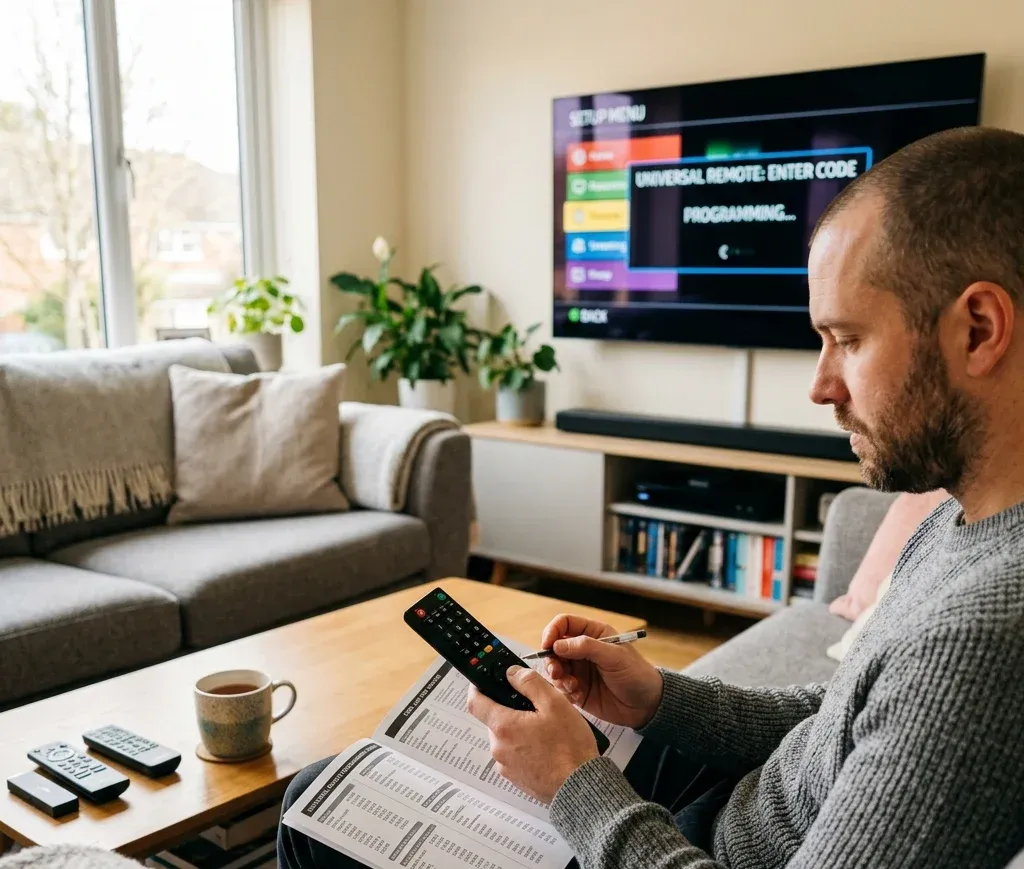
Most universal remotes follow the same idea. Put the remote into setup mode, enter a code, then test the basics. The details change by brand, but this flow rarely fails.
Before You Start
Do these three things first. They save time.
Method 1: Manual Code Entry (Fastest When You Have a List)
1. Turn on the TV.
2. Press and hold Setup until the indicator light stays on. Some remotes use Code Search instead of Setup.
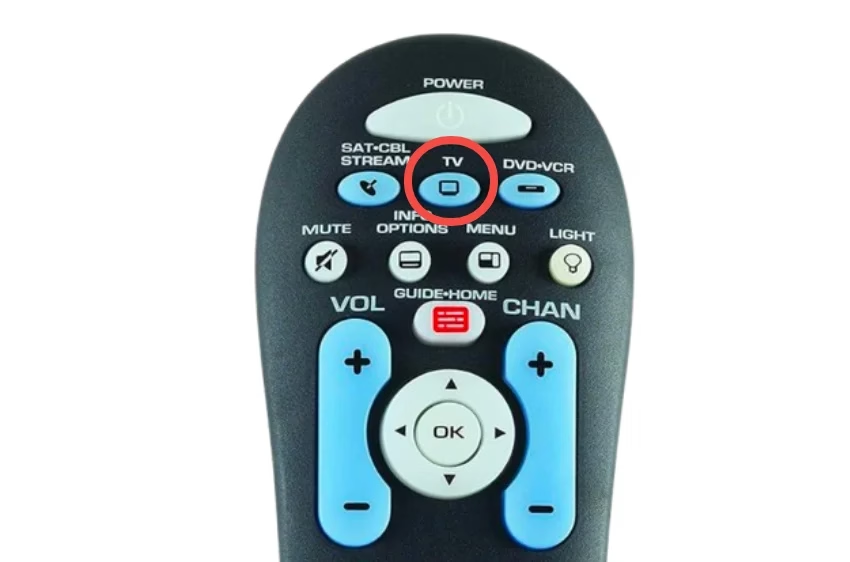
3. Press the device key: TV. On combo remotes, you may need to press TV twice.
4. Enter the code for your TV brand.
5. Point the remote at the TV and press Power.
1. If the TV turns off, you have a working code.
2. If nothing happens, repeat steps 2 to 5 with the next code.
6. Press OK, Enter, or Setup (depends on remote) to save the remote code.
7. Once Power works, test: Volume Up and Down, Mute, Input or Source.
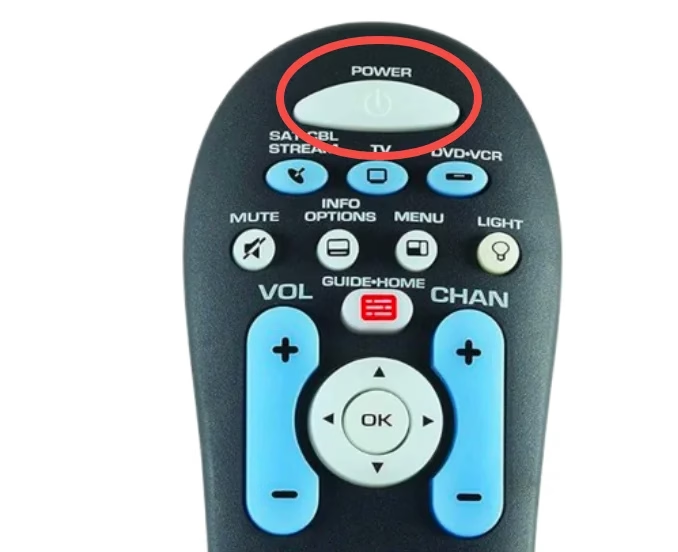
If Input does not work, do not settle yet. Try one more code. The "best" code is the one that handles input switching cleanly.
Method 2: Brand Shortcut Keys (When Your Remote Has Them)
Some remotes have a dedicated brand button or a way to pick a brand code family.
1. Hold TV or Setup until the light stays on.
2. Press the brand key or follow the on-remote brand list.
3. Press Power to test.
4. Save with OK or Setup.
If your remote has this feature, it is worth trying. It often skips the long code list.
How to Program a Universal Remote Without Codes
No code list? Fine. How to program your remote without codes? Use auto search. It is slower, but it works when the manual lists fail.
Method 1: Auto Code Search
1. Turn on the TV.
2. Hold Setup until the indicator light stays on.
3. Press TV.
4. Press and release Power repeatedly every 1 to 2 seconds. Some remotes use Channel Up instead of Power.
5. When the TV turns off, press OK or Enter to save.
Tip: If you overshoot and the TV turns off, then back on again, you went past the right code. Start over and press more slowly.
Method 2: Manual Search (Faster Than Full Auto Search)
Some remotes let you step through codes only within a TV family.
1. Enter setup mode.
2. Choose TV.
3. Hold Channel Up until the TV turns off.
4. Save.
This method usually takes less time than tapping Power a hundred times.


Troubleshooting Universal Remote Setup
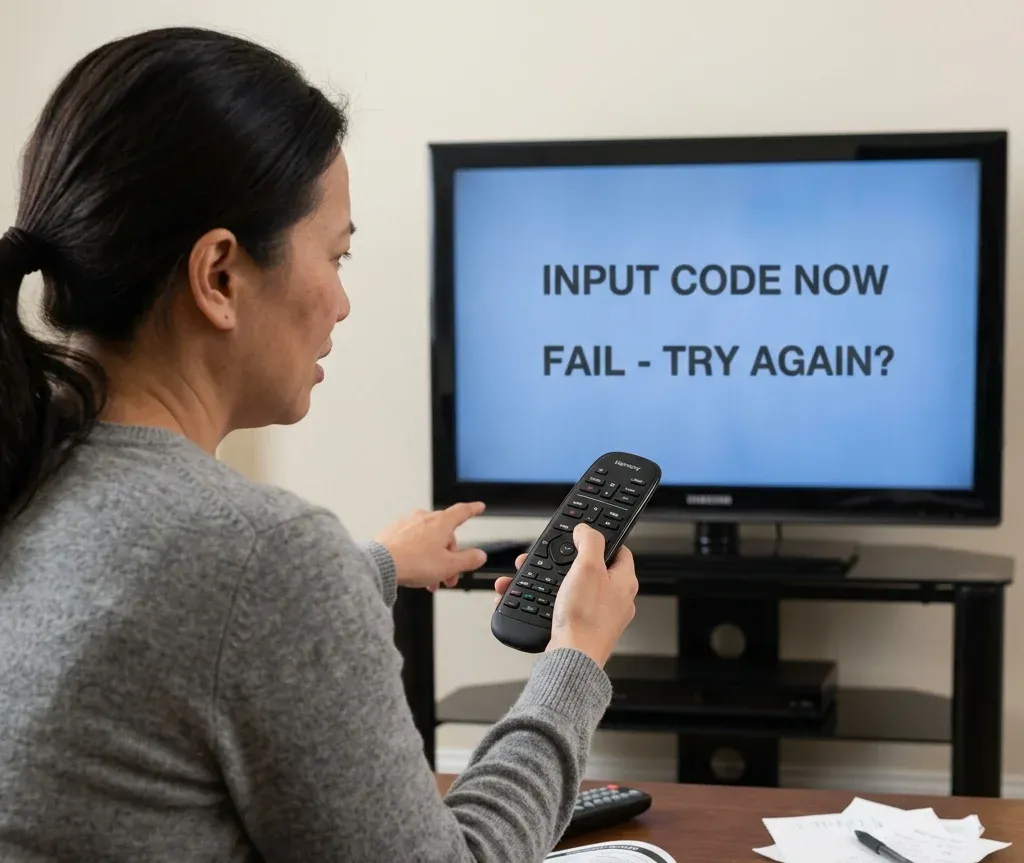
When a remote refuses to cooperate, it is usually one of these issues.
Problem: The remote does not enter setup mode
Try this:
Problem: The TV never responds to any code
Likely causes:
Fix:
Problem: Power works, but volume or input does not
This is the most common "almost there" result.
Fix:
Problem: The remote works only at very close range
That is usually batteries or IR interference.
Fix:
Problem: The TV responds slowly or randomly
Fix:
Alternative Ways to Control Your TV
If remote codes refuse to cooperate, there is still an easy backup. You can turn your mobile phone into a TV remote. In many cases, this is actually faster than entering dozens of codes.
Phone remote apps usually work in two ways:
Some apps support both connection methods, allowing you to control more TV brands and models.
One example is the Universal TV Remote Control app from BoostVision, which supports both Wi-Fi and IR control. It also includes convenient features like a touchpad, on-screen keyboard, and quick channel shortcuts, making it easier to navigate menus or type search terms on your TV.
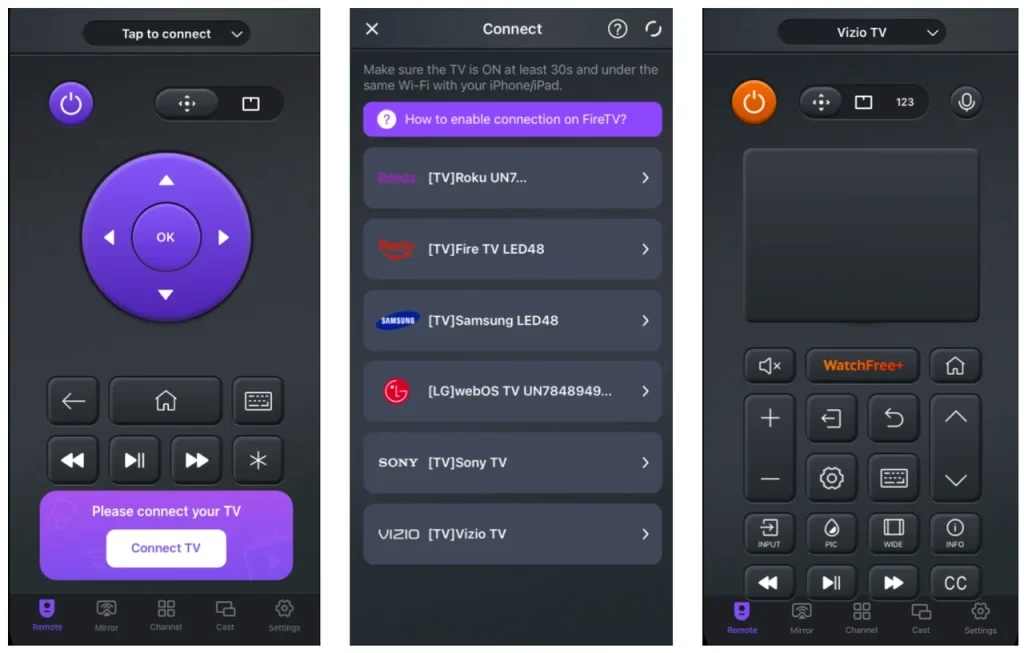
Step 1. Download the Universal TV Remote Control app from the app store and install it on your phone.
Android-download-button
Step 2. Choose the connection method depending on your device.
Option A: Wi-Fi Connection
1. Make sure your phone and TV are connected to the same Wi-Fi network.
2. Open the remote app.
3. Select your TV brand or detected device from the list.
4. Tap the TV name to connect.
The pairing usually takes only a few seconds.
Option B: IR Blaster Connection
1. Open the app on your phone.
2. Select your TV brand from the supported list.
3. Tap the Power button in the app to test the connection.
4. If the TV responds, save the remote profile.
Step 3. Start controlling your TV
Once connected, you can use your phone just like a regular remote.
You can:
This is especially useful when a physical remote is lost, broken, or simply refuses to pair.
Final Thoughts
Universal remotes are not magic. They are translators, and sometimes you need to try a few "dialects" before the TV understands.
My rule is simple: get Power, Volume, and Input working first. If those three work, you are done for real life. Everything else is a bonus.
If you are still stuck after codes and auto search, it is usually faster to use a phone remote app or replace the remote with a model that matches your TV brand family.
Universal Remote Codes FAQ
Q: How to find a code for a universal remote?
Start with your remote's manual or the code list in this guide. Match the code length your remote asks for, then try the first few codes under your TV brand. If those fail, use the auto code search method to scan for a compatible signal.
Q: What is the code for the LG TV universal remote?
There is no single "best" LG code. Common LG codes include 0178, 1004, 1017, and 1078, but the correct one depends on your remote model and code length. Use the LG section and test Power, volume, then input.
Q: How to pair a Vizio remote to a Vizio TV?
If it is a Vizio original remote, it often pairs automatically when you insert batteries and point it at the TV. If it is a universal remote, enter a Vizio code, then test Input and menu navigation. Vizio frequently has multiple workable codes.
Q: What is the 5 digit code for a Vizio TV?
Common 5-digit Vizio codes include 11758, 12757, 13758, 23161, and 31544. Use the one that matches your remote's required digit length.
Q: How to program a remote to a Vizio TV without code?
Use auto code search. Enter setup mode, select TV, then press Power or Channel Up repeatedly until the TV turns off. Save the code with OK or Enter.
Q: How do I know which universal remote code to use?
Use the code that controls the essentials cleanly. The right code should handle Power, Volume, and Input without delay. If power works but input does not, try the next code.
Q: What is the 4 digit code for Roku?
It depends on the remote brand and whether it is a Roku TV. Common 4-digit Roku TV codes people try include 1756 and 4398. If those fail, use your remote's Roku TV list or program using auto search.
Q: Is a universal remote compatible with a Vizio TV?
Usually yes. Most universal remotes support Vizio, but you may need to try a few codes to find one that includes input and menu control. If your Vizio TV is newer, a 5-digit code may work better.
Q: Why won't my Vizio TV recognize my remote?
Most failures come from:
Fix it by replacing batteries, confirming TV mode, then trying the next Vizio code. If nothing works, use auto code search or a phone remote app as a backup.

 Dec 24, 2024