
You can usually turn on your TV with the power button on the TV or your remote. But on Hisense TVs, the power button can be hard to find. Don't worry! This guide will show you where to find the Hisense TV Power button and how to control your TV in other ways.
Where Is the Power Button on Hisense TV?
To begin with, you should know that the location of the Hisense TV Power button is different depending on the specific model you are using. The primary location of the Power button is under the IR sensor or on the backside of the television.
If you ask where is the Power button on a Hisense Roku TV, you can also find the recent Hisense Roku TV Power button underneath the center of the bottom bezel. For older models, the button lies on the bottom and right back of the bezel.
How to Turn On Hisense TV Without the TV Power Button
If you have multiple Hisense TVs with different models, it's a good idea to use the physical remote to control them. This way, you won't have to worry about finding the power button on each TV or getting confused by their different locations.
Use the Power Button on the Hisense TV Remote
Typically, the Power button on a Hisense TV remote is located in the top right or top left corner. Nevertheless, the location can vary depending on the Hisense smart TV platform, so you need to check the specific remote for your Hisense TV. Here are some examples you can refer to:
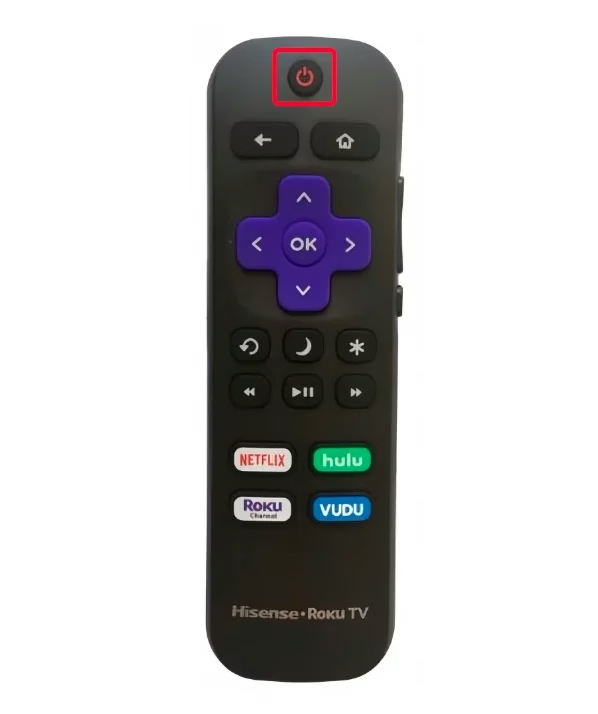
The Power button is at the top center of the Hisense Roku TV remote.
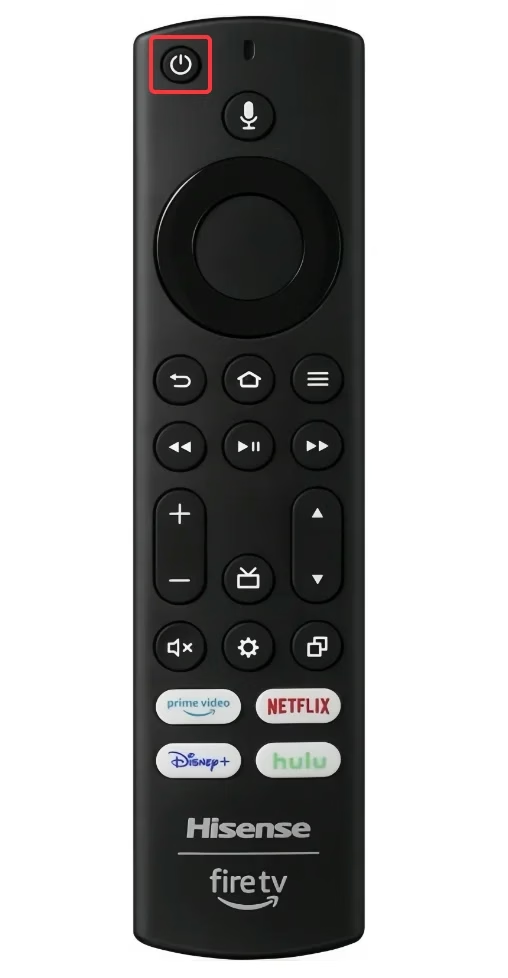
The Power button is also located at the top left of the Hisense Google TV remote.
Use the Power Button on a Universal TV Remote
Alternatively, you can use a universal TV remote to control all your Hisense TVs. This universal remote is compatible with most TV brands, which makes it a versatile option.
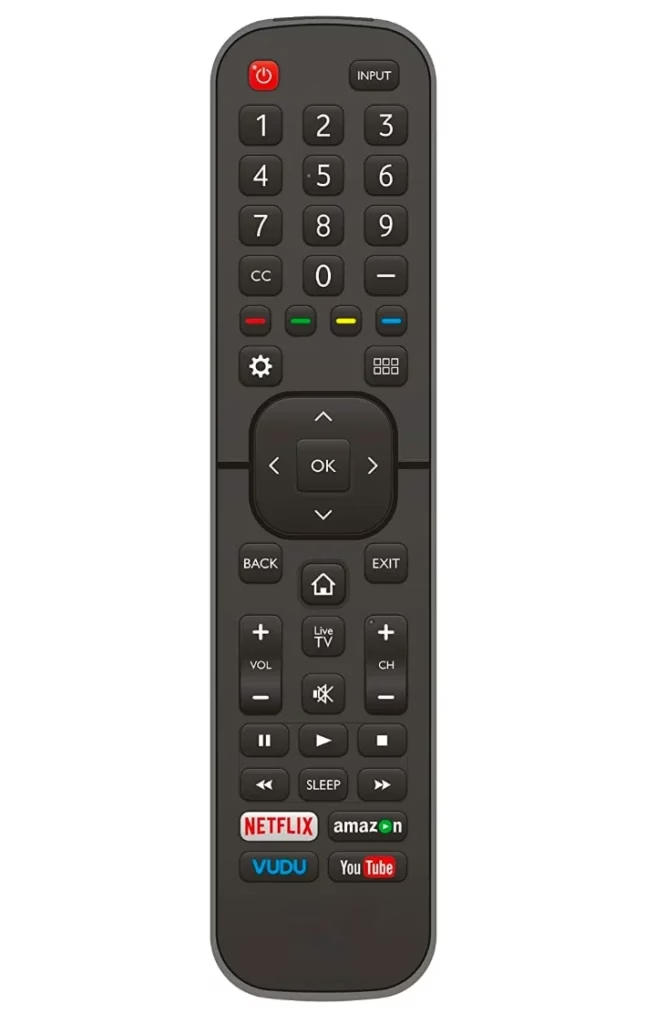
To make the universal remote work properly, there are groups of code you need to set up. You move to the page Hisense TV codes for universal remote to seek a further pairing step. After the pairing process, you can use the remote to control your Hisense TV and tap the Power button to turn on or off your television.
Use Power Button on a Universal TCL Control App
Here's a universal Hisense remote app that can replace your striking Hisense remote to power on/off your TCL smart television with different operating systems.
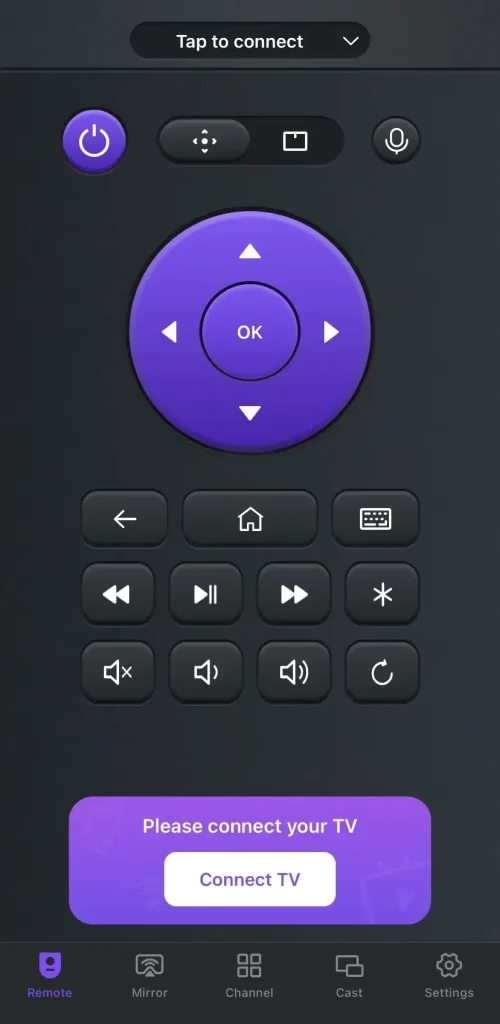
This universal remote app from BoostVision supports all popular brands and models of smart TVs. By switching the pairing entry, you can change the virtual remote to control your Hisense TV. Here's the pairing process and the answer to how to turn on Hisense TV without remote or power button:


Step 1. Install the universal remote app on your mobile device and allow its permissions. Ensure your mobile device and Hisense TV are covered by the same wireless network.
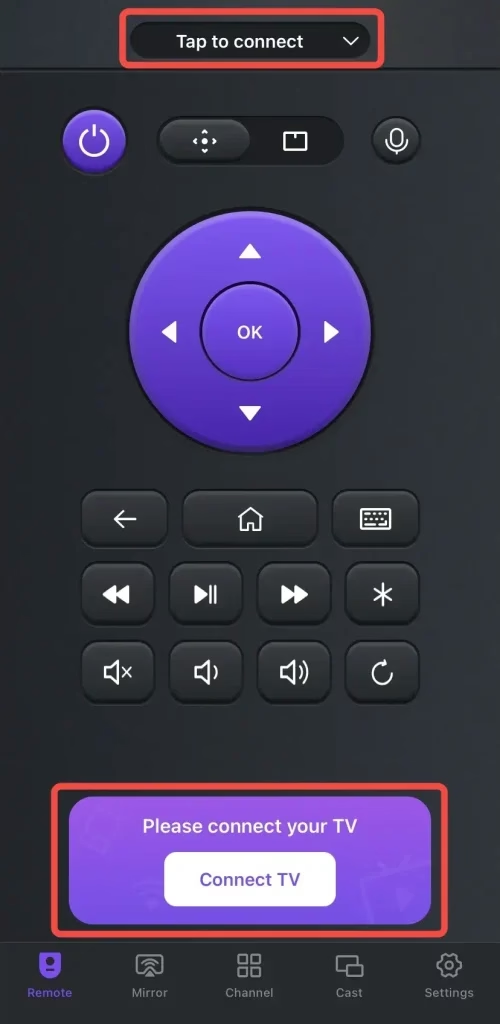
Step 2. Launch the application on your smartphone or tablet, tap the pairing entry to choose your TV from the device.
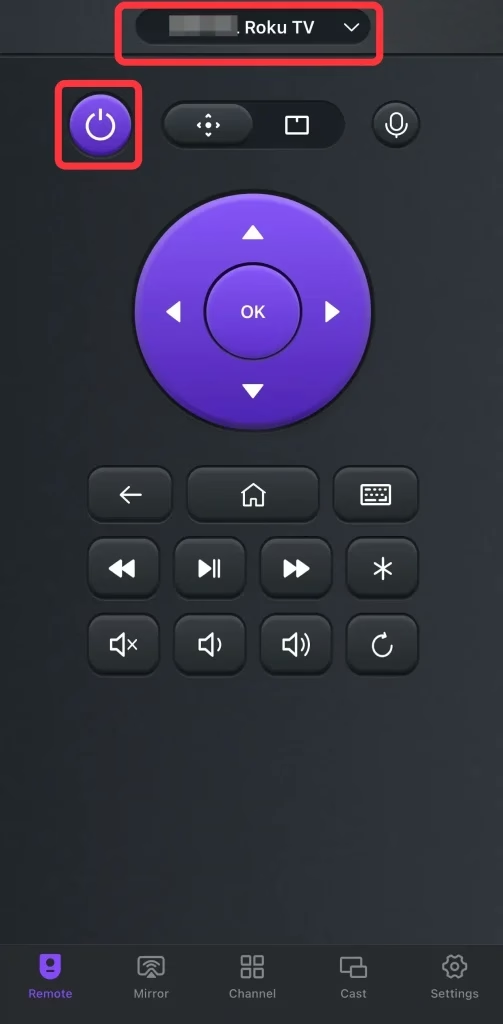
Step 3. As long as the pairing process completes, you will see your device's name on the remote app. Then you can click the Power button to control your television.
Closing Words
In short, Hisense TV power button location is not difficult to find. You can simply handle the Power button on a physical or virtual remote instead of the TV Power button. If you have more than one Hisense TV with different brands, installing the virtual universal remote is the best choice.
Hisense TV Power Button FAQ
Q: Where is the power button on Hisense TVs?
The power button on Hisense TV is typically placed in one of these locations:
Newer models often hide the button well, so you may need to feel along the edges to locate it. If you are unsure, checking the user manual for your specific model can help.
Q: How do I turn on my Hisense TV without the remote?
You can turn on your Hisense TV by pressing the physical power button on the TV. If the button is hard to reach, you can also use:
Q: Where is the Hisense TV power button when wall mounted?
When your Hisense TV is mounted on the wall, the power button is usually on the back or bottom edge. Try reaching behind the lower right or center area of the TV. Using a flashlight or your phone camera can make it easier to find.
Q: Does every Hisense TV have a power button?
Yes, all Hisense TVs include a physical power button. However, some models use a single multi-function button instead of separate controls, which can make it less obvious.
Q: Why is my Hisense TV power button not working?
If the power button does not respond, possible reasons include:
Try unplugging the TV for a minute and plugging it back in. If the issue continues, consider using a remote app or external control.
Q: Can I turn on Hisense TV with my phone without remote?
Yes, you can use a remote app to turn on your Hisense TV, but only if:
Otherwise, you may need to turn it on manually first.
Q: Is the Hisense TV power button always in the same place?
No, the location varies by model and production year. Older TVs often have front or bottom buttons, while newer models tend to place them on the back for a cleaner design.
Q: How to find Hisense Roku TV power button location?
On Hisense Roku TVs, the power button is usually:
It may also be part of a single multi-function button instead of separate controls.

 Nov 10, 2023