 English
 Portuguese
 Spanish
 French
 German
 Japanese
 Auric Celine
Maravilha Como encontrar meu controle remoto FireStick? Well, you've come to the right guide. Here you will know a quick way to do so with specific steps. Additionally, there are two effective alternatives prepared for you.
Índice
Como Encontrar o Controle FireStick
The first step to find lost Fire TV remote is to retrospect when and where you used it the last time. This small device may easily get buried under your cushions and quilts, or even forgotten near the refrigerator in the kitchen. Anyway, if you can't find it, or have no idea about the track of it, please start reading to get assistance!
It's worth noting that only the Controle Remoto por Voz Alexa Pro owns the built-in finding feature that allows you to ask Alexa to "find Fire TV remote". This finding feature will trigger an audible alarm on the remote to help you locate Fire TV remote.
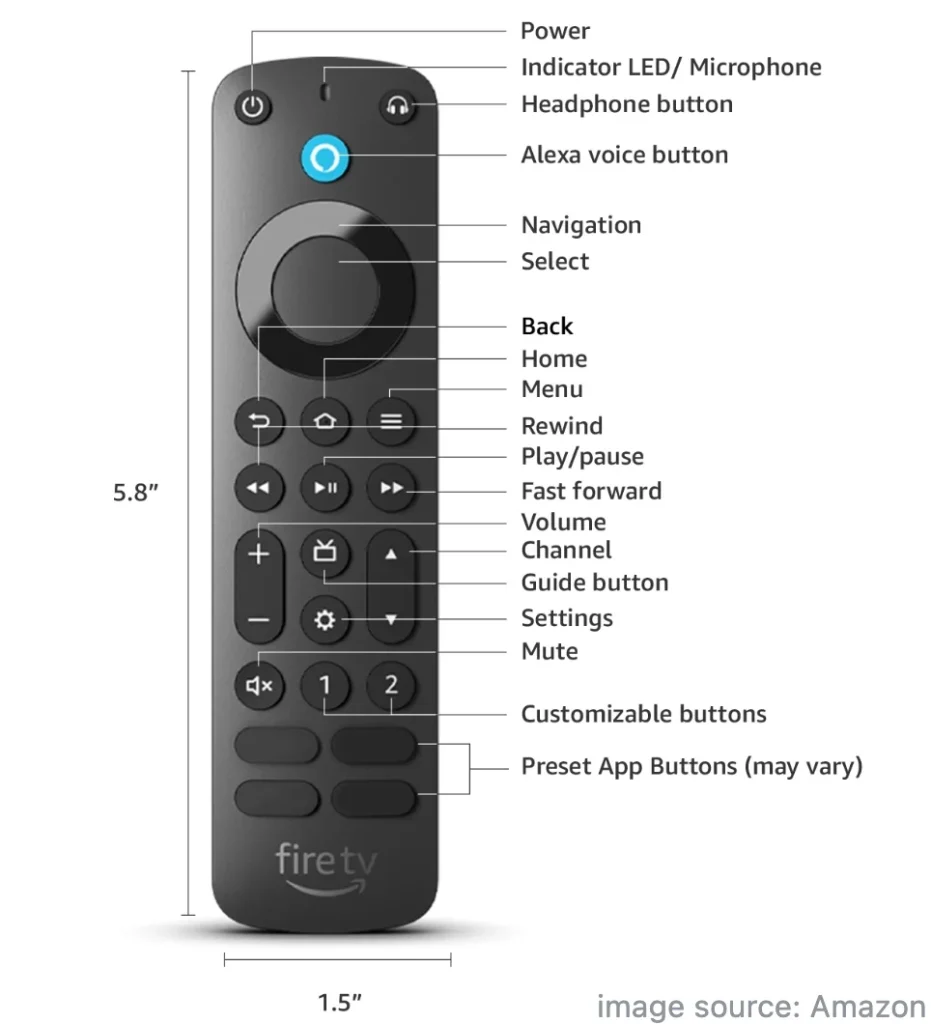
What's more, some Fire TVs won't support this new Alexa Voice Remote Pro listed by Amazon, including Fire TV (1st and 2nd Gen), Fire TV Stick (1st Gen), Element Fire TV Edition, Insignia HD or Insignia FHD and Hisense U6HF 4K ULED Fire TV Series.
Como Encontrar Meu Controle Remoto Fire TV:
After having a brief understanding of Alexa Voice Remote Pro, let's check how to use the find my Fire remote feature. Plus, there are a few requirements you need to pay attention to:
- A Fire TV emparelhada com seu Alexa Voice Remote Pro deve estar ligada.
Para Smart TVs Fire, você precisa navegar para Configurações > Exibição & Sons > Controles de Energia > Habilitar Alexa a qualquer momento or Comandos de Voz Quando a Tela está Desligada.
Para Fire TV Sticks, certifique-se de que o cabo de alimentação esteja conectado a uma tomada com o adaptador de energia fornecido, em vez da porta USB da TV.
- Seu controle remoto Pro deve estar a até 30 pés (10 m) do dispositivo Fire TV emparelhado.
If you have Alexa-enabled devices, such as an Echo or Fire TV Cube, you can say "Alexa, find my Fire Stick remote". Otherwise, you need to open any Amazon app on your phone that is Alexa-enabled, such as the Amazon Shopping app, Amazon Alexa, or Amazon Music, and then say "Alexa, find my remote" in the application.
Nota: O Controle Remoto por Voz Alexa Pro tocará por até 5 minutos, ou até você pressionar um de seus botões. Pode levar até 30 segundos para o toque começar.
Use a Universal Fire TV Control App Instead
Suppose you can't use the remote finder feature to find FireStick remote, then you can adopt a universal Fire TV remote app Como um backup.
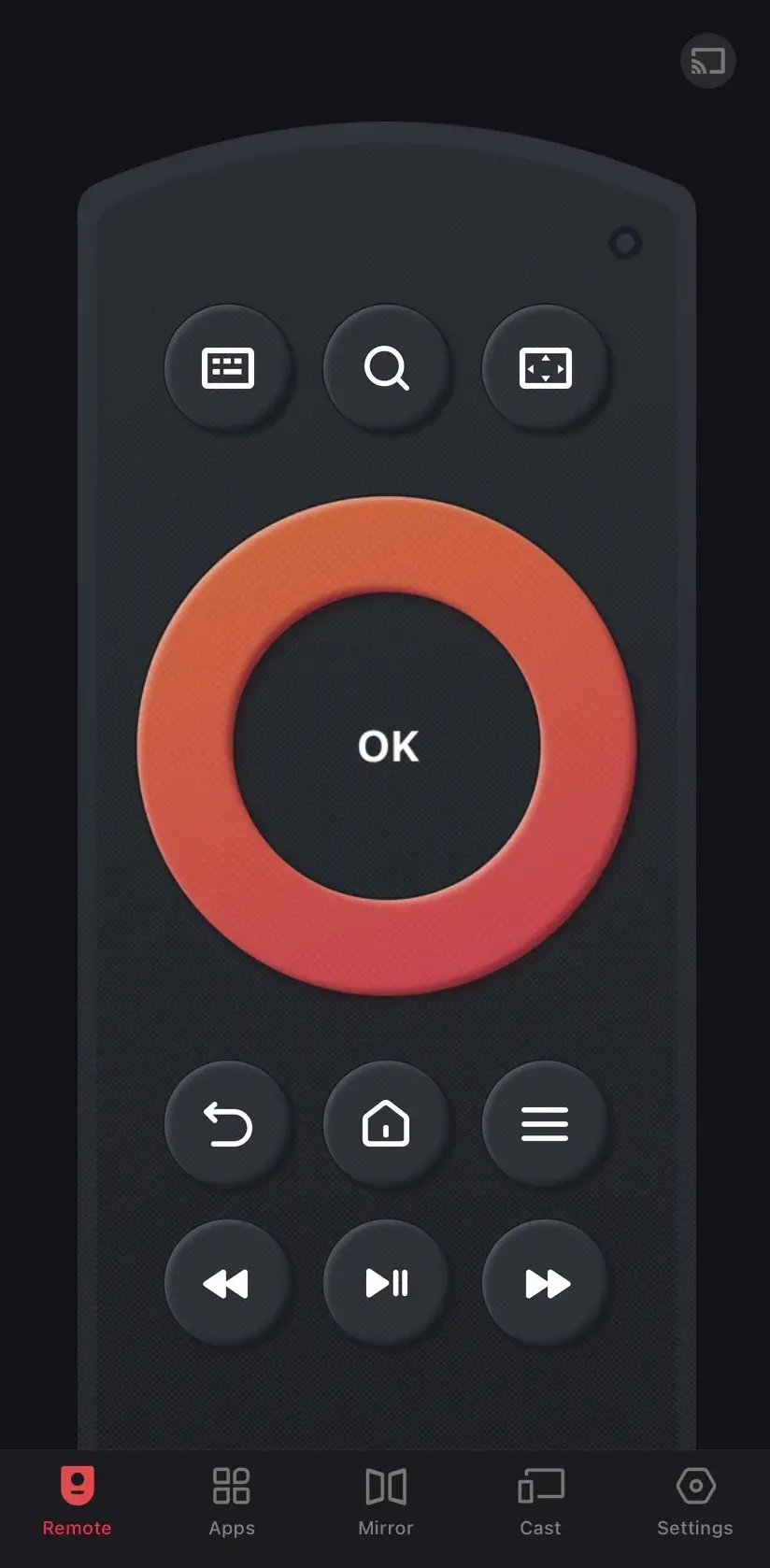
Como um aplicativo da BoostVision installed on the phone, you don't have to worry about it going missing or its version not being new enough. This remote app also supports all Fire TVs and Fire Sticks, so download it on your mobile device and enjoy the convenience it brings.
Download Remote for Fire TV & Fire Stick


Paso 1. Baixe o aplicativo de controle remoto Fire TV no seu telefone ou tablet, depois abra-o e permita suas permissões.
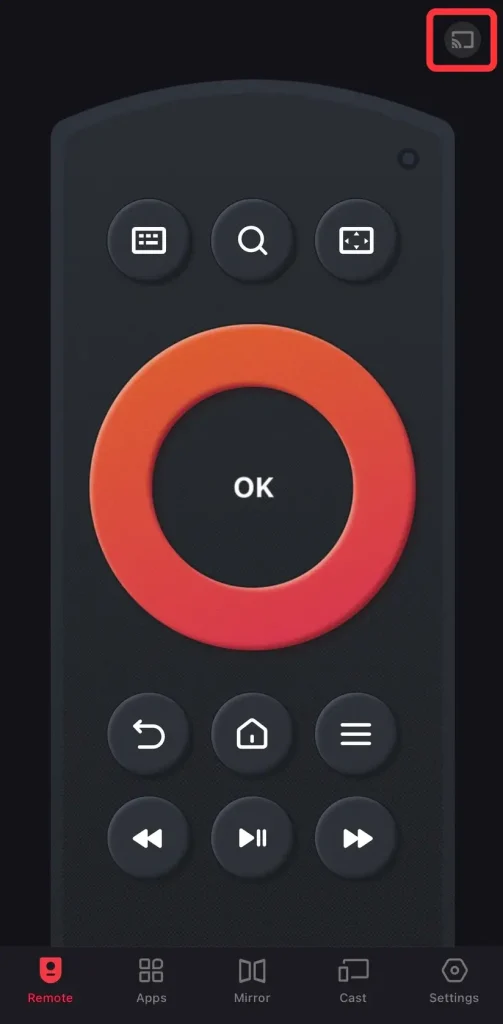
Paso 2. Certifique-se de que seus dispositivos estão na mesma rede sem fio e toque no botão de emparelhamento no canto superior direito da página do Controle Remoto.
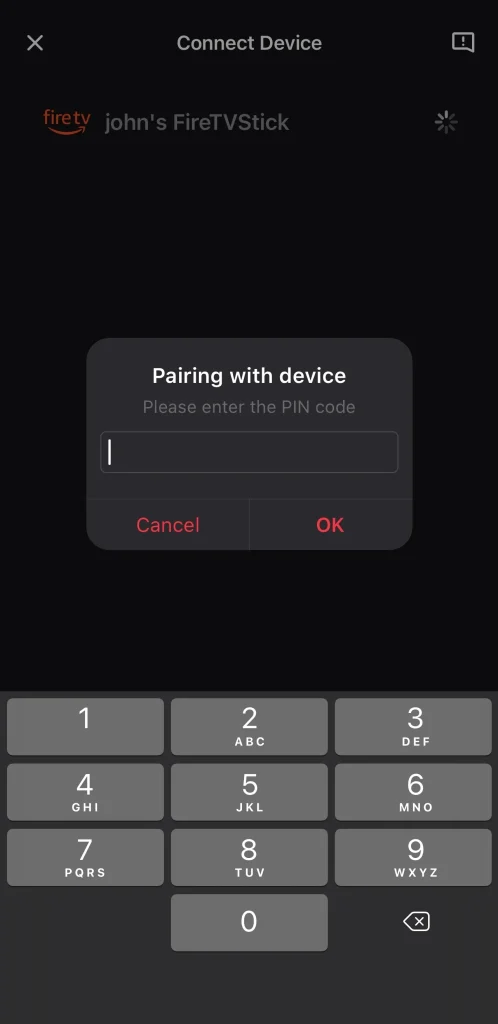
Paso 3. Escolha o seu dispositivo Fire para conectar. Se solicitado, insira o código PIN mostrado na tela da sua televisão para confirmar a conexão.
Paso 4. Depois de concluir o processo de conexão, você pode usar este controle remoto virtual em seu dispositivo móvel para controlar o Fire TV emparelhado com os botões na tela.
Use um teclado e mouse com o FireStick em vez disso.
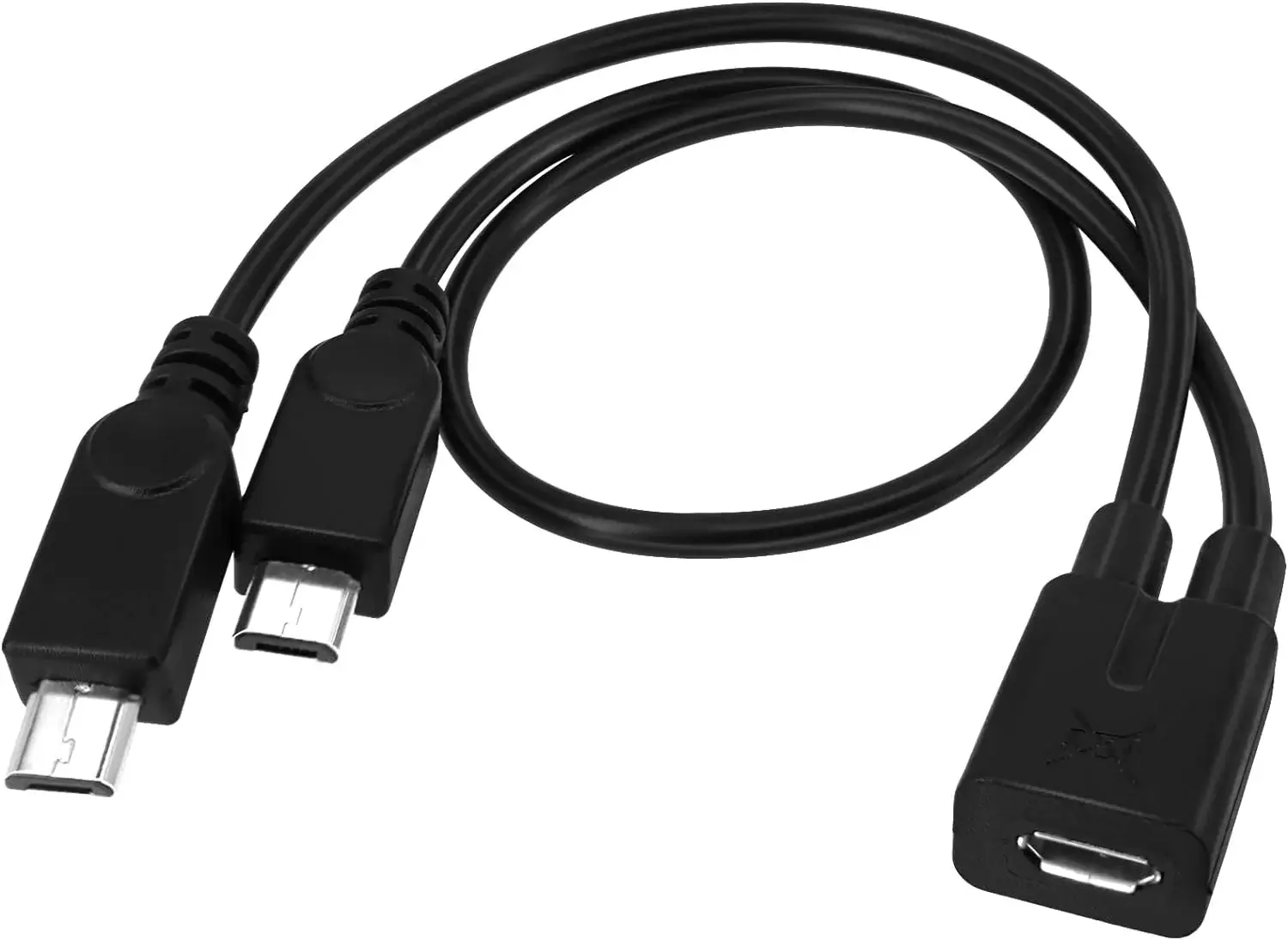
A última abordagem bônus é o teclado e o mouse que você pode usar para controlar seu FireStick. Os Fire TV Sticks vêm com uma única porta micro USB, então você pode conectar teclados e mouses à sua TV para entrada de texto e navegação. Mas você pode ter que comprar um divisor micro USB para conectar seus dispositivos.
Veredito Final
How to find lost FireStick remote? The finding process is easy to conduct, isn't it? However, some prerequisites may limit your operation. But don't be disappointed. You can still control your Fire TV via a third-party Fire TV remote app and a keyboard and mouse instead. Hoping these methods above can offer you more ideas to enjoy your Fire TV!
Como Encontrar o Controle Remoto do Meu FireStick FAQ
P: Existe uma maneira de localizar um controle remoto do Fire Stick?
Somente o Controle Remoto Pro da Amazon Alexa pode ser localizado, e você deve garantir que sua Fire TV suporte o Controle Remoto Pro. Ao mesmo tempo, por favor, certifique-se de que a Fire TV emparelhada com seu Controle Remoto Pro da Alexa esteja ligada, e o controle remoto deve estar a até 30 pés (10 m) do dispositivo Fire TV emparelhado.
Next, if you have an Alexa-enabled device, or Amazon app, then you can use voice commands "Alexa, find my remote" to find your lost Fire Stick remote.
Q: What to do if you've lost your Fire TV remote?
Se o seu controle remoto for o mais novo Amazon Alexa Voice Remote Pro, então você pode tentar encontrá-lo com o recurso de localizador de controle remoto integrado em alguns dispositivos Fire TV. Caso contrário, você pode adotar aplicativos de controle remoto virtual ou um teclado e mouse.
Auric Celine
Auric Celine é uma redatora de conteúdo web para a BoostVision, interessada em dispositivos inteligentes e atenta à experiência visual. Ela visa produzir informações profissionais para ajudar outros a se envolverem na tendência de mídia de transmissão e terem uma experiência visual maravilhosa assim como ela.