
Wonder how to find my FireStick remote? Well, you've come to the right guide. Here you will know a quick way to do so with specific steps. Additionally, there are two effective alternatives prepared for you.
How to Find FireStick Remote
The first step to find lost Fire TV remote is to retrospect when and where you used it the last time. This small device may easily get buried under your cushions and quilts, or even forgotten near the refrigerator in the kitchen. Anyway, if you can't find it, or have no idea about the track of it, please start reading to get assistance!
It's worth noting that only the Alexa Voice Remote Pro owns the built-in finding feature that allows you to ask Alexa to "find Fire TV remote". This finding feature will trigger an audible alarm on the remote to help you locate Fire TV remote.
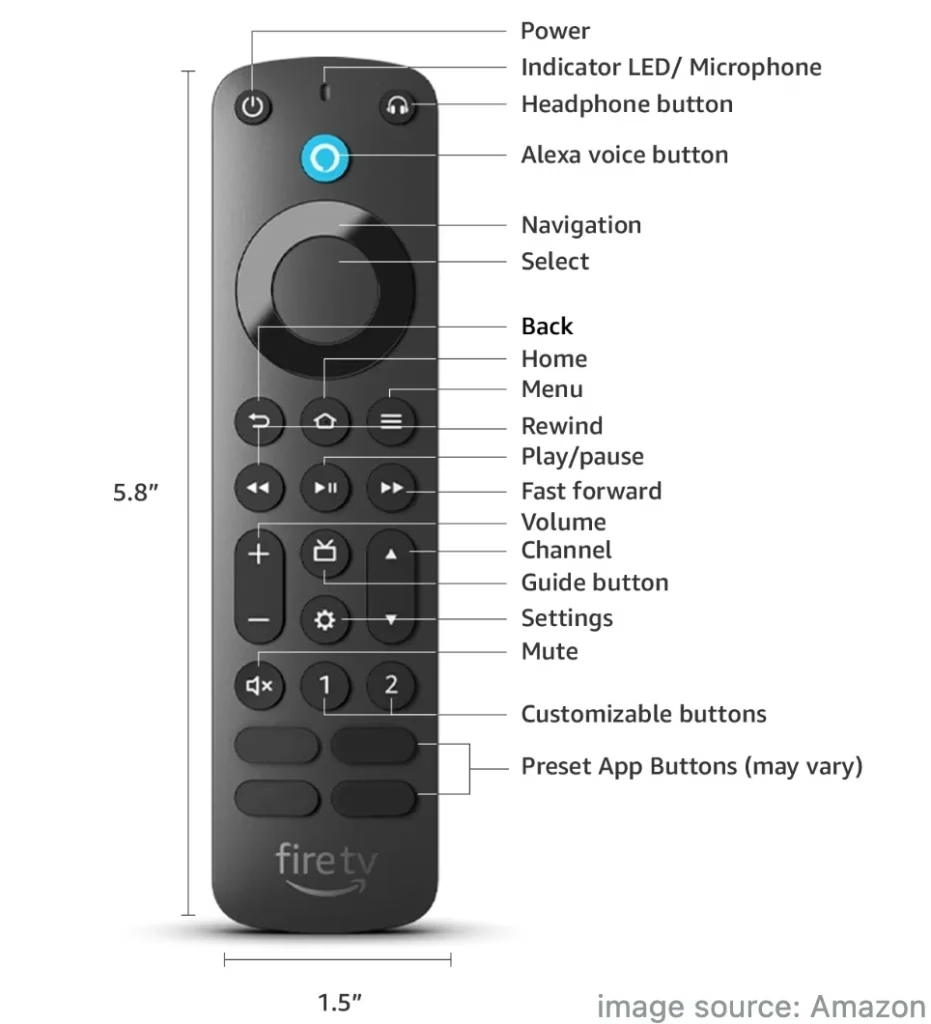
What's more, some Fire TVs won't support this new Alexa Voice Remote Pro listed by Amazon, including Fire TV (1st and 2nd Gen), Fire TV Stick (1st Gen), Element Fire TV Edition, Insignia HD or Insignia FHD and Hisense U6HF 4K ULED Fire TV Series.
How to Find My Fire TV Remote:
After having a brief understanding of Alexa Voice Remote Pro, let's check how to use the find my Fire remote feature. Plus, there are a few requirements you need to pay attention to:
For Fire Smart TVs, you need to navigate to Settings > Display & Sounds > Power Controls > Enable Alexa Anytime or Voice Commands When Screen is Off.
For Fire TV Sticks, please ensure the power cable is connected to an outlet with the provided power adapter, rather than the USB port on the TV.
If you have Alexa-enabled devices, such as an Echo or Fire TV Cube, you can say "Alexa, find my Fire Stick remote". Otherwise, you need to open any Amazon app on your phone that is Alexa-enabled, such as the Amazon Shopping app, Amazon Alexa, or Amazon Music, and then say "Alexa, find my remote" in the application.
Note: Alexa Voice Remote Pro will ring for up to 5 minutes, or until you press one of its buttons. It can take up to 30 seconds for the ringing to start.
Use a Universal Fire TV Control App Instead
Suppose you can't use the remote finder feature to find FireStick remote, then you can adopt a universal Fire TV remote app as a backup.
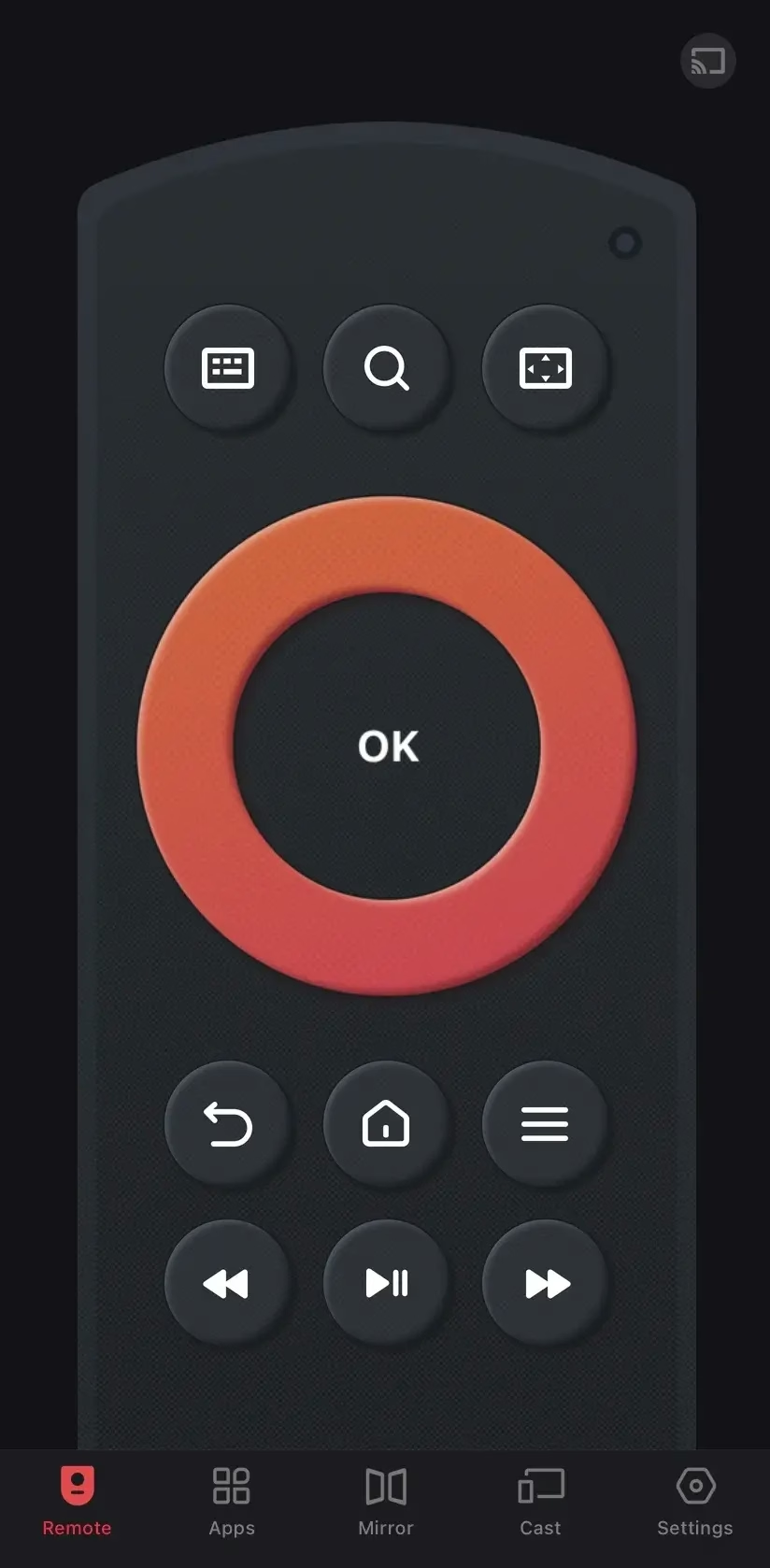
As an application from BoostVision installed on the phone, you don't have to worry about it going missing or its version not being new enough. This remote app also supports all Fire TVs and Fire Sticks, so download it on your mobile device and enjoy the convenience it brings.
Download Remote for Fire TV & Fire Stick
Step 1. Download the Fire TV remote app on your phone or tablet, then open it and allow its permission.
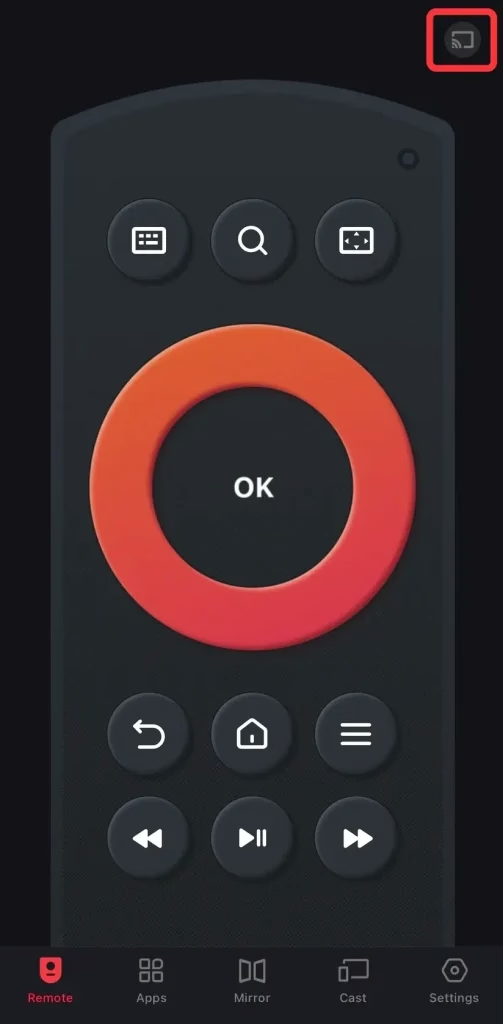
Step 2. Ensure your devices are under the same wireless network, and tap the pairing button in the upper right corner of the Remote page.
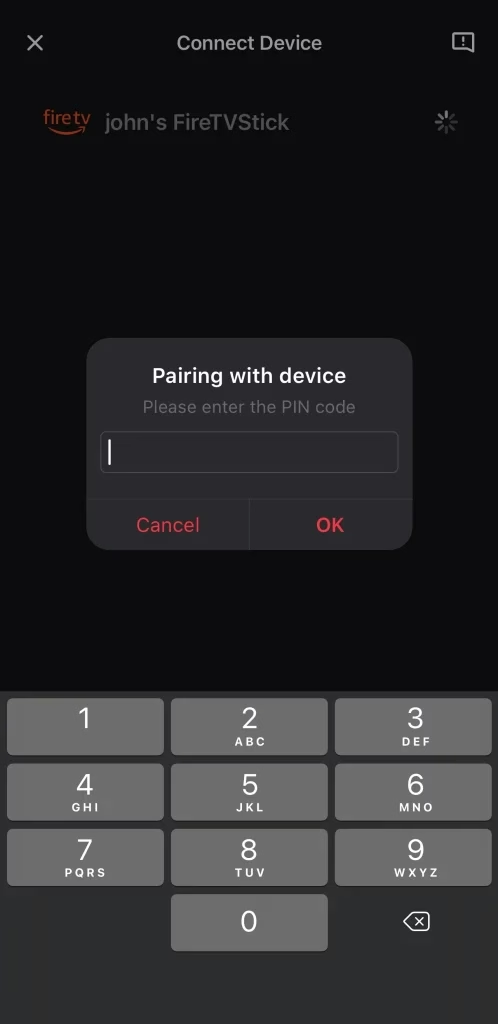
Step 3. Choose your Fire device to connect. If asked, enter the PIN code shown on your television screen to confirm the connection.
Step 4. Once you finish the connection process, you can handle this virtual remote on your mobile device to control the paired Fire TV with the on-screen buttons.
Use a Keyboard and Mouse with the FireStick Instead
The last bonus approach is the keyword and mouse that you can leverage to control your FireStick. The Fire TV Sticks come with a single micro USB port, so you are allowed to connect keyboards and mouse to your TV for text input and navigation. But you may have to buy a micro USB splitter to connect your devices.
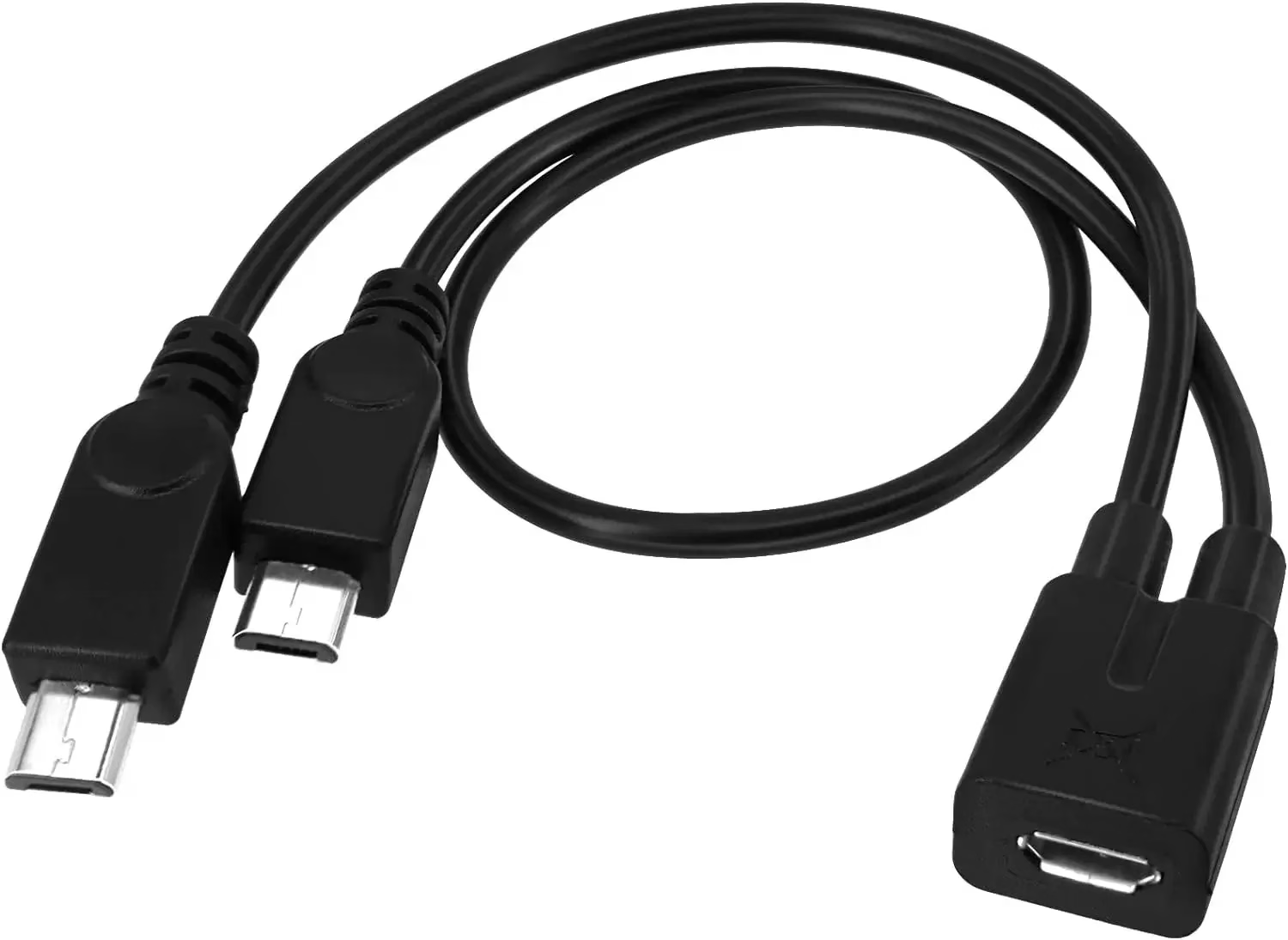
Final Verdict
How to find lost FireStick remote? The finding process is easy to conduct, isn't it? However, some prerequisites may limit your operation. But don't be disappointed. You can still control your Fire TV via a third-party Fire TV remote app and a keyboard and mouse instead. Hoping these methods above can offer you more ideas to enjoy your Fire TV!
How to Find My FireStick Remote FAQ
Q: Is there a way to locate a Fire Stick remote?
Only the Amazon Alexa Voice Remote Pro can be located, and you should ensure your Fire TV supports the Pro remote. At the same time, please make sure the Fire TV paired with your Alexa Voice Remote Pro is turned on, and the remote should be within 30ft (10 m) of the paired Fire TV device.
Next, if you have an Alexa-enabled device, or Amazon app, then you can use voice commands "Alexa, find my remote" to find your lost Fire Stick remote.
Q: What to do if you've lost your Fire TV remote?
If your remote is the newest Amazon Alexa Voice Remote Pro, then you can try to find it with the built-in remote finder feature on some Fire TV devices. Otherwise, you can adopt virtual remote apps or a keyboard and mouse instead.