
Se o controle remoto da TV parar de funcionar, o problema geralmente está em uma destas quatro áreas: energia, sinal, pareamento ou falha de hardware. A boa notícia é que a maioria dos controles pode ser consertada sem trocar a TV, e muitos casos nem sequer exigem um controle novo.
Comece pelas soluções universais abaixo. Se o problema estiver limitado ao Roku, Fire TV, Samsung, LG, Hisense, Sony ou outra plataforma, as seções específicas por marca podem identificá-lo mais rapidamente.
Diagnóstico rápido: que tipo de problema seu controle tem?
Antes de tentar todas as soluções possíveis, primeiro identifique o problema:
Por que o controle remoto da TV não funciona?
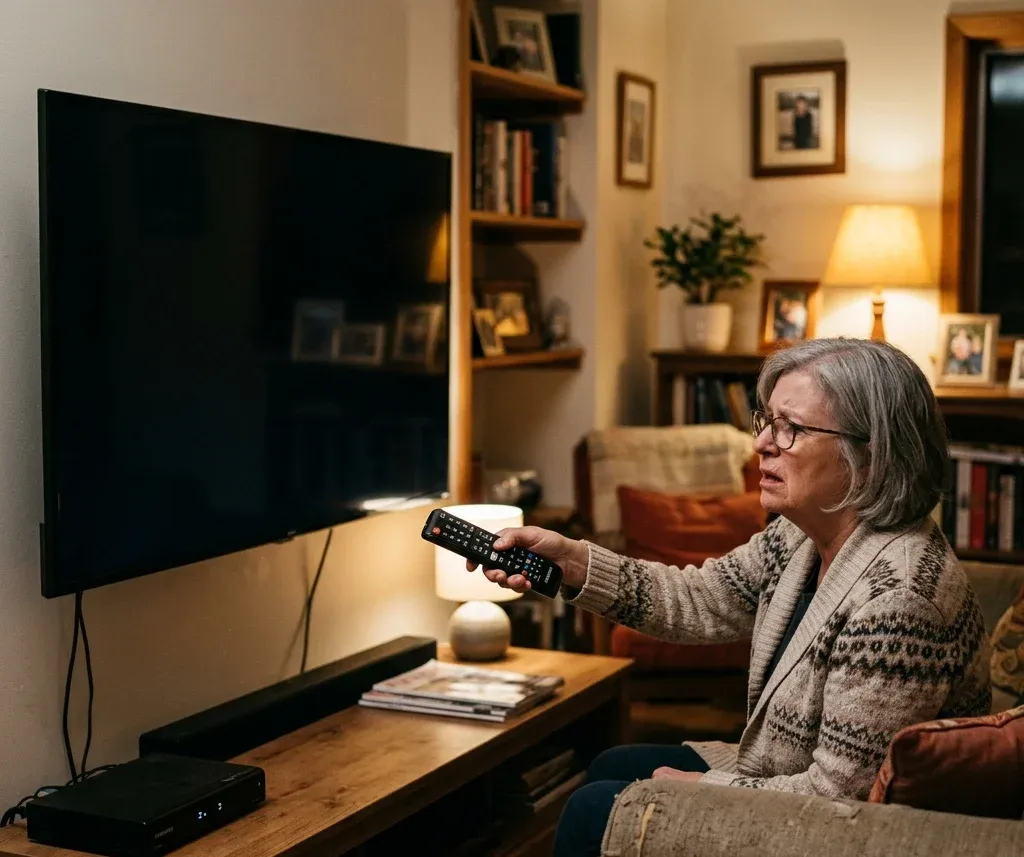
A maioria dos problemas vem de uma destas causas:
Soluções universais para a maioria dos controles de TV
1. Troque as pilhas primeiro
Problemas nas pilhas ainda são a causa mais comum. Retire as duas, inspecione os contatos e insira um par novo e igual. Se o controle piscar, mas ainda não funcionar, prossiga à próxima etapa.
Se ele continuar falhando com pilhas novas, verifique se o problema é de pareamento, e não de energia. Controles por voz do Roku podem precisar de novo pareamento, enquanto controles do Firestick geralmente exigem redefinição do pareamento pelo botão Início. Os sintomas são diferentes o bastante para solucionar separadamente um controle Roku que não funciona com pilhas novas e um controle Firestick que não funciona.
2. Verifique a linha de visão, a distância e a interferência
Controles IR precisam de um caminho livre até o receptor da TV. Controles inteligentes também apresentam problemas quando o sinal sofre interferência de roteadores próximos, acessórios Bluetooth ou conflitos de HDMI-CEC.
Tente isto:
3. Limpe e solte os botões do controle
O uso repetido pode deixar um botão parcialmente pressionado. Retire as pilhas, pressione todas as teclas várias vezes e limpe delicadamente a área do emissor superior e o compartimento das pilhas. Se apenas alguns botões funcionam, esta etapa é mais importante do que parece.
4. Redefina o controle
Muitos controles voltam a funcionar após uma redefinição básica:
Se a redefinição básica não funcionar, tente o procedimento específico do modelo. Alguns controles só precisam ficar sem pilhas enquanto o botão Liga/Desliga é mantido pressionado; modelos Fire TV podem exigir uma combinação de botões e um novo ciclo de pareamento. O guia de redefinição de controles de TV explica procedimentos gerais, enquanto os controles da Insignia Fire TV e Toshiba Fire TV têm processos próprios.
5. Reinicie a TV antes de concluir que o controle está quebrado
Às vezes, o controle está normal e a TV travou. Tire a TV da tomada por cerca de 60 segundos, conecte-a novamente e teste o controle.
6. Refazer o pareamento de controles inteligentes
Se o controle usa Bluetooth ou Wi-Fi Direct, uma sessão de pareamento perdida pode fazê-lo parecer inoperante.
Soluções específicas por marca
Roku
O Roku tem dois tipos principais de controle. O Roku Simple Remote usa infravermelho, portanto precisa de linha de visão livre e deve ser apontado diretamente para o aparelho Roku ou a TV Roku. O Roku Voice Remote funciona por pareamento sem fio e pode parar de responder mesmo com pilhas boas. Se o controle não tiver botão de pareamento, ainda é possível tentar uma sequência de botões; se continuar falhando, um aplicativo para celular ou um controle Roku substituto pode ser mais rápido do que repetir as tentativas. Para uma análise detalhada por sintoma, consulte controle Roku não funciona.
Fire TV e Firestick
Controles Fire TV geralmente falham por perda de pareamento, interferência ou consumo das pilhas. Um aplicativo de controle também pode ser uma alternativa prática quando o controle físico não está disponível.
Comece verificando pilhas, distância e interferência Bluetooth. Se isso não ajudar, redefina o controle mantendo Voltar + Menu + Esquerda pressionados por cerca de 15 segundos, retire as pilhas, desconecte o Fire TV por cerca de 60 segundos, recoloque as pilhas e mantenha Início pressionado por 10 a 15 segundos para parear novamente. Se o controle original sumiu, o processo em parear um novo controle Fire Stick sem o antigo é mais relevante. Proprietários de Toshiba Fire TV também devem consultar o guia específico de controle da Toshiba Fire TV não funciona.
Se um aplicativo no celular for seu controle temporário, confirme se o Fire TV e o celular estão na mesma rede Wi-Fi. Problemas de detecção são tratados em aplicativo de controle do Fire TV não funciona.
Samsung
Os problemas da Samsung geralmente se dividem em falhas do sensor IR, problemas de pareamento e bloqueios de permissão ao usar controle por aplicativo. Para um controle IR Samsung, aponte-o para a câmera do celular e pressione Liga/Desliga; se o emissor IR piscar na tela da câmera, o controle está enviando sinal e o problema provavelmente está no receptor da TV ou na linha de visão. Para um Samsung Smart Remote, mantenha Voltar + Reproduzir/Pausar pressionados por pelo menos 5 segundos para iniciar o pareamento. Se nem o teste de IR nem o pareamento funcionarem, compare os sintomas com controle remoto da TV Samsung não funciona antes de buscar um controle Samsung substituto.
LG
Os controles LG acrescentam outra variável: a conectividade do Magic Remote. Quando o ponteiro falha, mas o botão Liga/Desliga ainda funciona, redefinir e reconectar é mais importante do que simplesmente trocar as pilhas.
Primeiro, recoloque as pilhas e pressione todos os botões para soltar teclas presas. Depois, teste o emissor IR com a câmera do celular. Se apenas o controle por voz estiver com defeito, limpe a área do microfone e confirme se a TV LG continua conectada, pois os comandos de voz do Magic Remote dependem da rede. Se ponteiro, voz e botões básicos falharem de maneiras diferentes, a lista de controle remoto da TV LG não funciona traz uma análise mais completa por sintoma; se houver dano físico, compare as opções de controle LG substituto.
Hisense, Sony, Vizio, TCL e outras
Para TVs Hisense, Sony, Vizio, TCL, Philips, Westinghouse e Bush, as primeiras verificações continuam sendo pilhas, sinal IR, distância, obstrução e reinicialização da TV. Os detalhes mudam quando a marca usa pareamento Bluetooth, sistema baseado em Roku ou solicitação de permissão específica do aplicativo. Se uma redefinição básica não restaurar o controle, identifique a marca antes de aprofundar: controle Hisense não funciona, controle Sony não funciona, controle Vizio não funciona, controle TCL não funciona, controle TCL Roku não funciona, controle Philips não funciona, controle Westinghouse não funciona e controle Bush não funciona tratam do comportamento de cada marca.
Quando substituir o controle?
Substitua o controle se uma ou mais destas condições forem verdadeiras:
Se você ainda não quer comprar outro controle, uma alternativa pelo celular pode manter a TV utilizável. Os problemas de detecção do aplicativo Fire TV foram abordados anteriormente; para opções mais amplas, consulte como controlar a TV pelo celular sem controle remoto.


Conclusão
A maioria dos problemas de controle remoto pode ser identificada rapidamente: verifique a alimentação, desobstrua o caminho do sinal, redefina o controle, reinicie a TV e refaça o pareamento de controles inteligentes. Se essas etapas falharem, compare os sintomas com os casos específicos do dispositivo acima antes de substituir o controle.