
You're settled in, snacks in hand, ready to binge your favorite show, only to realize two things: your physical Roku remote is missing, and your WiFi is down. You open the Roku app on your phone, hoping for a digital miracle, but it can't find the TV.
It feels like a tech dead-end. Does the Roku remote app without WiFi even stand a chance? Most guides give you a "maybe", but let's be direct: the app is designed to talk to your TV over a local network, not magic. However, if you understand how to trick the hardware into seeing a "network" that doesn't rely on your home router, you can be back to streaming in minutes.
Can You Use Roku Remote App Without WiFi?
The short answer is: No, but also yes.
If "without WiFi" means you are in a vacuum with zero wireless signals and no cables, the official app is useless. It doesn't use Bluetooth to control the TV. In that situation, it behaves just like many common Roku remote issues where the device simply can't be detected.
But if "without WiFi" simply means your home internet is out or you don't have a router, you have options. Most Roku remote control not working scenarios are actually caused by missing or broken network paths—not the remote itself.
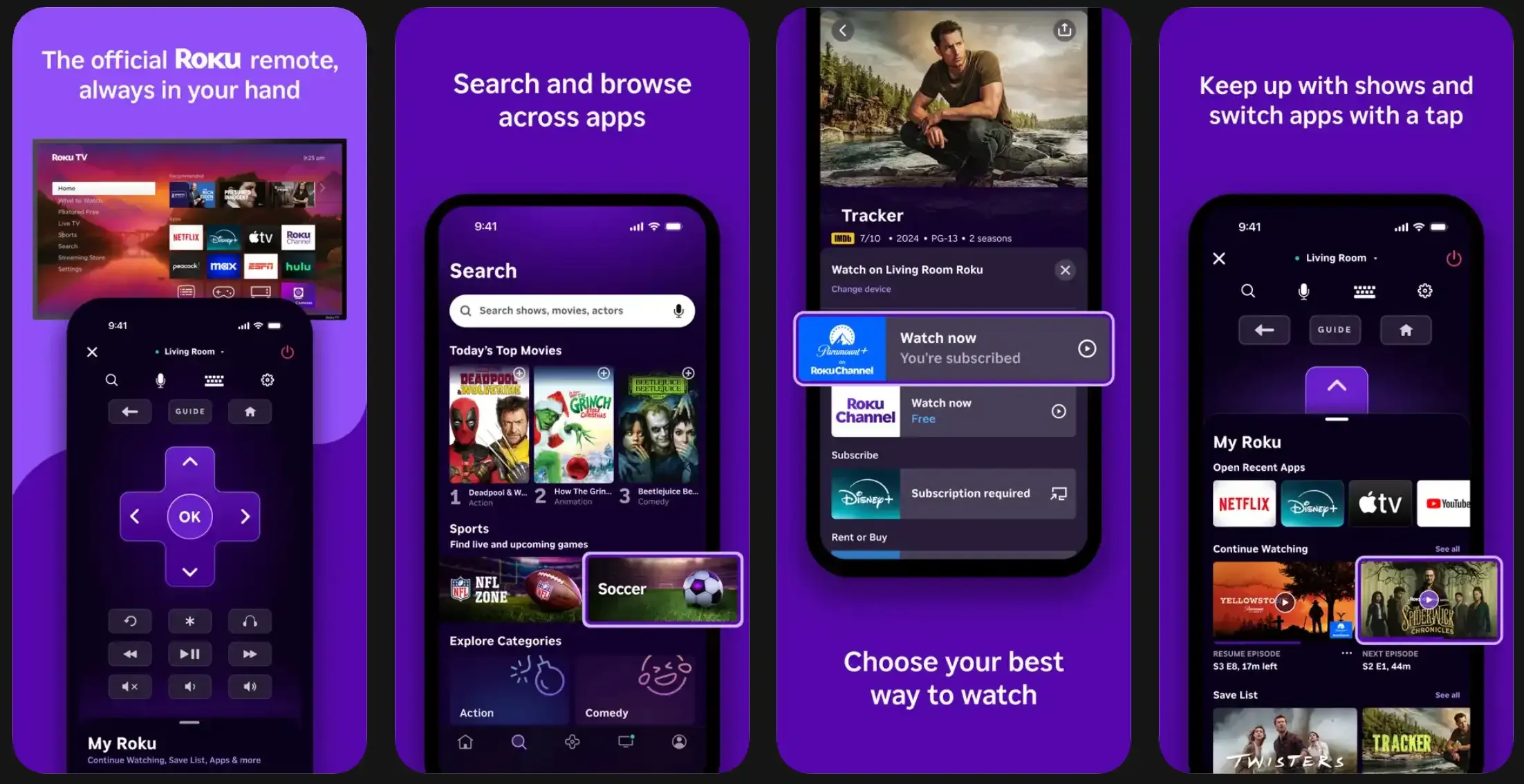
Why Roku Remote App Requires a Network
Why can't your phone just "see" the TV like a pair of AirPods? Because Roku sticks and TVs use a protocol called SSDP (Simple Service Discovery Protocol) to find each other on a local network.
Think of it like being in a dark room. Your phone is shouting, "Where is the Roku?" but without a network (the air that carries the sound), the TV never hears the shout. There is no infrared (IR) bulb on your iPhone or Android to send a direct beam. You aren't looking for the internet; you're looking for a shared pathway.
What Actually Works (Quick Reality Check)
td {white-space:nowrap;border:0.5pt solid #dee0e3;font-size:10pt;font-style:normal;font-weight:normal;vertical-align:middle;word-break:normal;word-wrap:normal;}
| Scenario | Can You Use the App? | Solution |
|---|---|---|
| No Internet, but Router is ON | ✅ Yes | The LAN still exists. |
| No Router, Two Smartphones | ✅ Yes | Mobile Hotspot method. |
| Roku has an Ethernet Port | ✅ Yes | Wired connection to the app. |
| Total Radio Silence | ❌ No | Requires a physical IR remote. |
How to Use Roku Remote App Without WiFi
Before you start clicking buttons randomly, you need a strategy. The goal is to recreate the environment the Roku expects. Since the how to use Roku app remote without WiFi struggle usually happens in dorms, hotels, or new apartments, your best bet is to simulate the exact network the Roku was last connected to.
Method 1: Recreate WiFi with a Hotspot
Stop thinking about how to remove WiFi. Instead, think about how to recreate a Local Area Network. The Roku app is a local tool. As long as a "bridge" exists whether it's a cable, a hotspot, or a router with no internet—the app will function.
Step 1. You need one phone to act as the "Router" (Hotspot) and another (or a tablet) to act as the "Remote."
Step 2. Set your phone's mobile hotspot Name (SSID) and Password to be identical to the WiFi network the Roku last used.
Step 3. Turn on the hotspot. The Roku will automatically connect to it, thinking it's your home router.
Step 4. Connect your second device (the one with the Roku app) to that same hotspot.
Step 5. Open the app. The TV should now appear as an available device.
This works because the Roku is a creature of habit. It doesn't know the difference between a high-speed router and your 5G phone signal.
Method 2: Use Ethernet for a Stable Connection
If you have a Roku Ultra or a Roku TV with a physical LAN port, stop messing with wireless signals.
Even if the router has no "internet" (the globe icon is red), the local communication between the Ethernet port and the WiFi antenna will still function perfectly.
Method 3: Use an IR Remote App
If you're using a smartphone with a built-in IR blaster (commonly found on some older Samsung or Xiaomi devices), you can control your Roku TV without WiFi or the official app. In this case, third-party tools like the Universal TV Remote App from BoostVision allow you to send IR signals directly to your TV, just like a traditional remote.
How to set up an IR remote app:
Step 1. Download a Universal Remote app from the Play Store.
Step 2. Launch the remote app on your Android phone.
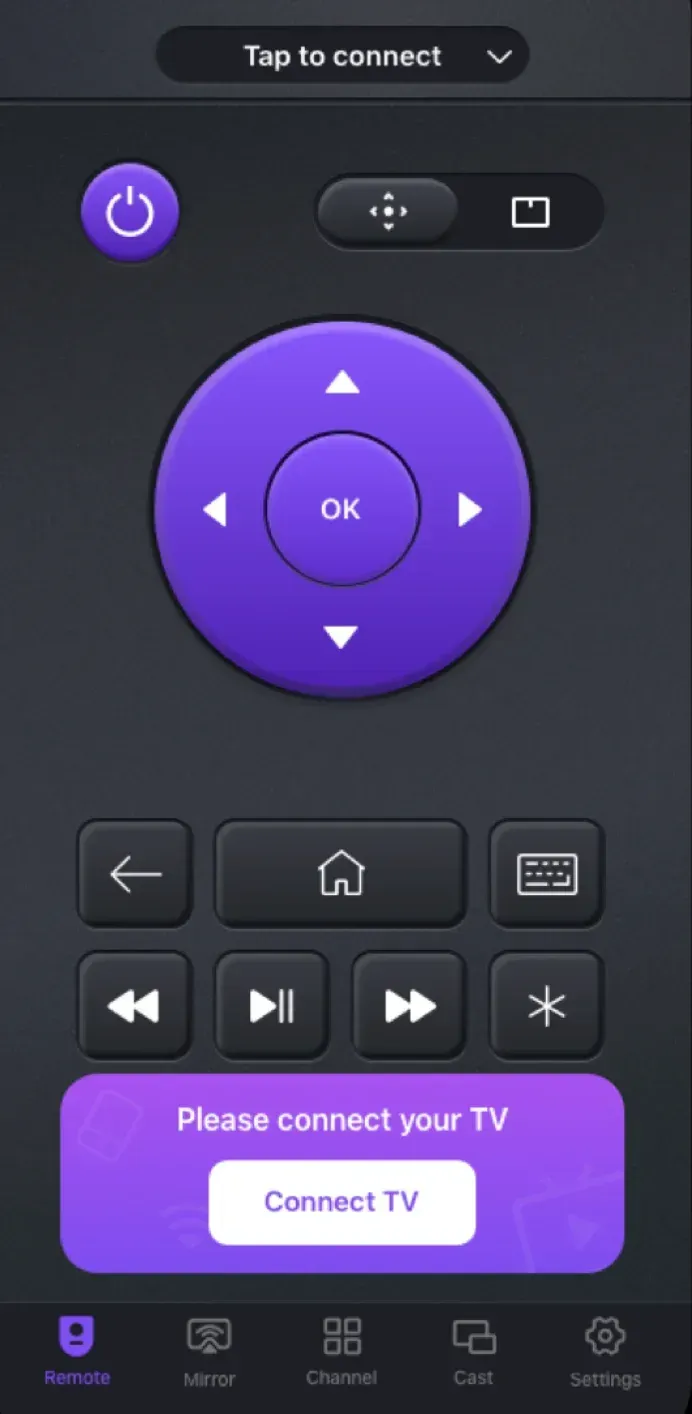
Step 3. Choose IR mode and choose your TV brand from the supported list.
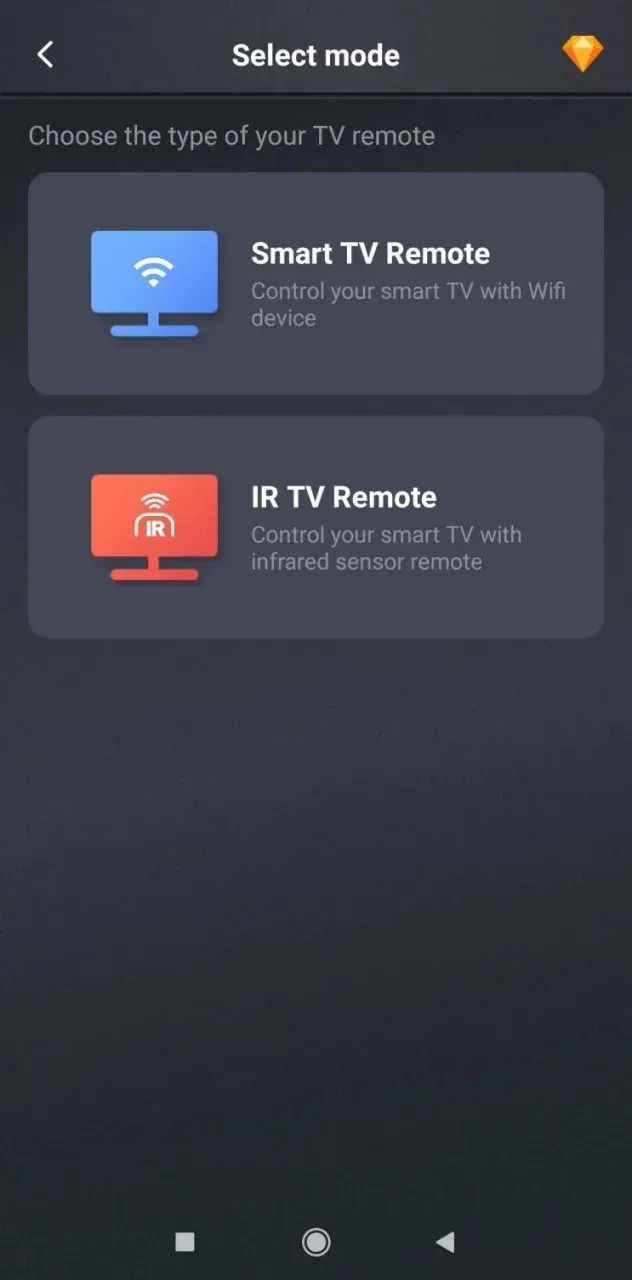
Step 4. Test the remote app with power, volume, or other buttons.
Step 5. If the TV responds, save the remote profile.
Step 6. Control your Roku with your phone.
This is the only true "no network" solution, but it's limited by hardware. If you're on a modern iPhone, this isn't an option. At this point, I'd argue it's cheaper to buy a $10 replacement remote from a grocery store than to keep fighting the software.
Method 4: Travel / Hotel Network Workaround
Hotel networks are notorious for "AP Isolation," which prevents devices from talking to each other. This is why your Roku remote app without WiFi efforts often fail in Room 302.
To fix this, use a travel router or the hotspot method mentioned above. By creating your own private "bubble" of WiFi inside the hotel room, you bypass their security restrictions entirely.
Common Mistakes to Avoid
Final Verdict
So, is using a Roku remote app without WiFi actually possible?
If you mean zero connectivity at all, then the answer is no. The official Roku app simply won't work without a shared network path.
But in most real-world situations, you're not completely stuck.
If you have a second phone to create a hotspot, or access to an Ethernet connection, you can quickly rebuild a local network and restore control within minutes.
For more difficult scenarios, like no router, no hotspot, or unstable networks, a third-party universal remote app becomes a valuable fallback. If you're using an Android phone with an IR blaster, you can bypass the network entirely and control your TV directly, just like a physical remote.
Roku Remote App Without WiFi FAQ
Q: Can Roku remote app work with no WiFi at all?
Strictly speaking, no. It requires a network connection (LAN) to communicate. However, you can use a mobile hotspot or Ethernet to create that network without needing an actual internet service provider. BoostVision's Universal Remote app is an offline alternative that works with IR signals.
Q: How to use Roku remote app without WiFi if my internet is down?
If your internet is down but your router is still on, the Roku app will usually still work because it only needs a local network—not internet access.
If the router is completely unavailable, the best solution is to create a hotspot with the same WiFi name and password your Roku previously used, then connect your phone to that hotspot.
Q: How to connect Roku remote app to TV without WiFi in a new place?
Recreate the old WiFi using a hotspot (same SSID/password), or use Ethernet if your Roku supports it. Once both devices are on the same network, the app will detect the TV.
Q4: What should I do if I lost my Roku remote and changed WiFi?
1. Create a hotspot using your old WiFi credentials.
2. Let Roku reconnect automatically.
3. Use Roku app to access settings and update to the new network.
Q: How do I connect my Roku to WiFi without a remote or app?
Q: Why does the Roku app not find my TV even when both are on WiFi?
This usually happens due to network restrictions, not the app itself. Common causes include:
To fix this, make sure both devices are on the same private network, or use a hotspot/travel router to create one.
 Nov 08, 2024