
If you're still incapable of using your Xfinity remote with your television, the final resort is to reset the remote. How to reset Xfinity remote? This post offers the steps for a factory reset on an Xfinity remote, including XR11, XR15, and XR16. Follow those steps to restore your Xfinity remote and TV control.
How to Reset Xfinity Remote XR16
The Xfinity XR16 remote is a voice-activated remote control designed for Xfinity's Flex streaming TV box and certain X1 set-top boxes. Resetting the voice remote is quite easy, and here is how to reset Xfinity voice remote:
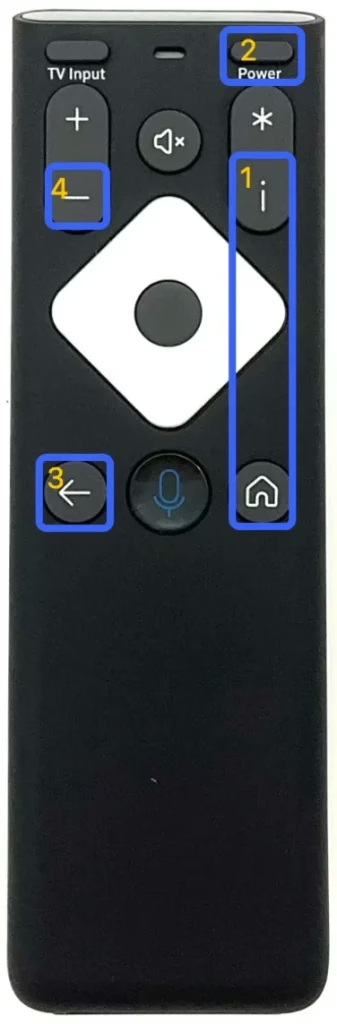
Step 1. Press and hold the Info (i) and Home buttons at the same time for five seconds until the remote's status light blinks.
Step 2. Press the Power button on the XR16 remote.
Step 3. Press the Last button on the XR16 remote.
Step 4. Press the Volume Down button on the XR16 remote.
Step 5. When the LED on the remote blinks three times, this indicates Xfinity XR16 remote reset is successful.
How to Reset Xfinity Remote XR15
The Xfinity XR15 remote is also a voice-activated remote control which is designed for Xfinity X1 and Flex TV Boxes. Compared to XR16, it has a more traditional layout with additional functionality, such as number inputs. How to factory reset Xfinity remote XR15? You need to take advantage of the number inputs and press the A and D buttons. The details are as follows:
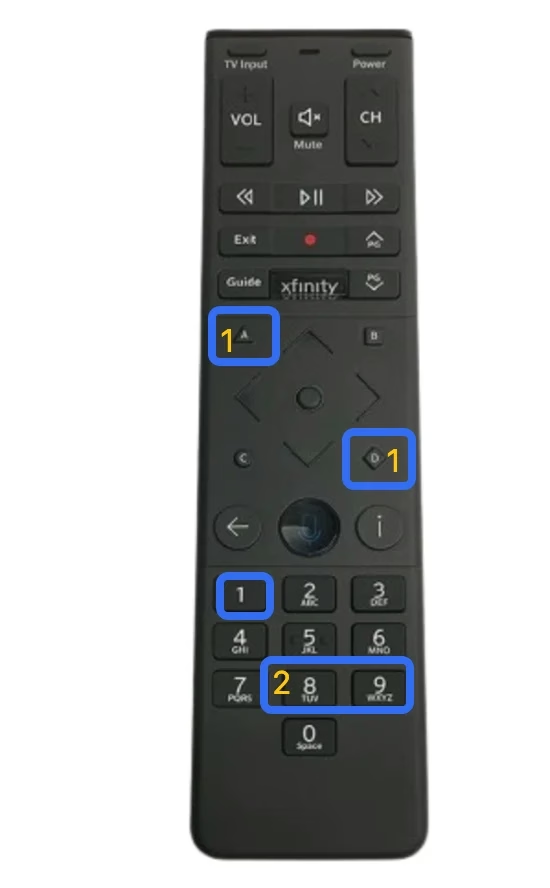
Step 1. Press the A (it looks like a triangle) and D (it looks like a diamond) buttons on the Xfinity XR15 remote for three seconds or until the status light changes from red to green.
Step 2. Press 9-8-1 using the number pad on the remote.
Step 3. Wait for the LED to blink blue three times, which indicates the remote was reset.
How to Reset Xfinity Remote XR11
The Xfinity XR11 remote was one of the earlier models in the Xfinity voice remote lineup and offers a blend of traditional remote control features with voice-enabled functionality. To factory reset this remote, you need to activate its Setup and use its number pad.
Here's how to reset Xfinity remote control with the setup button, such as the XR11 model:
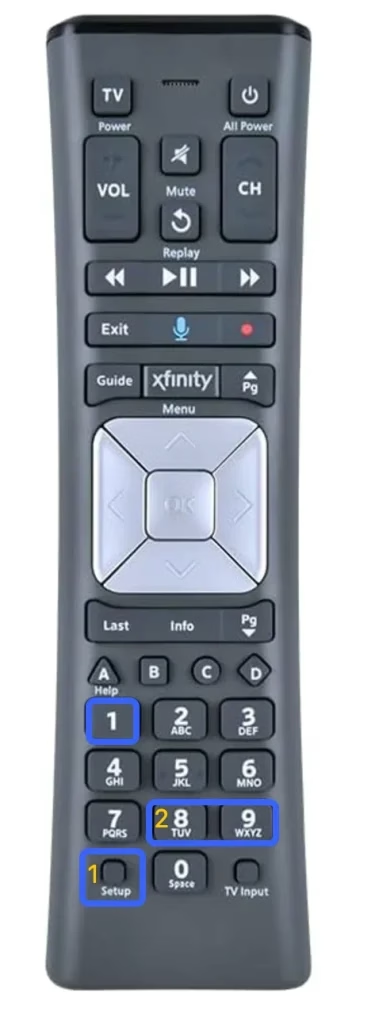
Step 1. Press and hold the Setup button on the remote until the light on the remote's top changes from red to green.
Step 2. Press 9-8-1 using the number pad on the remote.
Step 3. Wait for the remote to be reset. A successful reset will be indicated by the LED flashing green twice.
Xfinity Remote Not Working After Reset
After following the tutorial on how to reset an Xfinity remote, reprogram the remote control to your device and see if it works. If the remote still doesn't work, you may have to consult Xfinity Technical Support for repair or replacement.
Your important data needs to be backed up; the remote control as an essential tool also needs a backup. Instead of purchasing another physical remote control, using a remote app is a wide choice, which upgrades your smartphone's functionality.
The Universal Smart TV Remote app from BoostVision enables you to control a TV or streaming device from a mobile device over IR or Wi-Fi signals, which helps you restore your TV control in minutes when the TV remote control operates abnormally.
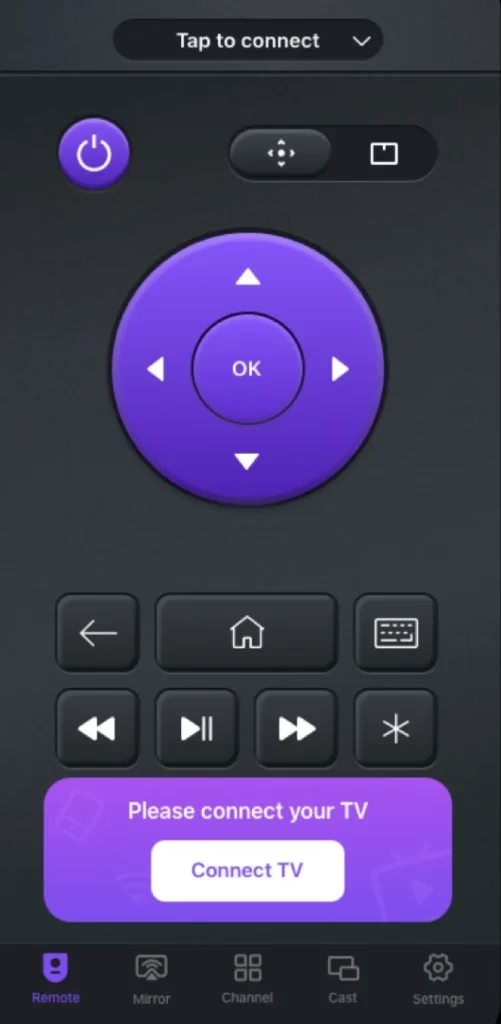
Get the app and follow the on-screen instructions to set up a modern remote control for your television.


Conclusion
When an Xfinity remote doesn't work with a television, you can try reinstalling or replacing the batteries, re-pairing the remote, clearing the interference, and powering cycle the TV. If this doesn't work, the final step is to factory reset Xfinity remote. The simple steps about how to reset Xfinity remote to TV have been displayed above. If those steps can't restore the remote, get in touch with the manufacturer for further assistance.
How to Reset Xfinity Remote FAQ
Q: How do I reset my Xfinity TV remote?
Different Xfinity TV remote models require different reset steps, so refer to your remote manual for specific steps. For example, the Xfinity XR16 remote needs to be reset by pressing the Info and Home buttons until the status light blinks, then the Power, Back, and Volume Down buttons.
Q: Where is the reset button on my Xfinity Remote?
There might be no specified reset button on the Xfinity remote, but you can press some buttons to reset your Xfinity remote:
InfoandHomebuttons until the status light blinks, then thePower,Last, andVolume Downbuttons in sequence. - For the Xfinity XR15 remote: press the
AandDbuttons until the status light changes from red to green, then press9-8-1. - For the Xfinity XR11 remote: press the
Setupbutton until the status light changes from red to green, then press9-8-1.

 Oct 29, 2024