
If you're reading this, you're probably dealing with the frustration of a Westinghouse TV remote not working. Whether it's a standard model or a Westinghouse Roku TV remote not working, losing control of your television can be incredibly inconvenient. But don't worry; we've put together a simple and effective guide to help you troubleshoot and fix the issue.
Common Reasons for Westinghouse TV Remote Not Working
"Why is my Westinghouse TV remote not working", the question is valuable. Before diving into the solutions, it's important to understand the reasons in the first place for quick troubleshooting. Here are a few of the most common causes:
Once you've identified the likely cause, follow the steps below to get your remote working again.
Replace the Batteries
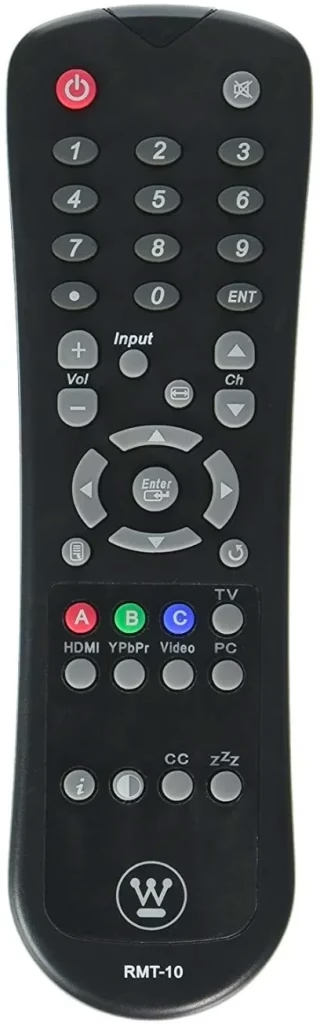
How to fix a Westinghouse remote not working? Let's start with the most common reason: dead batteries. If your Westinghouse TV remote stopped working, this should be your first step:
Step 1. Face down your Westinghouse TV remote.
Step 2. Slide the back of the remote in the direction of the arrow to remove the battery cover.
Step 3. Take out the old batteries and replace them with two fresh AAA alkaline ones (preferably from a reliable brand).
Step 4. Make sure the batteries are inserted in the correct orientation (+/-).
Step 5. Test your remote by turning the TV on or adjusting the volume.
If your Westinghouse TV doesn't respond to the remote, move on to the next step.
Check for Obstructions and Clean the IR Sensor
Are you using a basic remote? Sometimes, a Westinghouse TV remote might not work simply because something is blocking the infrared (IR) signal between the remote and the TV. Make sure there's nothing in the way so the IR signal can reach the TV.
To fix the Westinghouse TV remote control not working, you need to:
Step 1. Make sure there's nothing in front of the TV's IR receiver, such as a soundbar or dust.
Step 2. Clean the front of the remote and the TV sensor with a soft cloth.
Step 3. Try using the remote again from various angles and distances.
Does your Westinghouse TV remote control work again? Still no luck? Don't worry, and there's more you can do.
Power cycle the Westinghouse TV and Remote
Temporary glitches can cause both the TV and remote to misbehave. Luckily, a simple restart (also known as power cycle) can clear residual power and reset minor software bugs. Here's how to do this:
Step 1. Unplug your Westinghouse TV from the power outlet.
Step 2. Remove the batteries from the remote.
Step 3. Wait for 60 batteries.
Step 4. Press and hold the power button on the remote for 15 seconds.
Step 5. Plug the TV back in and reinsert the remote batteries.
These steps often fix cases where the Westinghouse remote not working issue is software-related.
Re-Pair the Roku Remote
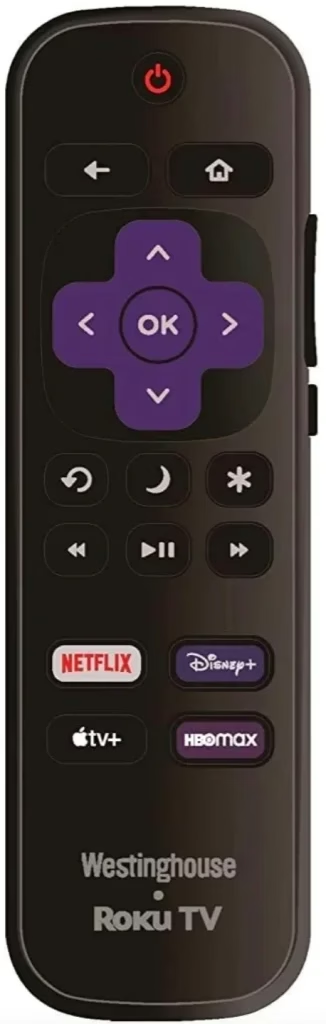
If you're dealing with a Westinghouse Roku TV remote not working, it may have lost its pairing with the TV (check Roku Remote Not Pairing). Hence, re-pair your Westinghouse Roku TV remote now:
Step 1. Remove the batteries from your Roku remote.
Step 2. Unplug the TV from the power source and wait 30 seconds.
Step 3. Plug the TV back in and wait for it to fully boot up.
Step 4. Reinsert the batteries in the remote.
Step 5. Press and hold the pairing button, usually found inside the battery compartment, for 5 seconds until you see a blinking light.
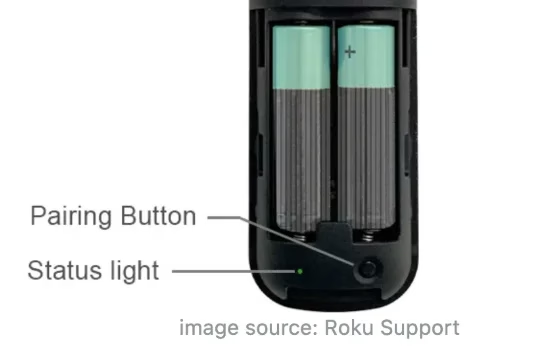
Step 6. Wait for the pairing process to complete. Then, press any button on the remote and see if your TV responds to it or not.
Test the Remote with a Camera
Have you ever checked if your remote could send signals? If not, use your smartphone camera to do this check. This is a great way to confirm if your Westinghouse Roku remote not working issue is hardware-related.
Step 1. Open your phone's camera app.
Step 2. Point your remote's front (IR sensor) at the camera.
Step 3. Press any button on the remote.
Step 4. See if there's a blinking light through the camera. If you see it, your remote is working; if not, the remote might be faulty.
Factory Reset the Westinghouse TV
If your Westinghouse remote still works (sending signals), but the TV doesn't respond, you may need to reset the TV. This will clear all your data and settings on the TV; therefore, make sure you have a backup of them.
Here's how to reset the Westinghouse TV when the remote acts up:
Step 1. Locate the reset button on the TV. It is usually a small pinhole near the ports.
Step 2. Use a paperclip to press and hold the button for 10 to 15 seconds.
Step 3. Wait for the Roku logo to appear, which means it's resetting.
Consider Replacing the Faculty Remote
If all else fails, your Westinghouse TV remote not working issue may simply be due to a faulty unit. You can order an official replacement online or a compatible third-party remote. Make sure to check compatibility before purchasing, especially if you're replacing a Westinghouse Roku TV remote.
Tip: Use a Mobile App or Universal Remote as a Backup
TV remotes act up from time to time, and sadly, some issues can't be solved on our own. If your Westinghouse TV remote won't work after all the steps, try using your smartphone as a second remote control for your Westinghouse TV.
The Westinghouse TV Remote app is a universal solution to the issue of TV remote not working. It works to turn your smartphone or tablet into a Wi-Fi or IR remote, freeing you from the embarrassment of having a faulty remote.
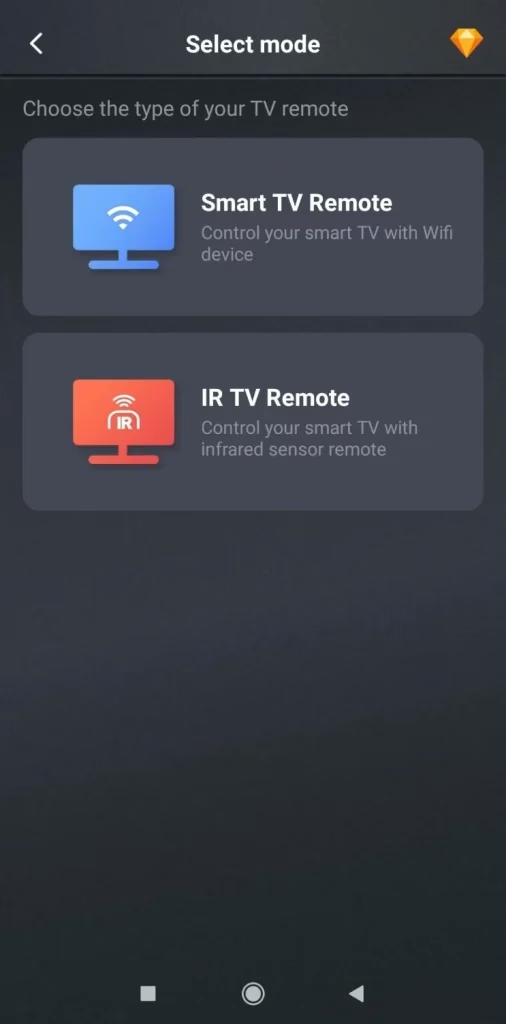
Download Remote for Roku TV
To set up an IR remote on your smartphone, ensure that the device has an IR blaster. The feature is only available on a few Android phones, such as OPPO and Xiaomi. Then, follow the on-screen instructions to program the remote app to your TV.
If you want to control your Westinghouse TV more easily, try Wi-Fi mode:
Step 1. Ensure that your Westinghouse Roku TV and smartphone are on the same Wi-Fi network.
Step 2. Open the remote app on your phone and choose Smart TV Remote.
Step 3. Tap the Connect button, then choose your Westinghouse Roku TV from the list.
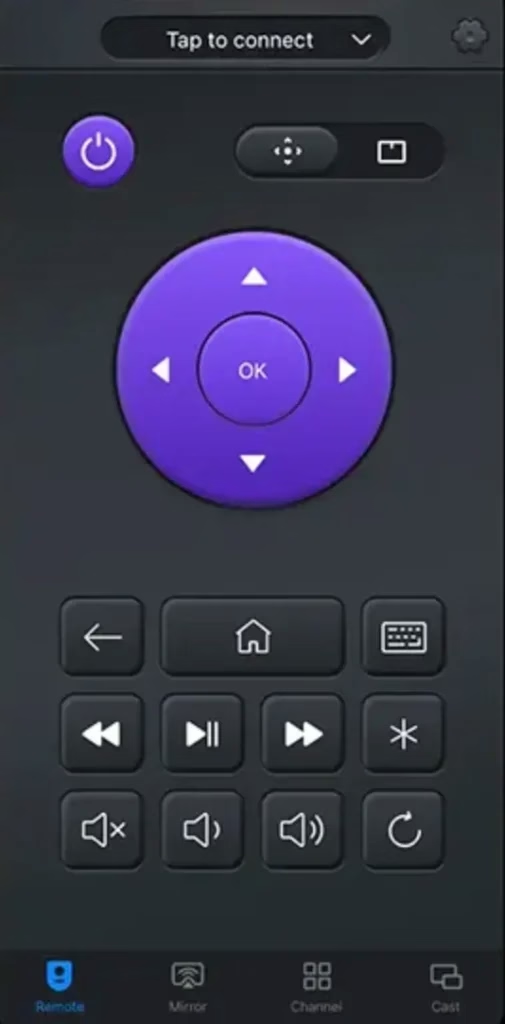
Step 4. Wait. Once connected, you can control your TV with your smartphone when the original remote is not working.
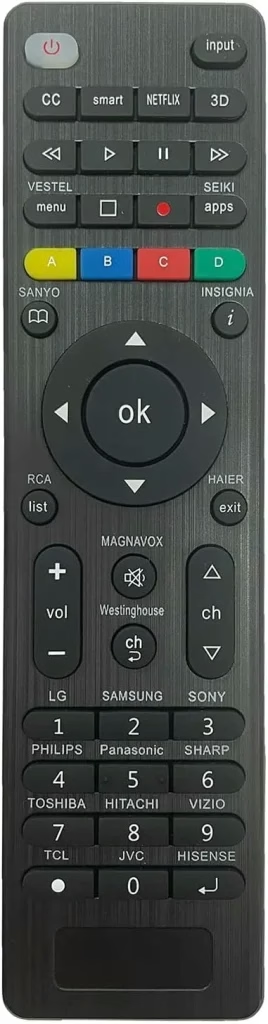
Step 1. Press and hold the Channel Return button on the physical remote for 5 seconds.
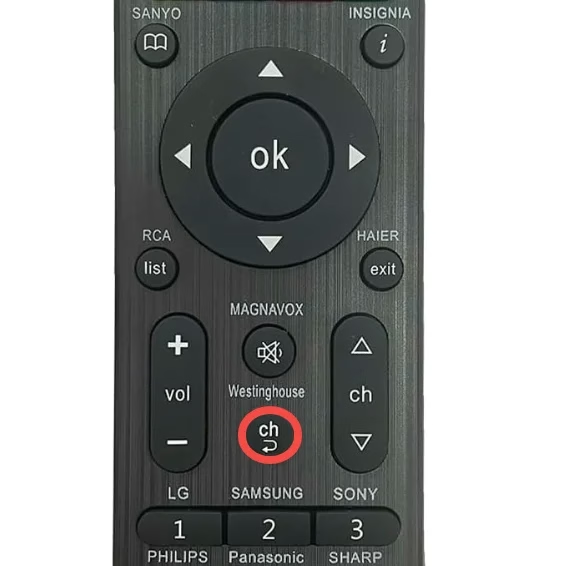
Step 2. Release the button once the LED on the top of the remote flashes three times.
Step 3. Now control your Westinghouse TV with the new remote.
Final Thoughts
Still struggling with your Westinghouse TV remote not working? Don't give up just yet. Whether it's a quick battery swap or pairing a new remote, one of these fixes is bound to bring your TV back to life. Keep this guide handy—you never know when your remote might act up again. And remember, a reliable backup like a universal remote or mobile app can save the day when all else fails.
Westinghouse TV Remote Not Working FAQ
Q: How do I pair my Westinghouse remote to my TV?
If you are using a Roku-enabled Westinghouse TV remote, pairing is simple:
pairingbutton inside the battery compartment for 5 seconds until the light starts flashing. - Wait for the remote to automatically pair with the TV.
For standard IR remotes, no pairing is required. Just point and press, provided the batteries are working and there's a clear line of sight.
Q: Where is the reset button on Westinghouse TV?
The reset button is usually a small pinhole button located on the back of the TV, near the HDMI or USB ports. To perform a factory reset, you can use a paperclip or pin to press and hold the button for about 10 to 15 seconds; then, release it when you see the Westinghouse or Roku logo appear on the screen.
Q: How to control Westinghouse TV without remote?
There are three alternatives when your Westinghouse TV remote is not working: