
Your Roku PIN is essential for managing payments, subscriptions, and other services on your Roku device. So, it can be really frustrating when your Roku PIN not working, especially when you need it to authorize transactions. But don't worry—you've found the right guide! Here, we'll walk you through a variety of simple solutions to help you troubleshoot the issue and get your PIN working again.
About Roku PIN
What is a Roku PIN? A Roku PIN (Personal Identification Number) is a four-digit passcode designed to add an extra layer of security to your account. When you create a PIN on your Roku device, it helps control access to certain features.
Specifically, the PIN is required whenever someone tries to make a purchase, download a new channel, or access censored videos on the Roku Channel. It's a simple but effective way to ensure that only authorized users can make changes or access sensitive content on your device.
How to Fix Roku PIN Not Working
Why is my Roku PIN not working? If your Roku PIN isn't working, there could be several reasons behind the issue, including incorrect PIN entry, Roku account issues, PIN lockout, device or software glitch, region-specific restrictions, and parental control conflicts. To help you get your Roku PIN working again, here are some troubleshooting steps you can try:
Approach 1. Restart the Roku
Firstly, your Roku TV PIN not working happens because there is a technical glitch or issue, and you can resolve this technical glitch by simply restarting your device. Follow the steps to restart your Roku using the settings menu and a remote.
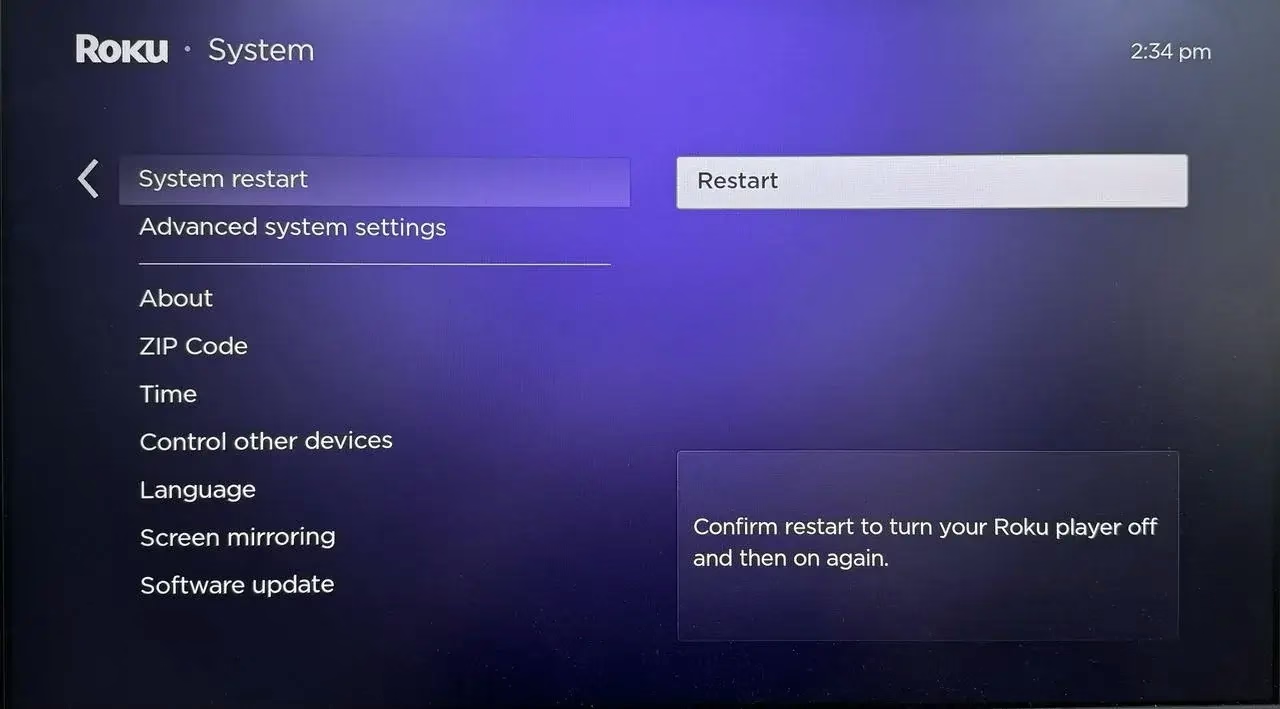
Step 1. Press the Home button and access the Settings > System > System restart > Restart option.
Step 2. Confirm your selection by clicking the OK option and wait for your Roku to restart itself.
Alternatively, you can also perform a start by clicking the Home button 5 times, the Up button once, the Rewind button twice, and the FastForward button twice.
Bonus: If your Roku remote stops working, please try a virtual Roku remote on the mobile device to control your Roku. After ensuring the Roku connects to the same wireless network as your mobile device, you can install the Roku remote app on the mobile device and follow the onscreen instructions to finish the pairing process.
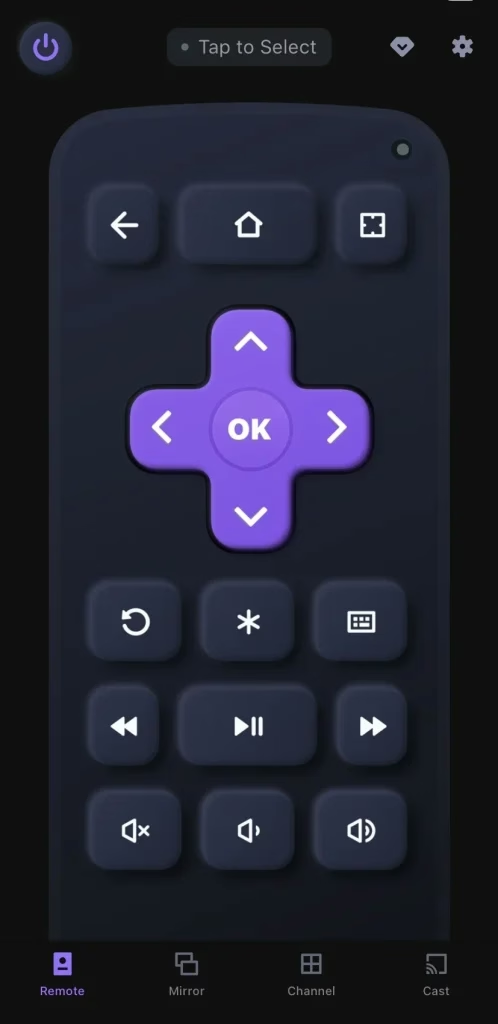
Download Remote for Roku TV
Approach 2. Update Your Roku PIN
If you still ask "how to solve my Roku PIN is not working", then you can check the PIN preference on your Roku device. Here are the detailed instructions:
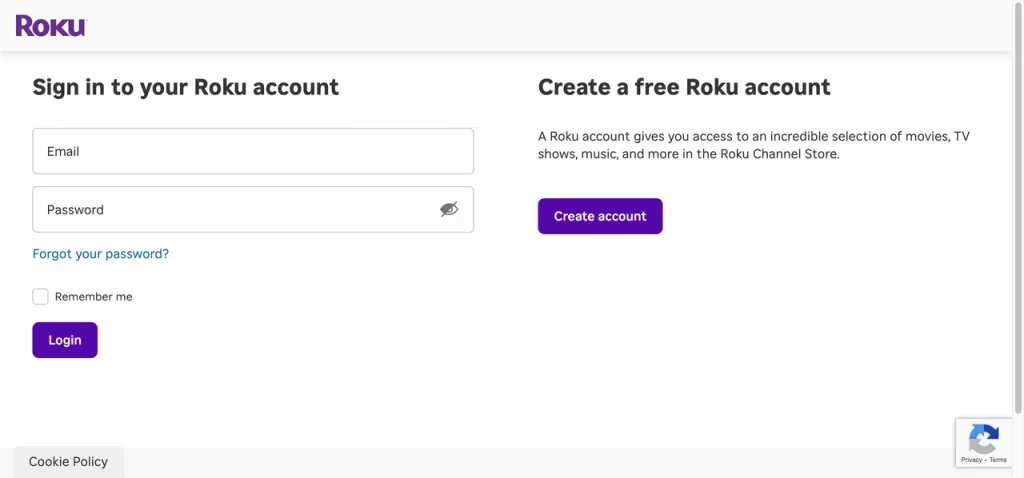
Step 1. Go to the Roku official website using a browser on your PC or smartphone, then enter your Email and Password to sign in to your Roku account.
Step 2.Select PIN/Parental Controls under the Device settings section to set your Roku PIN.
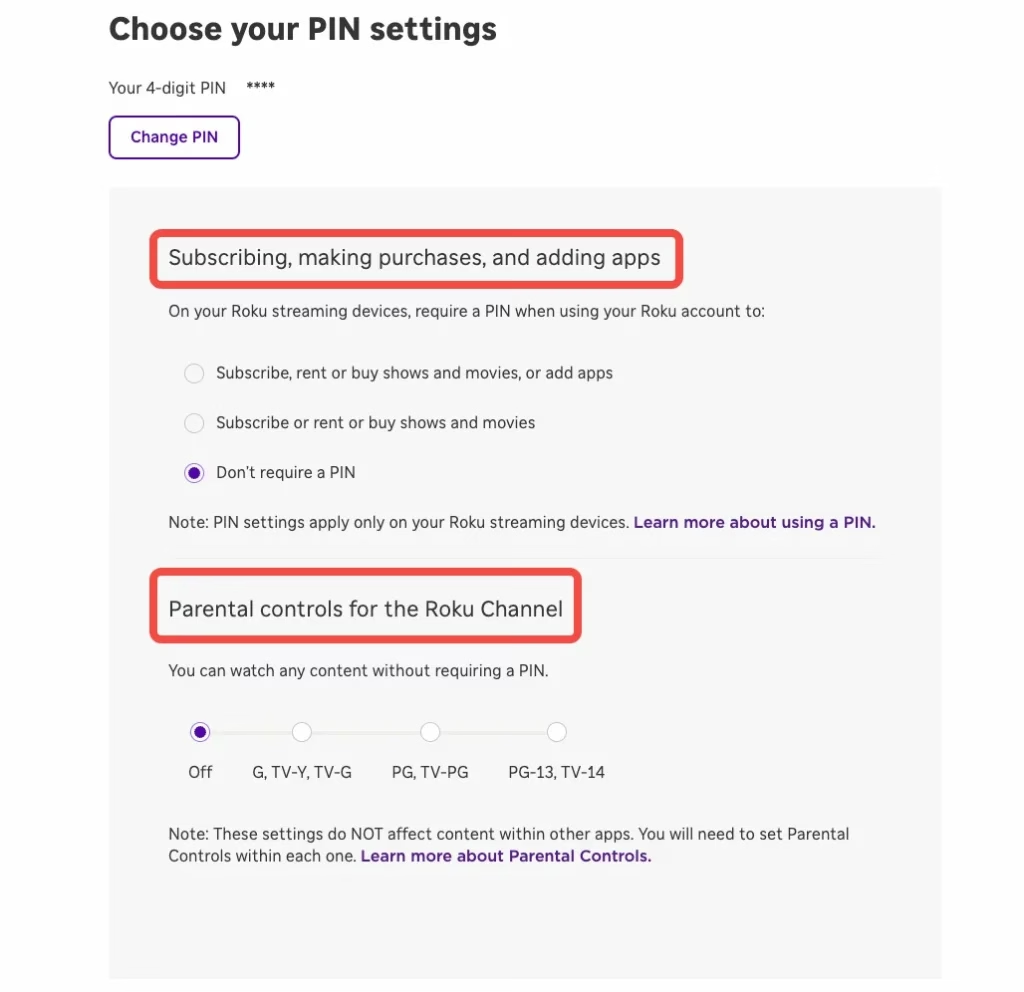
Step 3. Choose one option from Subscribing, making purchases, and adding apps section or Parental controls for the Roku Channel.
Step 4. Hit the Save option to update your Roku PIN and solve your Roku PIN code not working problems.
Approach 3. Reset Your Roku PIN
When your Roku PIN number not working or you forget your Roku PIN, it's a good choice to reset the PIN. Thankfully, you don't need the old PIN to do this. Resetting your Roku PIN is a straightforward process, and you can easily set a new one to regain access to your account.
Just follow the steps below to reset your Roku PIN and get things back on track.
Step 1. Go to the Roku official website and enter your Email and Password to sign in to your Roku account.
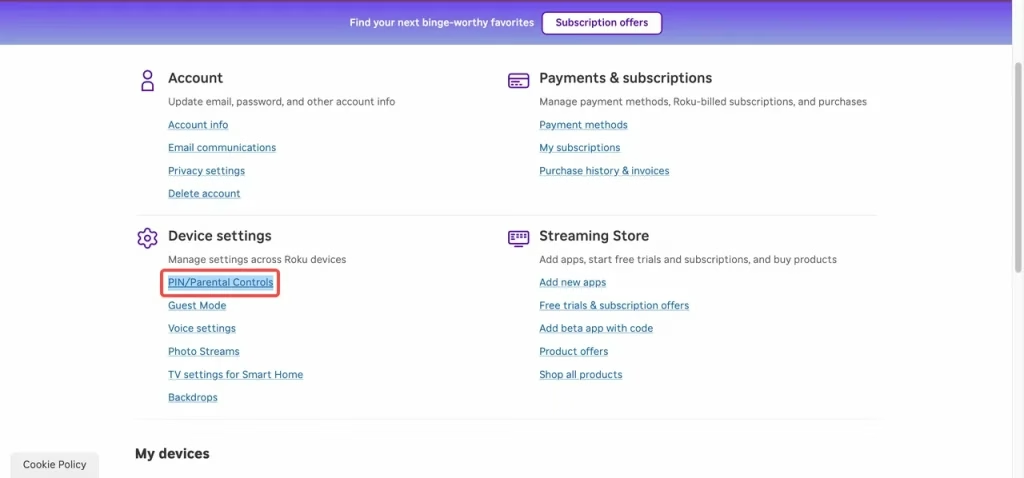
Step 2. Select PIN/Parental Controls under the Device settings section to set your Roku PIN.
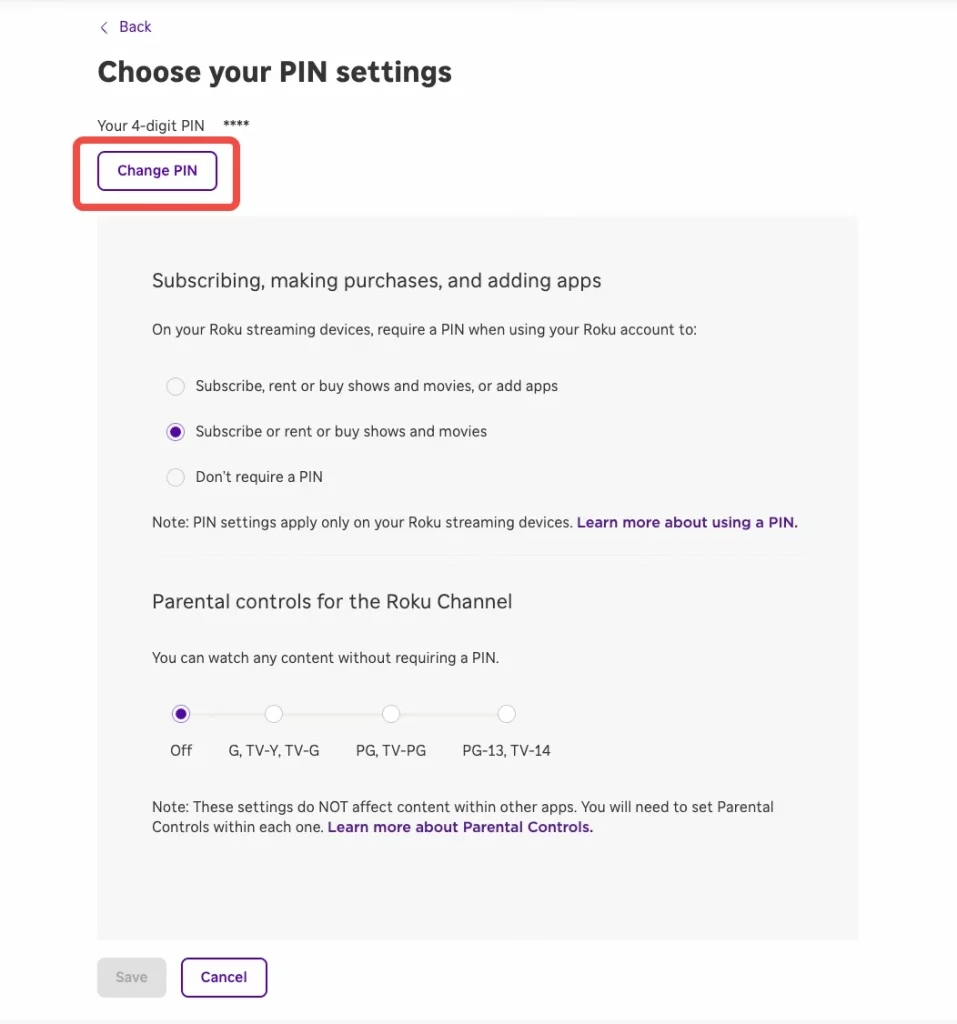
Step 3. To reset an existing Roku PIN, select the Change PIN option on the PIN page. Enter the new PIN in both places and click Save change to confirm it. Now, you can use the new PIN to add channels on your Roku device.
Approach 4. Remove Roku PIN
Once you find the Roku PIN inconvenient, you can easily disable it through the Roku website. After it's turned off, you won't need to enter the PIN for any actions or activities on your device.
Step 1. Visit the Roku official website on your computer or smartphone, then sign in to your Roku account by entering the credentials.
Step 2. Click the PIN/Parental Controls option under Device settings.
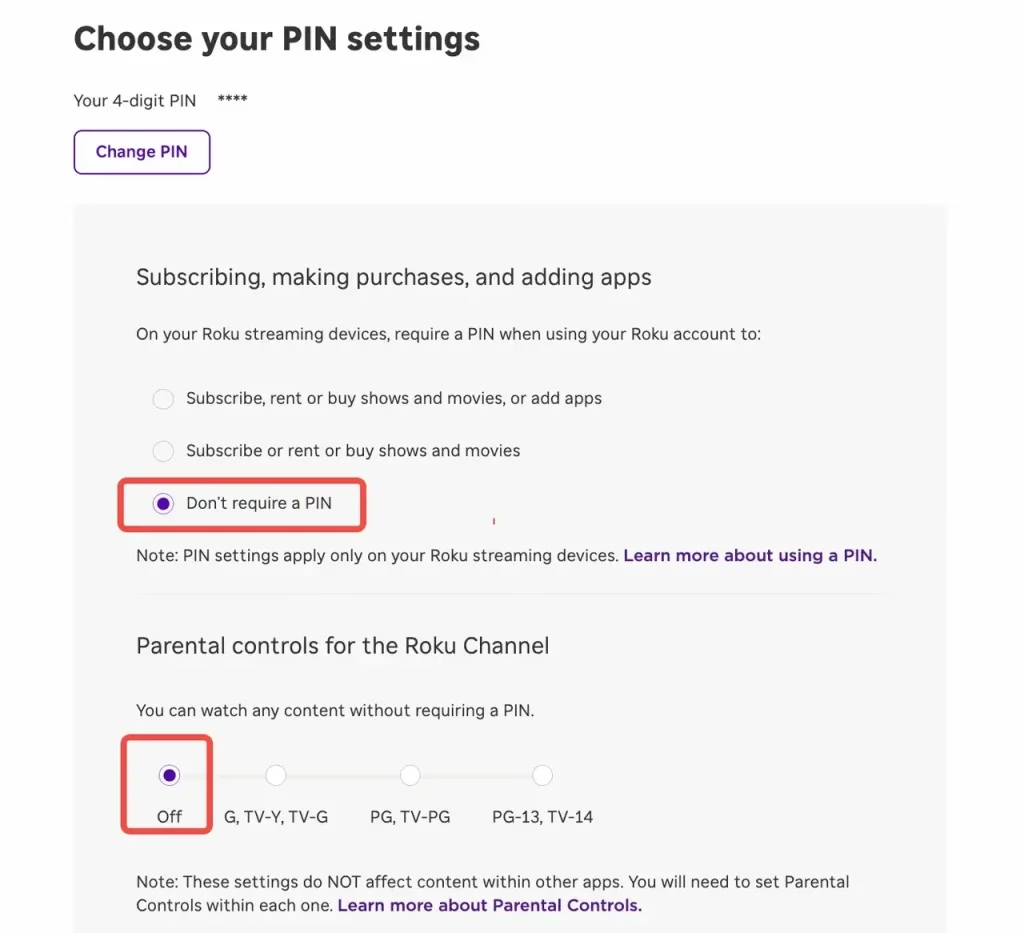
Step 3. Go to Subscribing, making purchases, and adding apps, and select Don't require a PIN. Then head to Parental controls for the Roku Channel and choose the Off option.
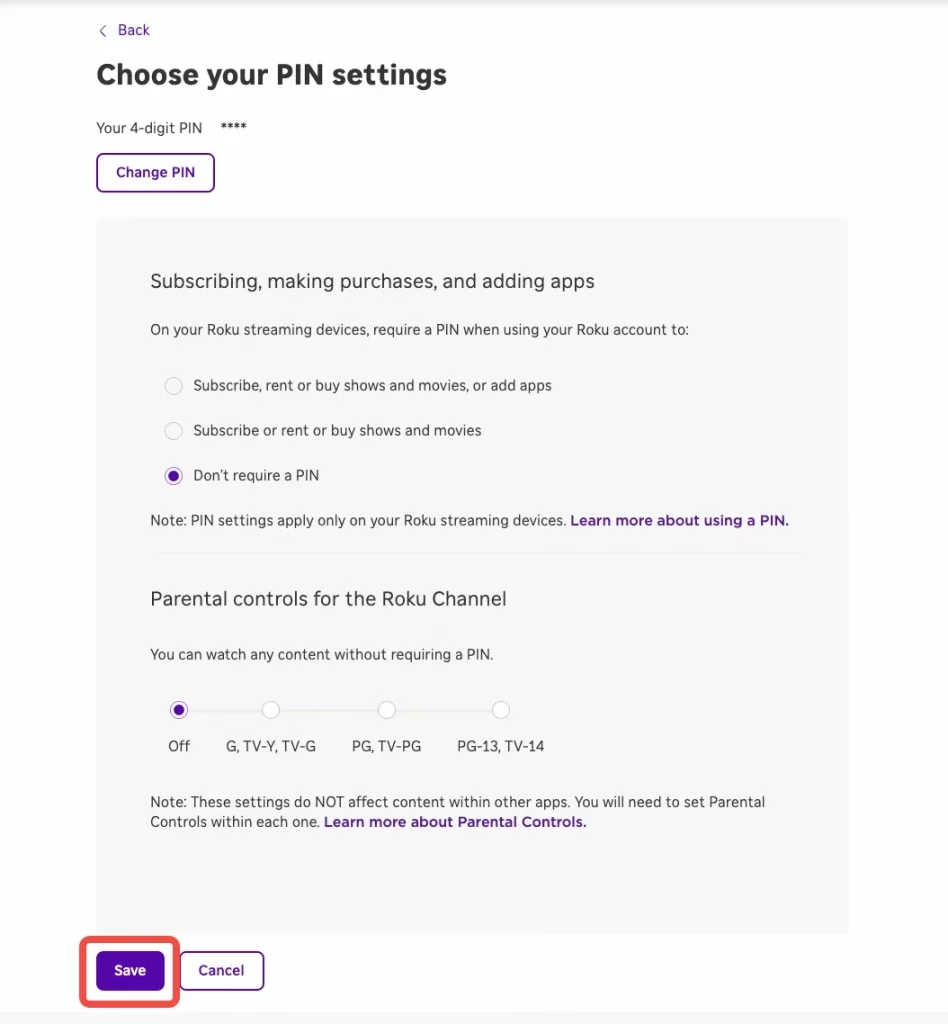
Step 4. Finally, select Save to confirm your choice. A PIN is no longer required on any of your Roku devices to play content on The Roku Channel or to subscribe, make purchases, and add apps through your Roku account.
Approach 5. Check the Email Address
Sometimes, the Roku TV PIN not working appears because you have multiple Roku accounts and get confused about which account you're using currently. So you can just check the current email ID address on your Roku and enter the corresponding Roku PIN.
Following the specific procedures check your email address below:
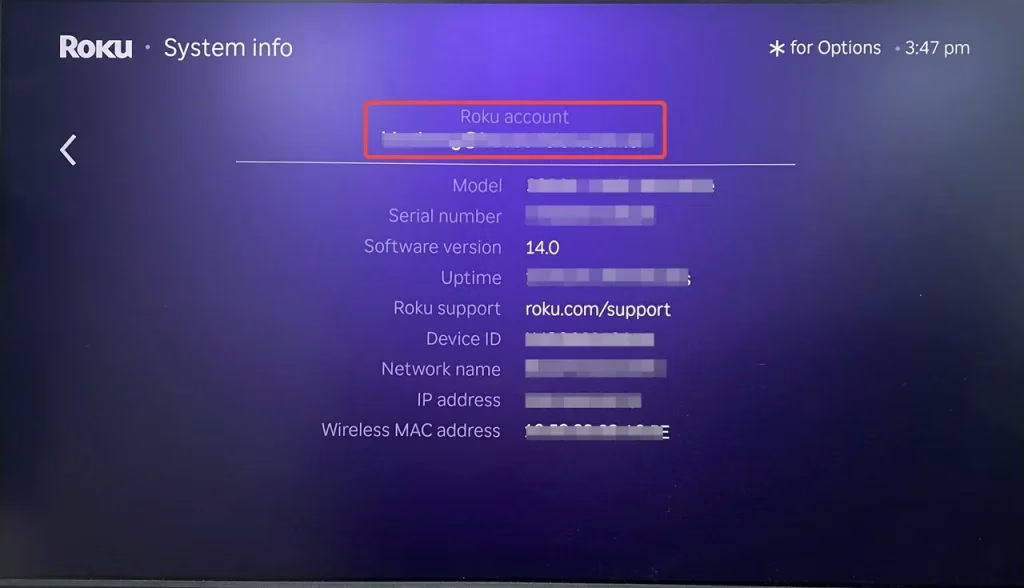
Step 1. Press the Home button and access Settings > System > About to see the current Roku email address.
Step 2. Verify that you're using the correct Roku email address associated with your account, as this can sometimes confuse you. Next, double-check that you've entered the right Roku PIN. Once you've confirmed both, try using the PIN to see if it works correctly.
Approach 6. Update the Roku
In addition, updating your Roku device can help resolve issues with your PIN not working. An outdated system version may cause glitches or other problems that affect the performance of your Roku. So keeping your device updated ensures it runs smoothly and helps prevent such issues from interfering with your Roku experience.
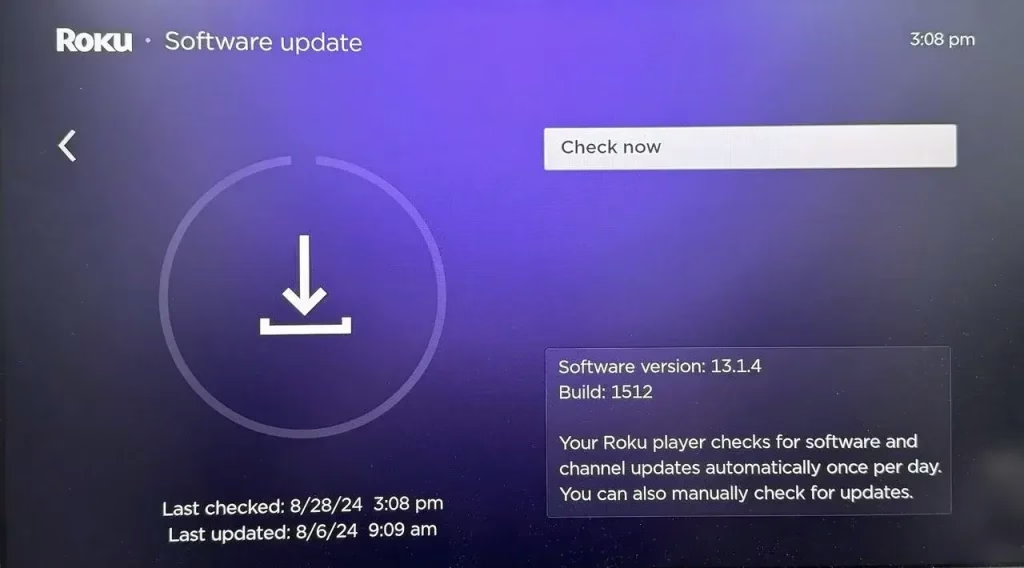
To update Roku, you just need to press the Home button, then navigate to Settings > System > Software update > Check now.Then, your Roku will check for available update options and wait for it to finish the updating process.
Approach 7. Reset the Roku
Roku TV PIN code not working? If none of the troubleshooting steps resolve the issue with your Roku PIN, you may need to reset your Roku device. Keep in mind that this will erase all your personal settings and data, returning the device to its factory settings. Once the reset is complete, you can set up your Roku again and try entering your PIN to see if it works properly.
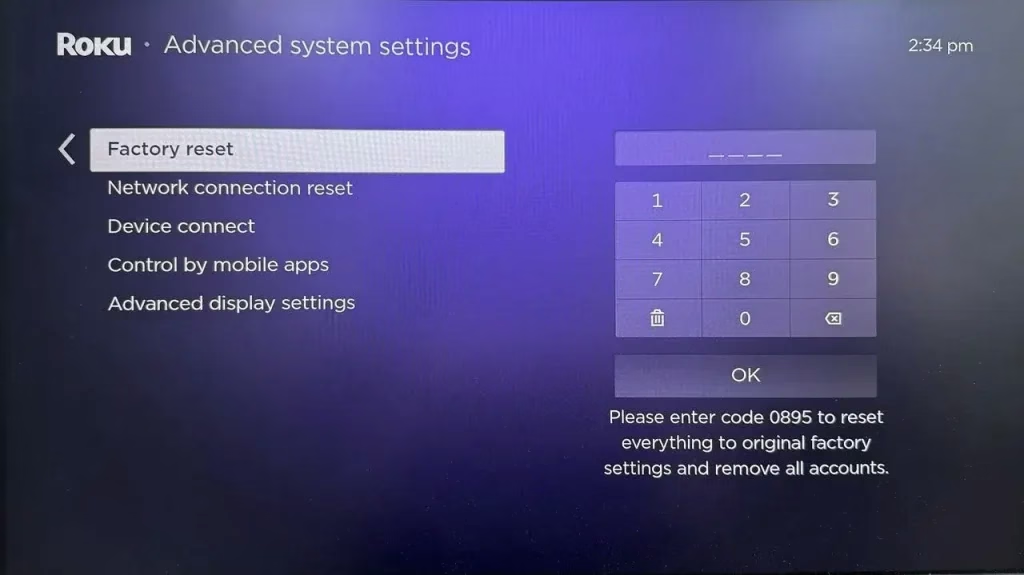
Step 1. Reach Settings > System > Advanced system settings > Factory Reset. Enter the onscreen code to confirm your reset action and click the OK button.
Step 2. Click the Start Factory Reset option to start the resetting process. When your Roku finishes resetting, you should set up your Roku and then examine whether the PIN code can work or not.
Approach 8. Contact Roku Support
We've covered all the possible fixes to help you get your Roku PIN working again. If you've tried everything and the issue persists, don't hesitate to reach out to Roku Customer Support for further assistance. Their team is available to provide technical help and guide you through any more advanced troubleshooting steps you might need.
To Sum Up
Is your Roku PIN not working? With the solutions outlined in this article, you'll be able to resolve any issues and get your Roku PIN back in action. Whether you're managing channels or setting up parental controls, these fixes will ensure that nothing gets in the way of your Roku experience: restart the Roku, update your Roku PIN, reset your Roku PIN, remove your Roku PIN, check the email address, update the Roku, reset the Roku, and contact Roku support.
Roku PIN Not Working FAQ
Q: Why isn't my PIN working on my Roku?
If your Roku PIN isn't working, there are a few possible reasons behind the issue. It could be due to incorrect PIN entry, problems with your Roku account, a temporary PIN lockout after multiple failed attempts, a device or software glitch, region-specific restrictions, or conflicts with parental control settings.
Q: What is the 4-digit Roku PIN?
A Roku PIN (Personal Identification Number) is a four-digit passcode that adds an extra layer of security to your account. It's designed to help control access to certain features and ensure that only authorized users can make changes.
Q: How do I turn off my PIN on Roku?
Go to Subscribing, making purchases, and adding apps, and select Don't require a PIN. Then head to Parental controls for the Roku Channel and choose the Off option. Finally, select Save to confirm your choice.
Visit the Roku official website on your computer or smartphone, then sign in to your Roku account by entering the credentials. Click the PIN/Parental controls option under Device settings.
