
iPhone、iPad、またはMacを使用してLGテレビに画面ミラーリングしようとしているが、 LGテレビのAirPlayが機能しない happens? That can be frustrating. Don't worry, though! We've rounded up a list of common issues that could be causing the problem, along with simple troubleshooting steps you can follow to get AirPlay working on the LG TV again.
目次
LGテレビでAirPlayが機能しないのはなぜですか
一旦あなたの LGテレビでのAirPlay not working, there are a few common culprits to consider. Identifying these potential issues can help you better understand the solutions we'll outline next.
AirPlay が LG テレビで動作しない問題の解決策
Airplay, designed by Apple effortlessly streams your music, videos, photos, podcasts, and games from many Apple devices to speakers in multiple rooms or to your TV. If your AirPlay LG TV not working, don't hesitate to dive into the following approaches.解決策1. 互換性を確認する
最も一般的な理由 AirPlay isn't working on your LG TV is device incompatibility. Here's a simple checklist to help you confirm if your LGテレビはAirPlayをサポートしています。. If it doesn't, you might want to consider upgrading to a compatible model or leveraging other workarounds.
| モデル年 | webOSバージョンのFAQ | AirPlay 2 対応モデルシリーズ |
|---|---|---|
| 2024 | webOS 24 | OLED: すべてのOLEDモデルQNED: すべてのQNEDモデルUHD: UTシリーズ、NANOシリーズ |
| 2023 | WebOS 23 | OLED: すべてのOLEDモデルQNED: すべてのQNEDモデルUHD: URシリーズ、NANOシリーズ |
| 2022 | webOS 22 | OLED: すべてのOLEDモデルQNED: すべてのQNEDモデルUHD: UQ Series, NANO Series |
| 2021 | webOS 6.0 | OLED: すべてのOLEDモデルQNED: すべてのQNEDモデルUHD: UPシリーズ、NANOシリーズ |
| 2020 | WebOS 5.0 | OLED: BX/CX/GX/WX/ZX/RXUHD: UN Series, NANO Series |
| 2019 | webOS 4.5 | OLED: B9/C9/E9/W9/Z9UHD: UM Series, SM Series |
| 2018 | webOS 4.0 | OLED: B8/C8/E8/W8/Z8UHD: UKシリーズ、SKシリーズ |
解決策2. すべてのデバイスを再起動する
一度LG TVがAirPlayをサポートしている場合、LGスマートTVのAirPlayが動作しない問題を解決するために、すべてのデバイスを再起動してみてください。簡単にボタンを押して パワー ボタンを押してLGテレビとルーターを再起動します。さらに、Appleデバイスをオフにして再度電源を入れる必要があります。
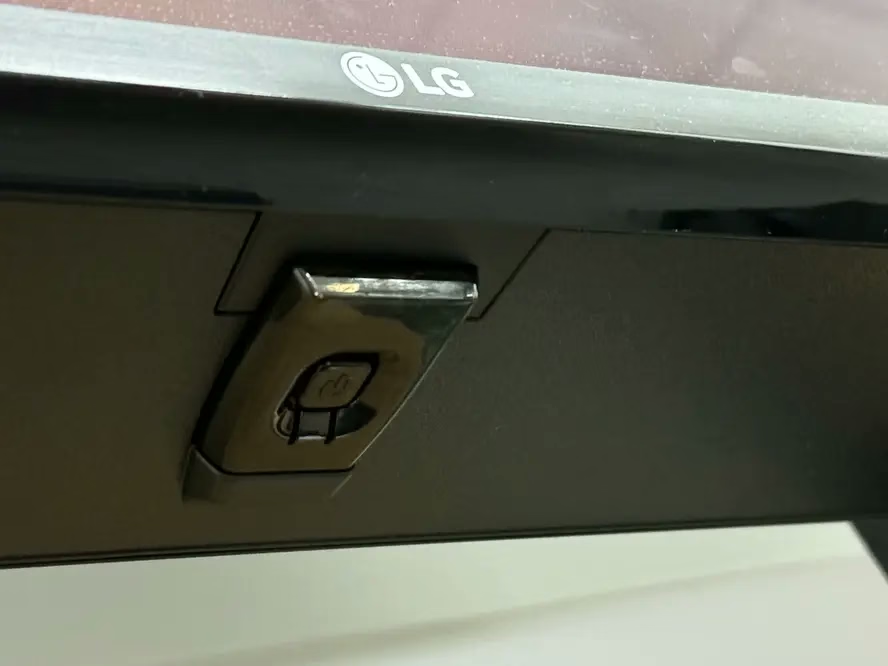
解決策3. ネットワーク接続を確認する
Why AirPlay not working on LG TV arises? One of the potential reasons is the network connection and you're allowed to ensure your Apple device and LG TV are under the same wireless network. To check the LGテレビのWi-Fiネットワーク、プレスしてください。 設定 > ネットワーク 現在接続されているネットワークを調整するセクション。
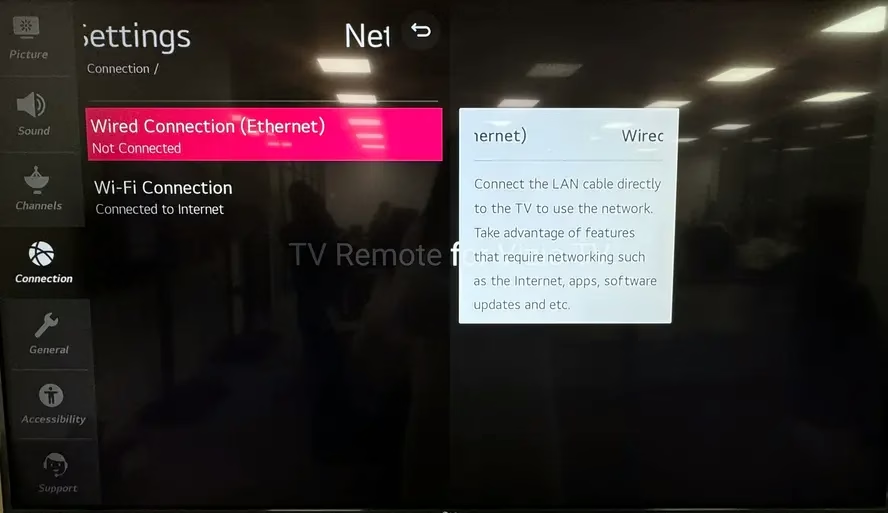
さらに、ネットワーク設定に関するコメントコミュニティから集めた2つの提案がありますので、参考にしてください。
ネットワーク>Wi-Fi接続>その他のネットワーク設定>高度なWi-Fi設定>IPV6. - ルーターの設定にログインし、低および高い5G帯域オプションを無効にし、2G帯域が有効になっていることを確認します。最後に、変更を保存します。
解決策4. 他のAirPlayデバイスをLGテレビからペアリング解除する。
If you've previously connected an AirPlay device to your LG TV but are now trying to connect another, you may experience connection issues, like AirPlay not working with LG TV. To solve this, disconnect any devices that were previously connected to your LG TV.
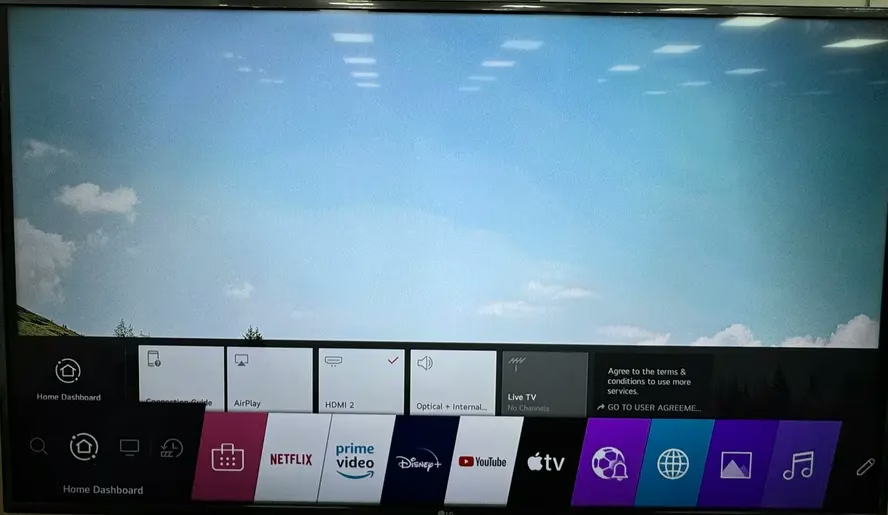
ステップ1. 押してください ホーム リモコンアプリのボタンを押して、それから選択 ホームダッシュボード > Airplay > AirPlayとHomekitの設定 > 必要なコード > ペアリングされたデバイスをリセット.
ステップ2. iPhoneをLGテレビに接続する again to check whether the LG TV won't AirPlay issue has been resolved.
解決策5. デバイスを更新する
LGテレビのソフトウェアを更新する そしてAppleデバイスのオペレーティングシステムを最新バージョンに更新することで、LG TVのApple AirPlayが動作しない問題を含む特定のバグを解決できます。アクセスして 設定 > サポート > ソフトウェアアップデート 利用可能なアップデートを確認してインストールするオプション。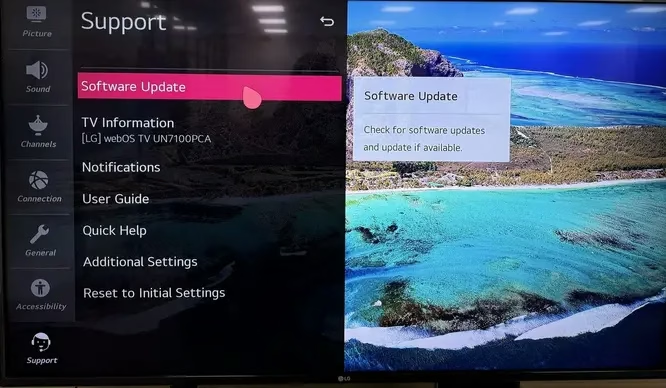
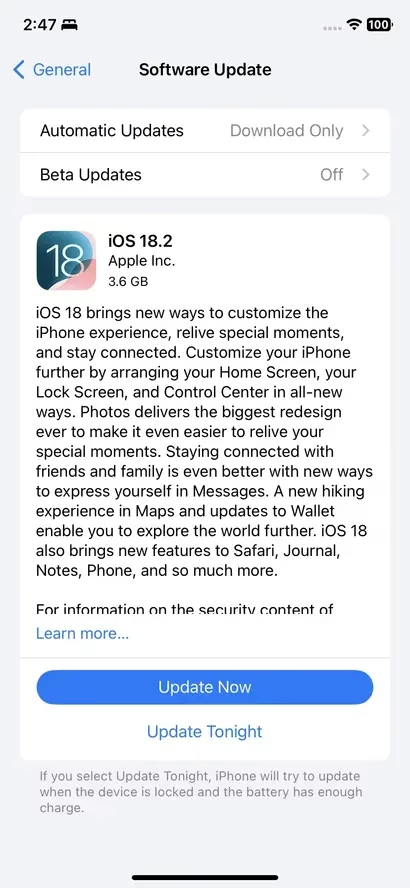
To update your iPhone, tap 設定 > 一般的 > ソフトウェアアップデート section to click the 今すぐ更新 オプションを選択する。
LGテレビでの画面ミラーリングの代替方法
If you try all the mentioned measures but Apple AirPlay not working on LG TV still persists, then you're allowed to adopt a テレビ画面ミラーリングアプリ iPhoneをLG TVに画面ミラーリングし続ける方法。
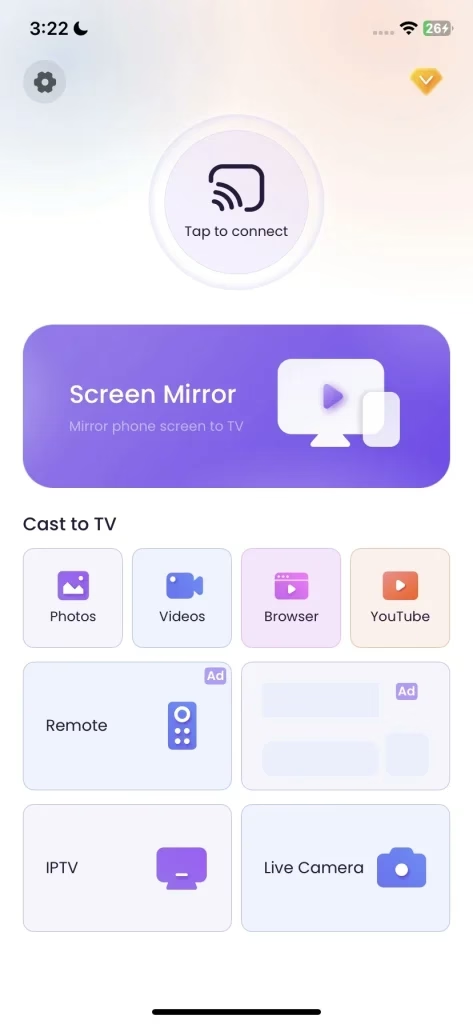
画面ミラーリングアプリをダウンロードします
ステップ1. AppleデバイスにTV画面ミラーアプリをインストールし、AppleデバイスがLG TVと同じ無線ネットワークに接続されていることを確認してください。
ステップ2. Open the application and tap "タップして接続します" to choose your television from the device list, then click the 画面ミラーリング 画面ミラーリング活動を開始するオプション。
要約すると
After reading this post, have you fixed LG TV not screen mirroring iPhone issues with the above solutions? If you find this post helpful, don't hesitate to share it with more people who have come across the same problem.
LG TV AirPlayが動作しないFAQ
Q: なぜAirPlayが私のLGテレビで動作しないのですか?
LGのAirPlayが動作しない場合、ネットワーク接続の問題、ソフトウェアのバグ、デバイス間の距離、システムバージョンの古さ、またはテレビの互換性が原因である可能性があります。
Q: LGテレビでAirPlayをどうやって有効にしますか?
一度LGテレビがAirPlayをサポートしていることと、デバイスが同じ無線ネットワークでカバーされていることを確認したら、あなたは ホーム リモコンアプリのLGテレビのボタン > ホームダッシュボード > Airplay > AirPlay及びHomeKitの設定 > 変換 エアプレイ オン。