Universal Onn TV Remote Control App
How to control Onn TV without a remote? Set up our Onn TV remote app, then control the TV with your Android or iPhone. Unlike your traditional remote, the remote app has a keyboard, touchpad, screen mirroring, etc.






Your Top-Rated Onn TV Remote App
Seamless Onn TV Control
No more searching for remotes or pressing unresponsive buttons. Designed specifically for Onn TVs, our app delivers smooth navigation, quick setup, and an intuitive interface.
100% Onn TV-Compatible
This app is fully compatible with all Onn smart TV models, including Onn Roku TV, ensuring reliable performance and full functionality across the board.
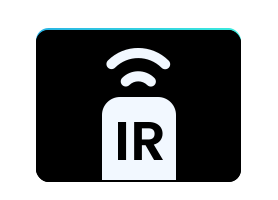
Control with or without Wi-Fi
Whether your Onn TV is connected to the network or not, you're always in control. Use Wi-Fi for enhanced features or switch to IR mode on supported phones.

Smart Features Beyond the Basics
Go beyond volume and channel buttons. Enjoy touchpad for navigation, keyboard input for searches, and quick-launch access to your favorite streaming apps, all from your phone.


Smart Onn TV Remote Replacement
Turn your phone or tablet into a powerful, full-featured remote for your Onn TV. Whether you've misplaced your physical remote or your Onn TV remote doesn't work, this Onn Roku TV Remote app gives you complete control, right from your fingertips.
- Full control with phone or tablet: Power on/off, adjust volume, change channels, switch inputs, and more — all from your mobile device.
- Easy navigation with touchpad: Use a responsive touchpad to swipe, tap, and scroll just like you would on a smart remote — no arrow keys needed.
- Quick search with keyboard: Enter text using your phone's keyboard for faster, easier searching across apps like Netflix, YouTube, and Hulu.


Convenient App Launcher
Whether you're launching your favorite streaming apps like Netflix, YouTube, Hulu, Disney+, or Max, the Onn Roku TV remote replacement helps you skip the scrolling and get straight to the content.
- Full Channel Guide: Browse and jump to any installed channel on your Onn Roku TV with a single tap.
- Smart App Finder: Launch any Onn TV app in seconds with direct name input — no scrolling required.
- Top Favorites: Pin your most-used channels and apps for even faster access.

Mirror Phone to Onn Smart TV
Connect your phone or tablet to your Onn Smart TV via Wi-Fi network, and enjoy seamless screen mirroring from your mobile device to your Onn Smart TV, with flexible options for the best viewing experience.
- Adjustable Quality Settings: Choose from different resolution levels, such as Low, Medium, and High, to balance clarity and performance.
- Audio Output Control: Choose how you hear it — mirror with full sound through your TV speakers, or keep the audio on your phone for quiet viewing.
- Low Latency Performance: Experience smooth, real-time mirroring — perfect for videos, games, and live content.

Cast Photos/Videos to Onn Smart TV
Enjoy big-screen viewing in seconds. With built-in casting tools, you can wirelessly stream your favorite content from your phone or tablet directly to your Onn Smart TV — no extra devices or complicated setup needed.
- Cast from YouTube: Play YouTube videos directly on your TV with one tap.
- Cast from Browser: Stream web videos from your Google Chrome to the TV.
- Cast from Album: Share your photos and videos from your phone's gallery.

Support All Onn TVs
No matter which Onn TV model you own, this universal remote app is built to work seamlessly across the entire Onn lineup. Whether your TV runs Roku OS, Google TV, or Android TV, you'll enjoy reliable performance, fast setup, and complete control — all from your phone.
- Onn Roku TV
- Onn Google TV
- Onn Android TV
Get the Ultimate Remote for Your Onn TV Today!
Download the Onn remote app now and transform your phone or tablet into a powerful, easy-to-use remote for all your Onn TVs.
If you have any thoughts and questions, you can contact us at: support@boostvision.com.cn