
Are you tired of dealing with Hisense TV problems? Don't worry, we've got quick and easy fixes for you. Whether it's power, display, sound, or remote control problems, we've got it covered. In this guide, we'll tackle common Hisense TV issues. We'll show you how to fix Hisense TV problems step by step.
Hisense TV Power Problems Hisense TV Display Problems Hisense TV Sound Problems Hisense TV Network Connectivity Problems Hisense TV App Loading Problems Hisense TV Streaming Service Problems Hisense TV Remote Problems Basic Troubleshooting Steps for Your Hisense TV Conclusion Hisense TV Problems FAQUnderstanding Common Hisense TV Problems
If you own a Hisense TV, you might run into some issues. Knowing these common issues with your Hisense TV will help you quickly fix them to maintain a smooth viewing experience. These include power problems, display issues, and sound malfunctions. Let's look at these challenges and find solutions.
Table of Common Hisense TV Problems & Quick Fixes
| Hisense TV Problems | Cause | Solution |
|---|---|---|
| Hisense TV power problems | Defective power supply, tripped circuit, software bugs, or malfunctioning remote | Check the power cord and outlet, press the power button on the remote again, and press the power button on the TV if the remote doesn't work. If neither works, perform a soft reset by unplugging it for a few minutes. |
| Hisense TV screen problems (such as black screens, distorted images, blurry visuals, and incorrect colors) | Faulty HDMI cables, software bugs, or internal hardware failures | Replace the HDMI cables, update your TV's software, adjust your TV's settings (such as color calibration, resolution adjustments, and backlight settings), and contact a repair professional if needed. |
| Hisense TV sound problems like no sound or buzzing | Volume not turned on, audio on mute, incorrect settings of connected devices, TV error code, or hardware problem | Check the volume and mute settings, check the settings of connected devices, and contact Hisense TV product quality service if the problem persists. |
| Hisense TV network connectivity issues | Router setup, internet stability, or incorrect WiFi settings | Check the router's setup and internet stability, move the TV or router to boost the signal, ensure the TV's WiFi settings are correct, and reset the network if necessary. |
| Hisense TV app loading problems | Network, app, or software issues | Clear the app's cache, update it, or check your network. Contact Hisense TV technical support if the problems continue. |
| Hisense TV streaming service problems | Network, service, or compatibility issues | Check your subscriptions and try restarting your TV and app. Contact your streaming service and Hisense support if the issues persist. |
| Hisense TV remote problems | Dead batteries, signal interference, misalignment between the remote and the TV's infrared sensor, software glitches, outdated firmware, or physical damage | Replace the batteries, ensure there are no obstructions, restart the TV, re-pair the remote, and use a universal remote or Hisense TV remote app. |
Hisense TV Power Problems
One major problem is Hisense TV not turning on, or just shutting off by itself. This could be due to a defective power supply, tripped circuit, or even software bugs. A malfunctioning remote may also be considered.
If your television does not turn on with the remote, first ensure that the power cord is fine and the outlet it's plugged into actually works. Then, press the power button on the remote again. If your Hisense TV doesn't work, press the power button on the TV. If it turns on, the remote should be blamed.
However, if both power buttons don't work, perform a soft reset by unplugging it for a few minutes before plugging it in.
Hisense TV Display Problems
Other common issues include Hisense TV screen problems such as black screens, as well as picture-related issues like distorted images, blurry visuals, and incorrect colors. These problems are often caused by faulty HDMI cables, software bugs, or internal hardware failures.
To fix these display issues, try replacing the HDMI cables or updating your TV's software. If you're not comfortable troubleshooting on your own, it may be best to contact a Hisense TV repair professional for assistance.
To fix some Hisense TV picture problems and get optimal picture quality, you may also need to adjust your TV’s settings.
Color Calibration Tips:Getting the colors right is important for vibrant pictures. You can get many color settings in your Hisense TV user manual. You might want to toy with color temperature, saturation, and hue to suit your taste and room lighting.Resolution Adjustments:Resolution matters depending on the type of content being viewed. Check your TV's menu for resolution options. Then, choose the one that best suits the good picture, keeping in mind that higher resolution consumes more power.Backlight Settings:Backlight controls the brightness and contrast. The higher setting, therefore, will help to deal with glare in bright rooms; if the room is dark, it is better to be set low for better blacks. Try to find a balance that fits your space.
Hisense TV Sound Problems
Audio defects, such as no sound or buzzing, are extremely annoying. First of all, check that the volume of your TV is turned on and that the audio does not get on mute. Also, check if your connected devices are correctly set.
If that sound problem still occurs, it may be a Hisense TV error code or a hardware problem that needs Hisense TV product quality service.
Hisense TV Network Connectivity Problems
Network connectivity issues on a smart television can be frustrating, as they may prevent many essential tasks—such as loading apps or streaming content—from being completed.
If your Hisense TV can't connect to WiFi, there are steps to take. First, check your router's setup and internet stability. Try moving your TV or router to boost the signal. Also, make sure your TV's WiFi settings are right and reset the network if needed.
Hisense TV App Loading Problems
Hisense TVs have many apps, but loading them can be tricky. Hisense TV apps not working might be with the network, app, or software. Clear the app's cache, update it, or check your network. If problems continue, contact Hisense TV technical support for help.
Hisense TV Streaming Service Problems
Streaming on your Hisense TV is easy, but errors can happen. These might be due to network, service, or compatibility issues. Check your subscriptions and try restarting your TV and app. If issues last, contact your streaming service and Hisense support for help.
Hisense TV Remote Problems
Hisense TV remote not working is a common issue. It can be caused by simple factors like dead batteries, signal interference, or misalignment between the remote and the TV's infrared sensor. Other potential causes include software glitches or outdated firmware that affect remote functionality. Additionally, physical damage to the remote or TV sensor can prevent proper communication.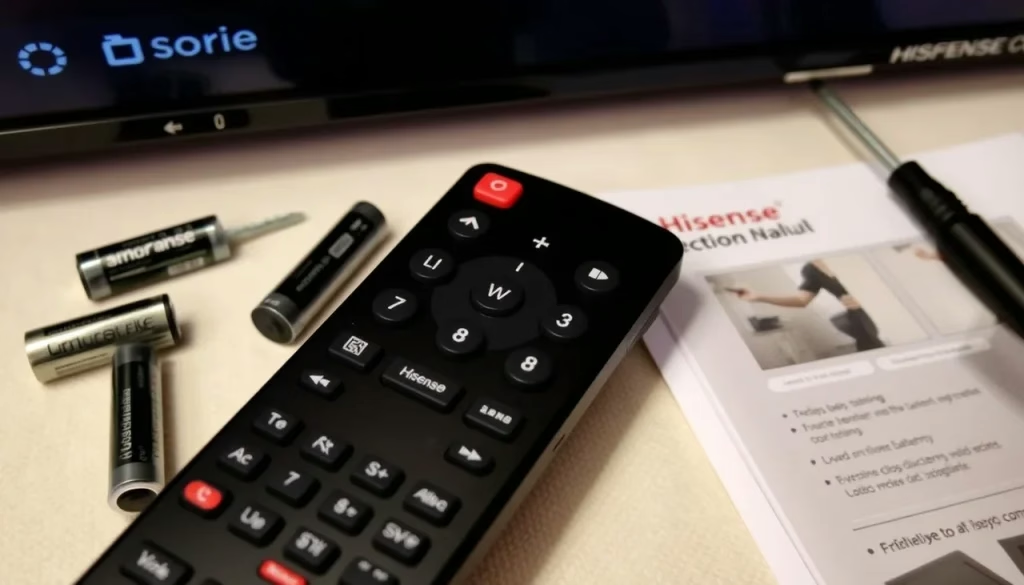
To fix the problem, start by replacing the remote's batteries and ensuring there are no obstructions between the remote and the TV sensor. If that doesn't help, try restarting the TV or re-pairing the remote through the settings menu.
As an alternative, a universal remote or Hisense TV remote app can provide a temporary solution if the original remote is defective. BoostVision provides a universal Hisense TV Remote app, which boasts 10 millions+ downloads. It will allow you to control your TV with your phone.
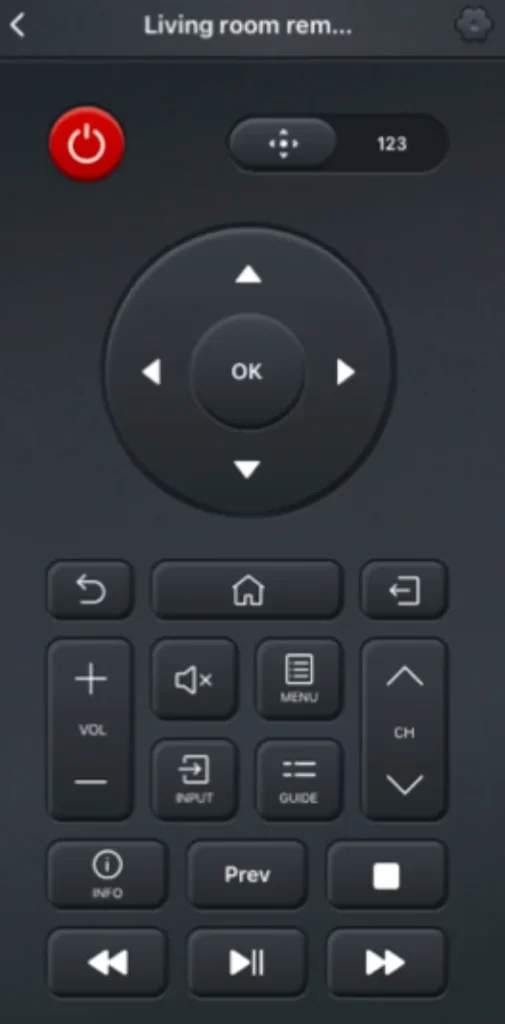
You can follow the steps below to pair the universal remote app to Hisense TV:
Step 1. Download and install the universal TV remote app by clicking the following button.


Step 2. Connect your Hisense Smart TV and the remote app to the same WiFi network and launch the app. Select Wifi mode to connect.
Tip: If the TV and your smartphone are not under the same wifi network, please choose IR mode for this step, which will not require a WiFi connection.
Step 3. The app shows all the devices it has detected. Choose a device to connect to.
After connecting, you can use the remote app to control Hisense TV at any time.
Basic Troubleshooting Steps for Your Hisense TV
Hisense TVs can be very frustrating when issues pop up, but do not worry! Simple steps often resolve some of the common problems. Let's first get the basics out of the way:
Note: User manuals are your best friend for troubleshooting Hisense TV. Use them to solve all the problems with your Hisense TV.
Power cycle Hisense TV:turn Hisense TV off, unplug it, wait for 30 seconds, plug it in, and switch it on. This cures most of the Hisense TV troubleshooting issues.Verify all cables:check if HDMI and coaxial are securely connected to the back of your TV and other devices or consoles. Poor or loose cable connections can cause problems with your display and sound quality.Update Hisense TV:periodically check for software updates that will get rid of bugs and hence optimize performance.activate the Reset option from the settings menu or press the physical reset button to turn it to the initial state.Factory reset Hisense TV:
Conclusion
If you come across Hisense TV problems, try the above solutions. Trying to fix your Hisense TV yourself can often work. But sometimes, you need to call Hisense's tech support. If you've tried everything and your TV still has problems, it's time to get in touch. Hope this post helps you.
Hisense TV Problems FAQ
Q: Why is my Hisense TV not turning on?
This could be due to a defective power supply, a tripped circuit, or even software bugs. A malfunctioning remote may also be considered. Check the power cord and outlet, press the power button on the remote again, and press the power button on the TV if the remote doesn't work. If neither works, perform a soft reset by unplugging it for a few minutes.
Q: What are common problems with Hisense TVs?
Common issues with Hisense TVs include power problems, black screens, distorted or blurry images, and sound issues like no sound or buzzing. Network connectivity problems, app loading issues, and streaming service errors are also frequent. Additionally, users may experience remote control problems such as unresponsiveness.
Q: What is the life expectancy of a Hisense TV?
The life expectancy of a Hisense TV is typically around 7 to 10 years, depending on factors like usage, maintenance, and the specific model. If the TV is used for 4-6 hours a day, you can expect it to last closer to 7-8 years. However, with proper care—like avoiding prolonged exposure to high brightness settings and keeping it well-ventilated—it may last longer. Like any electronics, performance can decline over time, but a Hisense TV can still function well for many years if maintained properly.
Q: Why is my Hisense TV remote not working?
Most problems caused are due to Dead batteries, signal interference, misalignment between the remote and the TV's infrared sensor, software glitches, outdated firmware, or physical damage. You can try fixing it with some steps: replace the batteries, ensure there are no obstructions, restart the TV, re-pair the remote, and use a universal remote or Hisense TV remote app.