 English
 Portuguese
 Spanish
 French
 German
 Japanese
 ビッキー
ビッキー
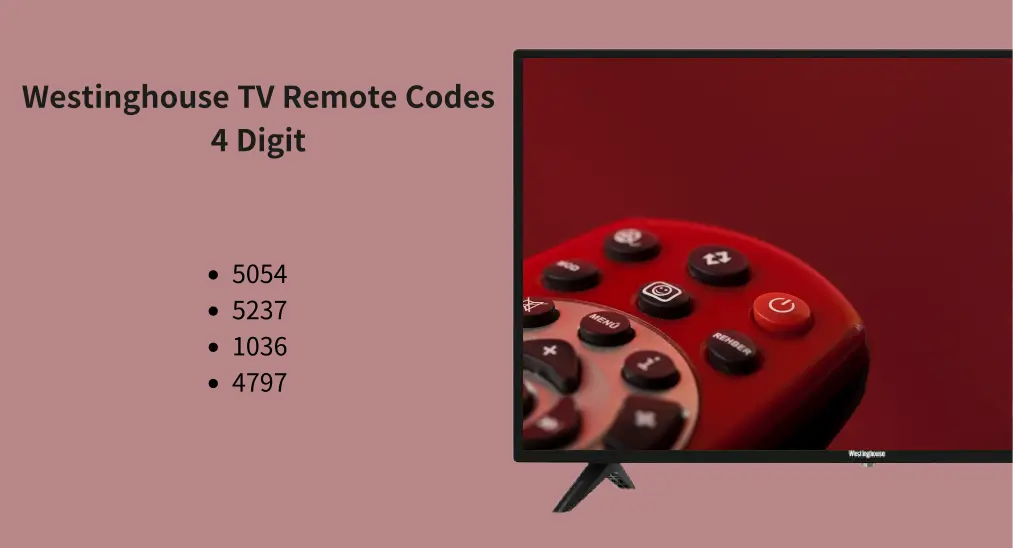
あなたのWestinghouse リモコンが紛失または故障した場合、一般的な解決策はユニバーサルリモコンを使用することです。ただし、新しいユニバーサルリモコンは、コードの有無にかかわらずプログラムすることでテレビと連携します。心配しないでください、投稿には ウエスティングハウスのテレビリモコンコード4桁 他の人気ブランドの他の数字と一緒に、あなたのテレビでユニバーサルリモコンアプリがすぐに動作するようにサポートします。
目次
なぜWestinghouseリモコンアプリのコードが必要なのか
When you use a universal remote, it doesn't automatically know how to control every device, so you need to input a code specific to the brand and model of the TV to sync it.
These codes ensure the universal remote can communicate with your Westinghouse TV, allowing you to change channels, adjust the volume, and access other TV functions. In short, Westinghouse remote codes act as a key that links your remote to the TV's built-in control system.
Therefore, Westinghouse TV remote codes are essential for programming universal remotes to control your Westinghouse TV. Without the correct code, the remote won't be able to control the TV.
ノート: いくつかのユニバーサルリモコンには、正しいコードをスキャンする自動コード検索機能があります。それにより、あなたは... コードなしでプログラムすることはできません。.
ウェスティングハウスのリモコンアプリコードを見つける方法
ユーザーマニュアルを確認して 正しいユニバーサルリモコンコードを探す for your Westinghouse TV. The code is often listed in the manual for your universal remote or Westinghouse TV. Westinghouse or the remote manufacturer's website may also provide a Westinghouse universal remote code list.
""
Let's dive into ユニバーサルリモコンコード 西屋テレビ用。普遍的なリモコンが西屋テレビで動作するようになるまで、音量を調整したりチャンネルを切り替えたりするのと同様に、一つずつ試してください。
西屋リモコンアプリコード4桁
ウェスティングハウステレビで動作するようにユニバーサルリモコンをプログラムする場合、最も一般的な方法の1つは4桁のリモコンコードを使用することです。これらの短いコードは、そのシンプルさと入力のしやすさからよく好まれます。
If you're using a universal remote with a Westinghouse TV, knowing the correct 4-digit code is crucial to ensure a successful connection. Here is a table of 4 digit code for Westinghouse TV:
| 5054 | 5237 | 1036 | 4797 | 0114 | 1146 | 3241 | 3251 | 0111 | 1901 | 2281 | 3711 | 3851 | 5971 | 5981 |
| 1891 | 2141 | 0889 | 1282 | 1577 | 0451 | 1217 | 1019 | 1195 | 1196 | 1414 | 1433 | 0002 | 0915 | 0013 |
| 5001 | 5115 | 5117 | 5379 | 1489 | 0885 | 0143 | 3411 | 1430 | 1300 | 0890 | 1216 | 1454 | 5781 | 1027 |
| 1336 | 1367 | 1712 |
ウエスティングハウスのリモコンアプリのコード 3 桁
4桁のコードに加えて、3桁のリモコンコードを使用して、ユニバーサルリモコンをWestinghouse TVとプログラムすることができます。これらの短いコードは一般的ではないかもしれませんが、特定のリモコンモデルには効果的です。
| 809 | 798 | 794 | 856 | 575 | 097 | 107 | 513 | 516 | 072 | 652 | 531 | 551 | 574 | 553 |
| 808 | 500 | 697 | 003 | 795 | 797 |
If you're having trouble with a 4-digit code or need an alternative, the 3-digit code could be the solution.
ウエスティングハウス リモコンアプリ コード 5 桁
より高度な接続を求めている方には、一部のユニバーサルリモコンがウェスティングハウスTVとプログラムするために5桁のコードを必要とします。これらの長いコードは、より具体的な一致を提供し、より広範な範囲のリモコンで機能強化を提供することがあります。
| 13382 | 13470 | 11577 | 11712 | 12499 | 19016 | 12824 | 10885 | 12536 | 12195 | 10463 | 10889 | 13579 |
| 11300 | 13949 | 12293 | 13094 | 10890 | 11282 | 12397 | 13908 | 10451 | 11217 | 10000 | 17133 | 11106 |
| 12438 |
ウエスティングハウスのユニバーサルリモートコードは入力に少し時間がかかるかもしれませんが、5桁のコードはスムーズで反応の良いリモコン操作を確実にするのに効果的です。
ウェスティングハウステレビのGEユニバーサルリモコンコード
When using a GE universal remote with a Westinghouse TV, you'll need specific codes to establish a successful connection between the two. Try the codes below one by one to GEのユニバーサルリモコンをテレビにプログラムする方法.
| 5781 | 5971 | 5981 | 3241 | 1891 | 2141 | 0111 | 2281 | 6171 | 3241 |
ウエスティングハウスのRokuテレビをお持ちの場合、ウエスティングハウステレビの4桁コードは6171です。このコードをGEユニバーサルリモコンの数字パッドを使って入力すると、ウエスティングハウステレビと正常にプログラムされます。
フィリップスのユニバーサルリモコンのコード(Westinghouse TV用)
Philips remotes support a wide array of TV brands, including Westinghouse, and using the right code will allow you to control your TV's power, volume, channels, and other settings without any issues.
| 0915 | 0013 | 0115 | 1718 | 0611 | 0641 | 0415 | 0215 | 0324 | 0529 | 0609 |
RCAユニバーサルリモコンコード for Westinghouse TV
RCAユニバーサルリモコンは、 のリモコンアプリが使用できない場合の人気の代替品の1つです。 TV doesn't respond to the remote or buttons。 RCAのユニバーサルリモコンをお持ちの場合、プログラミング中に次のコードを試すことができます。
| 1001 | 1191 | 1000 | 1190 | 1712 | 3559 | 3382 | 2293 | 3094 | 3470 | 2397 | 0463 | 11712 |
| 10451 | 10885 | 10889 | 11282 | 11300 | 11577 |
参照: RCA universal remote codes
ウエスティングハウスのテレビ用マグナボックスユニバーサルリモコンコード
この Magnavoxユニバーサルリモートコード ウエスティングハウステレビには、いくつかの特定のオプションが含まれています。 0112, 0127, 0046、そして 0049. By entering one of these codes, you'll be able to control basic functions such as power, volume, and channel settings on your TV.
ウェスティングハウスのテレビ用のOne For Allユニバーサルリモコンコード
すべてのリモコンは、Westinghouseを含むさまざまなテレビブランドとの広範な互換性で知られており、正しいコードを使用して 22643 そして 33222)電源制御から音量調整まで、必要な機能に簡単にアクセスできることを保証します。確認 すべてのユニバーサルリモコンコードのための1つ もっと。
ウェスティングハウステレビのためのDishユニバーサルリモートコード
Dish remotes are popular for their versatility in controlling multiple devices, including TVs, sound systems, and streaming devices. To sync your Dish remote with a Westinghouse TV, you'll need the correct universal remote codes tailored for this brand. The Westinghouse TV codes are:
| 528 | 531 | 551 | 562 | 574 | 575 | 652 | 697 | 719 | 795 | 797 | 798 | 809 |
| 832 | 856 | 4797 | 1712 | 3411 | 0885 | 1300 | 0889 | 0890 | 1282 | 1577 | 0451 | 1217 |
ウエスティングハウステレビにユニバーサルリモコンをプログラムする方法
特定のWestinghouse TVコードをユニバーサルリモコン用に見つけたら、そのユニバーサルリモコンをWestinghouse TVにプログラムしようとすることができます。一般的なステップは次のとおりです:
ステップ1. 物理ボタンを使ってWestinghouseテレビをオンにする 電源 ボタンを押してください。
ステップ2. 押してください テレビ ユニバーサルリモコンのボタンを押しながら、テレビに向けてください。リモコンのLEDライトが点灯したら、離します。

ステップ3. ウエスティングハウスのユニバーサルリモコンコードを入力してください。入力したコードが正しければ、LEDライトは消灯するはずです。
ステップ4. Test the remote by pressing the Power button on the remote. If the TV turns off, the programming is successful. If it doesn't work, repeat the process using a different code from the Westinghouse universal remote code list.
ヒント: スマホをWestinghouse TVのユニバーサルリモコンとして使用する
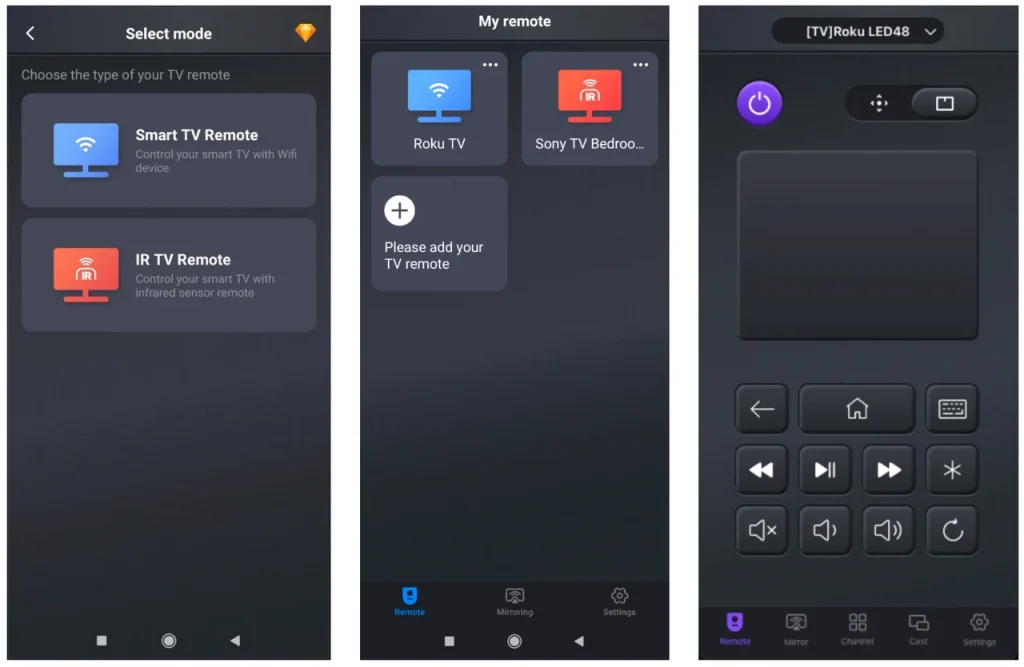
良いニュースがありますが、 BoostVision 多くのブランド、Westinghouse Roku、LG、サムスン、Vizio、ソニー、Hisense などのテレビを操作できるアプリをリリースしました。 無料のユニバーサルリモコンアプリ App StoreとGoogle Playからダウンロードできます。
万能リモコンアプリをダウンロードします


AndroidスマホにIRブラスターが搭載されている場合、アプリを通じてスマホをテレビに接続する2つの異なる方法があります。IRまたはWi-Fiネットワークを通じて接続を設定できます。一度接続が完了すると、スマホからWestinghouseテレビを操作できます。
結論
Programming a universal remote to your Westinghouse TV is a simple process once you have the correct code. Whether you're using a 4-digit, 3-digit, or 5-digit code, each method is designed to make the connection between your remote and TV smooth and efficient. With detailed lists of remote codes across various brands like GE, Philips, RCA, and Magnavox, you'll have plenty of options to try if one code doesn't work.
さらに、より現代的な解決策を好む場合、スマホをユニバーサルリモコンアプリとして使用することも可能です。選択する方法に関係なく、これらのステップは、面倒なくWestinghouseテレビの完全なコントロールをすばやく取り戻すことを保証します。
ウェスティングハウス リモコンアプリ コード4桁のFAQ
Q: ウェスティングハウステレビのためにユニバーサルリモコンをプログラムする方法は?
To program a universal remote for your Westinghouse TV, first turn on the TV using the power button. Then, press and hold the "TV" button on the universal remote until the LED light turns on, and release the button. Enter the correct Westinghouse TV code (4-digit, 3-digit, or 5-digit depending on your remote), and the LED should turn off. Test the remote by pressing the "Power" button—if the TV turns off, programming is successful. If not, repeat the process with a different code. You can find the code in the user manual or online code lists.
Q: どうやって4桁のテレビコードを見つけるのですか?
To find your 4-digit TV code, you can check the user manual (the code for your Westinghouse TV is typically listed in the manual of the universal remote); look up online (visit the manufacturer's website or search for a code list specific to your universal remote brand (like GE, Philips, or RCA); use the auto search function (many universal remotes have an auto code search feature that scans for the correct code. This allows you to avoid manually entering codes.).
ビッキー
ビッキー・グリーンは、視聴体験を向上させるために定期的にブログを更新しているBoostVisionのウェブコンテンツエディターです。彼女は、果てしない情熱と十分な忍耐、そして強い批判的思考が大きな成功を生むと信じています。